
- ✔ Verified by VirusTotal
- ✔ 100% Original Product & Virus-Free
- ✔ Lifetime Free Updates on Single Purchase
- ✔ Unlimited Website Usage
- ✔ Prices in USD (Tax Included)
🔥 Limited-Time Deal — Ends Soon!
WooCommerce Measurement Price Calculator 3.23.9
$30.00 Original price was: $30.00.$2.99Current price is: $2.99.
Instant Access
7 Day Money Back Guarantee
Online Support 24/7
Secure Payment
Description
WooCommerce Measurement Price Calculator – WordPress Plugin
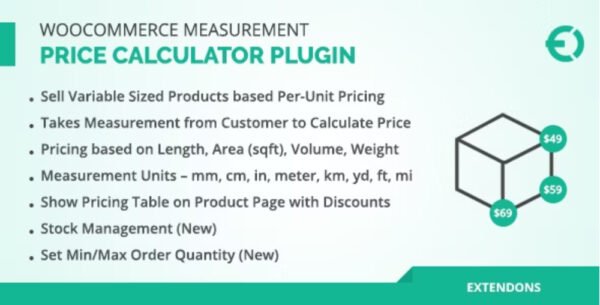
The WooCommerce Measurement Price Calculator is a must-have extension for stores selling products priced by dimensions, area, volume, or weight. Perfect for flooring, wallpaper, mulch, tiles, and other products that aren’t sold in simple “per item” quantities, this plugin adds a fully customizable calculator to your product pages to dynamically calculate total prices and quantities.
⭐ Key Features
1. Dynamic Product Pricing
Calculate product prices per unit of measurement, including square footage, cubic volume, weight, or dimensions
Display price per unit (e.g.,
$1.75 / sq ft) on product pages and shop listings
2. Quantity Calculators
Sell products in pre-measured quantities (like boxes of tiles covering 35 or 60 sq ft)
Allow customers to input their own measurements and calculate the required amount automatically
3. Flexible Calculations
Area, volume, perimeter, surface area, and weight calculators
Accept multiple input combinations: length, width, height, or custom dimensions
Include optional overage estimates for user-provided measurements
4. Inventory & Shipping Support
Track inventory per unit of measurement
Dynamically calculate product weight for shipping based on customer-selected quantity
5. Price Breaks & Variable Products
Set tiered pricing for different measurement ranges
Supports variable products with dynamic per-unit pricing, inventory, and shipping weight
6. Customizable & User-Friendly
Set minimum, maximum, and step values for customer inputs
Customize measurement and pricing labels to suit your products
Special Room Walls calculator for wallpaper sales
💡 Benefits
Makes selling measurement-based products simple and accurate
Enhances user experience by allowing customers to enter precise quantities
Automates pricing, saving time and reducing manual errors
Fully integrates with WooCommerce shop pages, product pages, and variable products
Why Choose WooCommerce Measurement Price Calculator?
Whether you sell flooring, tiles, wallpaper, mulch, or other dimensional products, this plugin allows your customers to easily calculate total price and quantity based on their needs. It’s the most reliable way to convert complex measurements into accurate WooCommerce pricing, increasing sales and improving customer satisfaction.
Be the first to review “WooCommerce Measurement Price Calculator 3.23.9” Cancel reply
How to Install
Follow these quick steps to install from a .zip file or directly from your WP dashboard.
-
1
Go to Plugins → Add New
In your WordPress dashboard, open Plugins and click Add New.
-
2
Click Upload Plugin
Press Upload Plugin → Choose File and select the downloaded
plugin-name.zip. -
3
Install & Activate
Click Install Now, then Activate. You’re done!
-
4
(Optional) Enter License / Use Shortcode
Open Plugins → Your Plugin → Settings to enter your license. Add the box on the product page with:
[plugin_info_box]
Alternative: Install from WordPress directory
Go to Plugins → Add New, search the plugin name, click Install then Activate.
Manual (FTP) method
Unzip locally → upload the folder to /wp-content/plugins/ using FTP → activate from Plugins.
-
1
Go to Appearance → Themes
Click Add New → Upload Theme.
-
2
Upload the .zip file
Select
theme-name.zip, click Install Now, then Activate. -
3
Install Required Plugins
If prompted, click Begin installing plugins and activate them.
-
4
(Optional) Import Starter Content
Use the theme’s Demo Import (if provided) to load sample pages and settings.
Manual (FTP) theme install
Unzip the theme → upload to /wp-content/themes/ → activate from Appearance → Themes.




Reviews
There are no reviews yet.