
- ✔ Verified by VirusTotal
- ✔ 100% Original Product & Virus-Free
- ✔ Lifetime Free Updates on Single Purchase
- ✔ Unlimited Website Usage
- ✔ Prices in USD (Tax Included)
🔥 Limited-Time Deal — Ends Soon!
WooCommerce Order Approval 9.4
$14.00 Original price was: $14.00.$2.99Current price is: $2.99.
Instant Access
7 Day Money Back Guarantee
Online Support 24/7
Secure Payment
Description
🛒 WooCommerce Order Approval Plugin
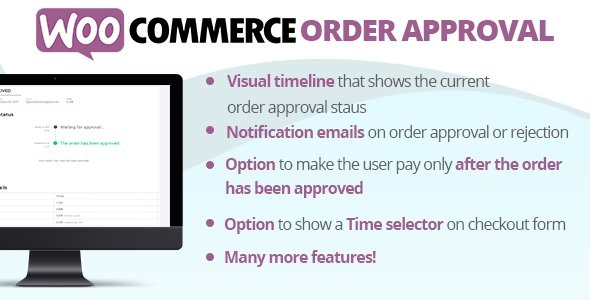
The WooCommerce Order Approval plugin gives online store owners full control over the order workflow. With this plugin, you can approve or reject customer orders, provide visual timelines for order status, and even configure automatic approvals based on specific conditions. Ideal for stores that require manual review before processing payments, such as food delivery services, custom products, or high-value items.
✨ Key Features
🔄 Approval Workflows
Pay and wait for approval: Customer pays first, admin approves or rejects the order afterward.
Wait for approval and pay: Customer places the order, pays only after admin approval.
⏱ Live Approval Timeline
Customers can see a live-updated timeline of their order approval status.
Timeline text is fully customizable.
🕒 Time Selector
Optional time selector for checkout, perfect for scheduling deliveries or appointments.
📧 Email Notifications
Automatic emails sent to customers when orders are Approved or Rejected.
Templates are editable via theme folder.
✅ New Order Statuses
Adds Waiting for approval, Rejected, and Approved statuses to WooCommerce.
📩 Embedded Admin Approval Links
Directly approve or reject orders from the admin “New Order” email.
❌ Order Cancellation
Customers can cancel approved orders within a configurable timeframe.
Orders can auto-cancel if not paid within a set time after approval.
⚡ Automatic Approval Rules
Auto-approve orders based on payment gateway, shipping method, products, categories, coupons, user role, or order subtotal.
Flexible strategies for product/category-based approvals.
✅ Conclusion
WooCommerce Order Approval is a must-have for store owners who want full control over order processing. With manual and automatic approval workflows, live timelines, email notifications, and flexible cancellation rules, it ensures a smooth and professional customer experience while minimizing errors or fraudulent orders.
Be the first to review “WooCommerce Order Approval 9.4” Cancel reply
How to Install
Follow these quick steps to install from a .zip file or directly from your WP dashboard.
-
1
Go to Plugins → Add New
In your WordPress dashboard, open Plugins and click Add New.
-
2
Click Upload Plugin
Press Upload Plugin → Choose File and select the downloaded
plugin-name.zip. -
3
Install & Activate
Click Install Now, then Activate. You’re done!
-
4
(Optional) Enter License / Use Shortcode
Open Plugins → Your Plugin → Settings to enter your license. Add the box on the product page with:
[plugin_info_box]
Alternative: Install from WordPress directory
Go to Plugins → Add New, search the plugin name, click Install then Activate.
Manual (FTP) method
Unzip locally → upload the folder to /wp-content/plugins/ using FTP → activate from Plugins.
-
1
Go to Appearance → Themes
Click Add New → Upload Theme.
-
2
Upload the .zip file
Select
theme-name.zip, click Install Now, then Activate. -
3
Install Required Plugins
If prompted, click Begin installing plugins and activate them.
-
4
(Optional) Import Starter Content
Use the theme’s Demo Import (if provided) to load sample pages and settings.
Manual (FTP) theme install
Unzip the theme → upload to /wp-content/themes/ → activate from Appearance → Themes.




Reviews
There are no reviews yet.