
- ✔ Verified by VirusTotal
- ✔ 100% Original Product & Virus-Free
- ✔ Lifetime Free Updates on Single Purchase
- ✔ Unlimited Website Usage
- ✔ Prices in USD (Tax Included)
🔥 Limited-Time Deal — Ends Soon!
WooCommerce Order Barcodes 1.9.6
$77.00 Original price was: $77.00.$2.99Current price is: $2.99.
Instant Access
7 Day Money Back Guarantee
Online Support 24/7
Secure Payment
Description
🎯 Easily Generate Unique Barcodes for Every Order
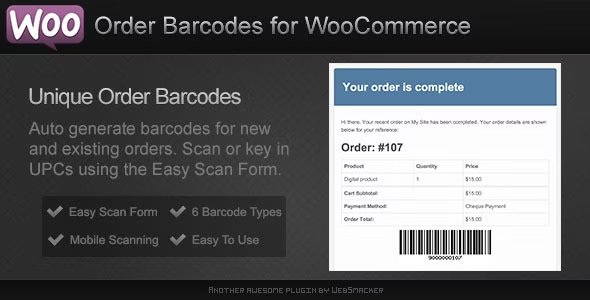
The WooCommerce Order Barcodes plugin allows you to automatically generate a unique barcode for every order placed on your store.
Whether you’re running an event, a booking site, or a product-based store, you can now attach a scannable barcode or QR code to every order, making order tracking and verification faster and more efficient. 🚀
⚙️ Key Features of WooCommerce Order Barcodes
🧩 Unique Barcode for Every Order
Automatically generates a unique barcode or QR code for each WooCommerce order.
🧾 Multiple Barcode Formats
Choose from five different barcode types, including standard barcodes and QR codes, for maximum flexibility.
📦 Use on E-tickets & Packing Slips
Ideal for use on e-tickets, e-reservations, packing slips, or invoices — anywhere a scannable code adds value.
📬 Automatic Email Delivery
Customers automatically receive their barcode via email, ready for printing or scanning.
🧠 On-site Scanning & Processing
Barcodes can be scanned directly on your site to verify, track, or process orders quickly.
💎 What’s Included
✅ 100% GPL clean and verified version
🧾 Easy setup and integration
🔄 Supports multiple barcode styles
💼 Enhances order processing and security
🎯 Conclusion
The WooCommerce Order Barcodes plugin is a must-have tool for any store owner who wants to streamline order management and add a layer of professionalism and efficiency to their workflow. 🎟️
With scannable codes on every order, your store will be ready for events, bookings, and fast fulfillment — all with a single click
Be the first to review “WooCommerce Order Barcodes 1.9.6” Cancel reply
How to Install
Follow these quick steps to install from a .zip file or directly from your WP dashboard.
-
1
Go to Plugins → Add New
In your WordPress dashboard, open Plugins and click Add New.
-
2
Click Upload Plugin
Press Upload Plugin → Choose File and select the downloaded
plugin-name.zip. -
3
Install & Activate
Click Install Now, then Activate. You’re done!
-
4
(Optional) Enter License / Use Shortcode
Open Plugins → Your Plugin → Settings to enter your license. Add the box on the product page with:
[plugin_info_box]
Alternative: Install from WordPress directory
Go to Plugins → Add New, search the plugin name, click Install then Activate.
Manual (FTP) method
Unzip locally → upload the folder to /wp-content/plugins/ using FTP → activate from Plugins.
-
1
Go to Appearance → Themes
Click Add New → Upload Theme.
-
2
Upload the .zip file
Select
theme-name.zip, click Install Now, then Activate. -
3
Install Required Plugins
If prompted, click Begin installing plugins and activate them.
-
4
(Optional) Import Starter Content
Use the theme’s Demo Import (if provided) to load sample pages and settings.
Manual (FTP) theme install
Unzip the theme → upload to /wp-content/themes/ → activate from Appearance → Themes.




Reviews
There are no reviews yet.