
- ✔ Verified by VirusTotal
- ✔ 100% Original Product & Virus-Free
- ✔ Lifetime Free Updates on Single Purchase
- ✔ Unlimited Website Usage
- ✔ Prices in USD (Tax Included)
🔥 Limited-Time Deal — Ends Soon!
WooCommerce Order Status Manager 1.15.6
$39.00 Original price was: $39.00.$2.99Current price is: $2.99.
Instant Access
7 Day Money Back Guarantee
Online Support 24/7
Secure Payment
Description
⚙️ Order Status Manager for WooCommerce – Customize and Control Your Order Workflow
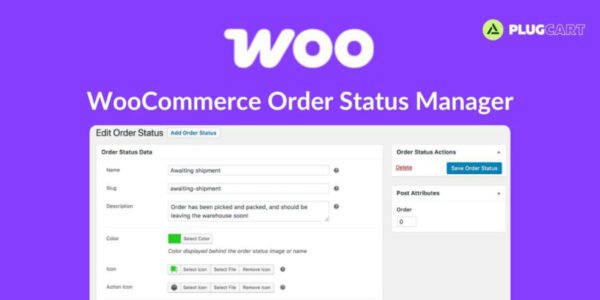
💡 Order Status Manager for WooCommerce Order Statusby SkyVerge gives you full control over your WooCommerce order workflow. Create, edit, and delete custom order statuses to fit your business process, and integrate them seamlessly with WooCommerce’s default order flow.
🛠️ With this plugin, you can design your own order statuses, assign icons, and add action buttons for smoother management. Define “next statuses” for each order stage to build a logical workflow and easily add bulk actions for faster processing. You can even reorder statuses in your admin panel via drag-and-drop for better organization.
📧 Add custom email notifications that trigger automatically based on order status changes. Customize these emails with your own templates to enhance customer communication and branding.
💰 You can mark specific statuses as Paid (to include download links or purchase notes) or as Requires Payment, enabling customers to access “Pay” and “Cancel” options when necessary.
📊 Include custom order statuses in store reports, ensuring a complete overview of your order performance.
🌐 Whether managing digital products or physical goods, Order Status Manager for WooCommerce Order Status streamlines your fulfillment process and provides total flexibility.
✨ Key Features of WooCommerce Order Status
🧩 Create, edit, and delete custom order statuses
🔁 Integrate new statuses with WooCommerce’s workflow
🖼️ Add icons or action buttons for each status
📧 Custom order email notifications with templates
🔄 “Next status” logic for smooth transitions
⚙️ Bulk actions for fast order management
📊 Include custom statuses in store reports
💰 Mark statuses as Paid or Requires Payment
🧭 Drag-and-drop order for easy organization
🔒 Safe deletion of custom statuses without data loss
🛠️ What We Offer
💡 Total workflow customization for WooCommerce
🎯 Improve communication with customers via custom emails
🚀 Simplify order management with automation tools
🌍 Multi-language and theme compatible
🔒 GPL-compliant and secure
✅ Conclusion
🚀 Order Status Manager for WooCommerce Order Status empowers store owners to customize and automate their order process with precision. From creating new statuses to designing custom workflows and emails, this plugin provides everything needed to enhance order tracking, customer satisfaction, and operational efficiency.
Be the first to review “WooCommerce Order Status Manager 1.15.6” Cancel reply
How to Install
Follow these quick steps to install from a .zip file or directly from your WP dashboard.
-
1
Go to Plugins → Add New
In your WordPress dashboard, open Plugins and click Add New.
-
2
Click Upload Plugin
Press Upload Plugin → Choose File and select the downloaded
plugin-name.zip. -
3
Install & Activate
Click Install Now, then Activate. You’re done!
-
4
(Optional) Enter License / Use Shortcode
Open Plugins → Your Plugin → Settings to enter your license. Add the box on the product page with:
[plugin_info_box]
Alternative: Install from WordPress directory
Go to Plugins → Add New, search the plugin name, click Install then Activate.
Manual (FTP) method
Unzip locally → upload the folder to /wp-content/plugins/ using FTP → activate from Plugins.
-
1
Go to Appearance → Themes
Click Add New → Upload Theme.
-
2
Upload the .zip file
Select
theme-name.zip, click Install Now, then Activate. -
3
Install Required Plugins
If prompted, click Begin installing plugins and activate them.
-
4
(Optional) Import Starter Content
Use the theme’s Demo Import (if provided) to load sample pages and settings.
Manual (FTP) theme install
Unzip the theme → upload to /wp-content/themes/ → activate from Appearance → Themes.




Reviews
There are no reviews yet.