
- ✔ Verified by VirusTotal
- ✔ 100% Original Product & Virus-Free
- ✔ Lifetime Free Updates on Single Purchase
- ✔ Unlimited Website Usage
- ✔ Prices in USD (Tax Included)
🔥 Limited-Time Deal — Ends Soon!
Woocommerce Order Tags Extension 5.0.0
$57.00 Original price was: $57.00.$2.99Current price is: $2.99.
Instant Access
7 Day Money Back Guarantee
Online Support 24/7
Secure Payment
Description
🏷️ WooCommerce Order Tags Extension (GPL Latest Version)
This is a GPL-distributed version. No official support. Clean, secure, and legally redistributed under the GPL license.
🚀 Smarter & Faster Order Management
The WooCommerce Order Tags Extension allows store owners to create and assign unlimited order tags — either manually or automatically.
With order tags, you can quickly identify and filter orders without opening each one, making fulfillment faster, more accurate, and much more efficient.
Tags can be used for special cases like:
✔️ Highlighting new customers for welcome gifts
✔️ Identifying high-value orders for priority processing
✔️ Tracking subscription renewals automatically
⚡ WooCommerce Order Tags GPL Features
🏷️ Unlimited order tags – Add as many as you need.
🔄 Manual & automatic assignment – Apply tags manually or based on conditions (order placement, updates, or renewals).
📊 Automatic rules – Use operators like =, >, <, >=, <= for advanced tagging conditions.
🛒 Bulk actions – Assign or remove tags across multiple orders at once.
🎨 Custom styling – Set tag colors, text, and tooltips for quick visual recognition.
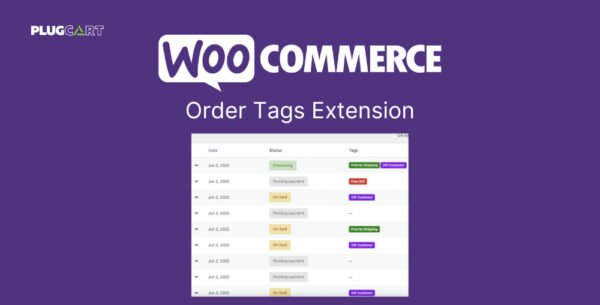
🔍 Order filtering – Easily find orders by tags in your admin panel.
📦 Subscriptions support – Works with WooCommerce Subscriptions for both initial and renewal orders.
🗂️ Dashboard overview – Manage and review all order tags in one place.
🕒 Backfill support – Bulk add tags to past orders, even before extension installation.
🎯 Why Use WooCommerce Order Tags?
✅ Save time managing large order volumes
✅ Improve accuracy with visual order tagging
✅ Prioritize and process orders based on business rules
✅ Keep fulfillment workflows smooth and customer-friendly
Be the first to review “Woocommerce Order Tags Extension 5.0.0” Cancel reply
How to Install
Follow these quick steps to install from a .zip file or directly from your WP dashboard.
-
1
Go to Plugins → Add New
In your WordPress dashboard, open Plugins and click Add New.
-
2
Click Upload Plugin
Press Upload Plugin → Choose File and select the downloaded
plugin-name.zip. -
3
Install & Activate
Click Install Now, then Activate. You’re done!
-
4
(Optional) Enter License / Use Shortcode
Open Plugins → Your Plugin → Settings to enter your license. Add the box on the product page with:
[plugin_info_box]
Alternative: Install from WordPress directory
Go to Plugins → Add New, search the plugin name, click Install then Activate.
Manual (FTP) method
Unzip locally → upload the folder to /wp-content/plugins/ using FTP → activate from Plugins.
-
1
Go to Appearance → Themes
Click Add New → Upload Theme.
-
2
Upload the .zip file
Select
theme-name.zip, click Install Now, then Activate. -
3
Install Required Plugins
If prompted, click Begin installing plugins and activate them.
-
4
(Optional) Import Starter Content
Use the theme’s Demo Import (if provided) to load sample pages and settings.
Manual (FTP) theme install
Unzip the theme → upload to /wp-content/themes/ → activate from Appearance → Themes.




Reviews
There are no reviews yet.