
- ✔ Verified by VirusTotal
- ✔ 100% Original Product & Virus-Free
- ✔ Lifetime Free Updates on Single Purchase
- ✔ Unlimited Website Usage
- ✔ Prices in USD (Tax Included)
🔥 Limited-Time Deal — Ends Soon!
WooCommerce PDF Watermark 1.9.6
$71.00 Original price was: $71.00.$2.99Current price is: $2.99.
Instant Access
7 Day Money Back Guarantee
Online Support 24/7
Secure Payment
Description
🔒 WooCommerce PDF Watermark – Secure Your PDF Downloads
GPL-distributed version – Clean, secure, and legally redistributed under the GPL license. (No official support included.)
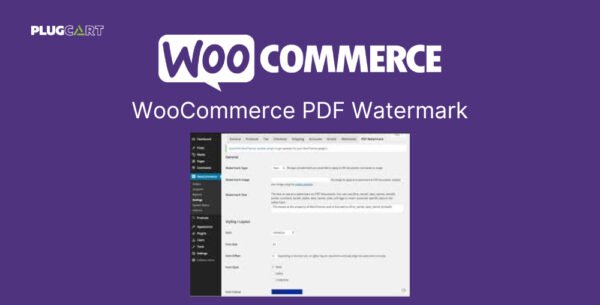
WooCommerce PDF Watermark is the ultimate solution for protecting your downloadable PDF files. Whether you’re selling eBooks, reports, manuals, or premium learning materials, this plugin ensures your digital assets remain secure and uniquely branded.
With support for both text and image watermarks, as well as password, copy, and print restrictions, you can fully control how your PDF files are accessed and shared.
🛡️ Key Features
💬 Text Watermarks
Add fully customizable text watermarks to your WooCommerce PDF downloads.
Adjust font, size, color, rotation, and placement.
Use dynamic customer-based tags (like name, email, or order ID) for personalized watermarks.
Apply text watermarks globally, per product, or per variation.
🖼️ Image Watermarks
Insert your logo or any image as a watermark on your PDF files.
Fine-tune opacity, position, and alignment for a professional look.
Ideal for brand reinforcement or copyright protection.
🔐 PDF Protection Options
Password-protect your PDF downloads.
Disable copying, printing, and modifying to prevent misuse.
Protect valuable digital content from unauthorized sharing.
⚙️ Flexible Control
Configure watermark settings globally, per product, or per variation.
Extend or customize functionality easily using built-in hooks and filters.
Perfect for developers and store owners who want granular control.
🎯 Why Use WooCommerce PDF Watermark
Maintain ownership and control over your digital files.
Add professional branding to every document.
Prevent piracy and unauthorized content distribution.
Easily integrate into your existing WooCommerce store setup.
💼 Ideal For
eBook Stores
Online Course Creators
Digital Report Sellers
Photography & Design Portfolios
Agencies selling branded resources
🏁 Conclusion
WooCommerce PDF Watermark is the all-in-one solution for protecting and branding your downloadable PDFs. Whether you need text or image watermarks, password protection, or copy restrictions — this plugin gives you the power to secure your valuable content with ease and style.
Be the first to review “WooCommerce PDF Watermark 1.9.6” Cancel reply
How to Install
Follow these quick steps to install from a .zip file or directly from your WP dashboard.
-
1
Go to Plugins → Add New
In your WordPress dashboard, open Plugins and click Add New.
-
2
Click Upload Plugin
Press Upload Plugin → Choose File and select the downloaded
plugin-name.zip. -
3
Install & Activate
Click Install Now, then Activate. You’re done!
-
4
(Optional) Enter License / Use Shortcode
Open Plugins → Your Plugin → Settings to enter your license. Add the box on the product page with:
[plugin_info_box]
Alternative: Install from WordPress directory
Go to Plugins → Add New, search the plugin name, click Install then Activate.
Manual (FTP) method
Unzip locally → upload the folder to /wp-content/plugins/ using FTP → activate from Plugins.
-
1
Go to Appearance → Themes
Click Add New → Upload Theme.
-
2
Upload the .zip file
Select
theme-name.zip, click Install Now, then Activate. -
3
Install Required Plugins
If prompted, click Begin installing plugins and activate them.
-
4
(Optional) Import Starter Content
Use the theme’s Demo Import (if provided) to load sample pages and settings.
Manual (FTP) theme install
Unzip the theme → upload to /wp-content/themes/ → activate from Appearance → Themes.




Reviews
There are no reviews yet.