
- ✔ Verified by VirusTotal
- ✔ 100% Original Product & Virus-Free
- ✔ Lifetime Free Updates on Single Purchase
- ✔ Unlimited Website Usage
- ✔ Prices in USD (Tax Included)
🔥 Limited-Time Deal — Ends Soon!
WooCommerce Product FAQ Manager 1.4.6
$39.00 Original price was: $39.00.$2.99Current price is: $2.99.
Instant Access
7 Day Money Back Guarantee
Online Support 24/7
Secure Payment
Description
WooCommerce Product FAQ Manager 1.4.6
This is a GPL-distributed version. No official support is provided. 100% clean, secure, and legally redistributed under the GPL license.
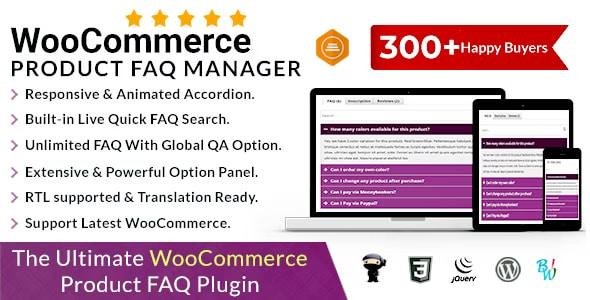
The WooCommerce Product FAQ Manager plugin helps you easily create and manage FAQs (Frequently Asked Questions) for your WooCommerce products. By displaying well-structured FAQs directly on product pages, you can reduce customer support requests, boost buyer confidence, and improve conversions.
🔑 Key Features of WooCommerce Product FAQ Manager
📄 Easy FAQ Management
Add unlimited FAQs for each product.
Manage questions and answers directly from the WordPress dashboard.
Assign FAQs globally or individually to products.
🎨 Customizable FAQ Display
Display FAQs in an accordion/toggle style for better readability.
Fully responsive and mobile-friendly design.
Customize FAQ styles with CSS for seamless store integration.
⚙️ Advanced Options
Set FAQ categories for better organization.
Use shortcodes to place FAQs anywhere (pages, posts, widgets).
Add rich text, images, or links inside answers.
Option to expand/collapse all FAQs by default.
🔍 SEO Benefits
Structured FAQs improve SEO and Google rich snippets.
Reduces duplicate customer queries by showing common answers upfront.
🚀 Benefits of Using Product FAQ Manager
Boosts customer trust by addressing pre-purchase doubts.
Reduces support tickets by answering common questions directly.
Enhances user experience with clear, organized product information.
Improves SEO rankings with structured FAQ content.
Helps increase conversion rates by removing buying hesitation.
📌 Use Cases
Electronics Stores – Answer questions about compatibility, warranty, and features.
Clothing Shops – Clarify size, material, and care instructions.
Digital Products – Provide license info, installation guides, and troubleshooting steps.
General Stores – Add FAQs for shipping, returns, and payment methods.
📝 Summary
The WooCommerce Product FAQ Manager 1.4.6 is a powerful tool for adding professional FAQs to your WooCommerce store. By organizing and displaying product-specific or global FAQs, it enhances customer experience, reduces support workload, and drives more sales.
Be the first to review “WooCommerce Product FAQ Manager 1.4.6” Cancel reply
How to Install
Follow these quick steps to install from a .zip file or directly from your WP dashboard.
-
1
Go to Plugins → Add New
In your WordPress dashboard, open Plugins and click Add New.
-
2
Click Upload Plugin
Press Upload Plugin → Choose File and select the downloaded
plugin-name.zip. -
3
Install & Activate
Click Install Now, then Activate. You’re done!
-
4
(Optional) Enter License / Use Shortcode
Open Plugins → Your Plugin → Settings to enter your license. Add the box on the product page with:
[plugin_info_box]
Alternative: Install from WordPress directory
Go to Plugins → Add New, search the plugin name, click Install then Activate.
Manual (FTP) method
Unzip locally → upload the folder to /wp-content/plugins/ using FTP → activate from Plugins.
-
1
Go to Appearance → Themes
Click Add New → Upload Theme.
-
2
Upload the .zip file
Select
theme-name.zip, click Install Now, then Activate. -
3
Install Required Plugins
If prompted, click Begin installing plugins and activate them.
-
4
(Optional) Import Starter Content
Use the theme’s Demo Import (if provided) to load sample pages and settings.
Manual (FTP) theme install
Unzip the theme → upload to /wp-content/themes/ → activate from Appearance → Themes.




Reviews
There are no reviews yet.