
- ✔ Verified by VirusTotal
- ✔ 100% Original Product & Virus-Free
- ✔ Lifetime Free Updates on Single Purchase
- ✔ Unlimited Website Usage
- ✔ Prices in USD (Tax Included)
🔥 Limited-Time Deal — Ends Soon!
WooCommerce Product Size Guide 4.4
$21.00 Original price was: $21.00.$2.99Current price is: $2.99.
Instant Access
7 Day Money Back Guarantee
Online Support 24/7
Secure Payment
Description
WooCommerce Product Size Guide – Latest Version
This is a GPL-distributed version. No official support is provided. 100% clean, secure, and legally redistributed under the GPL license.
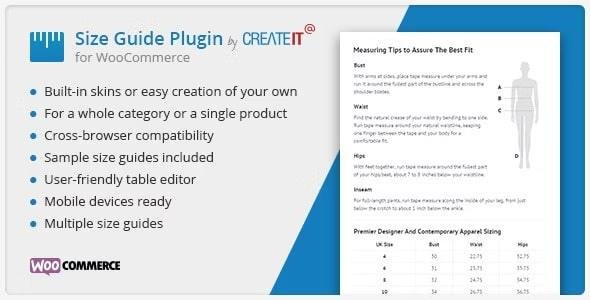
The WooCommerce Product Size Guide plugin is designed to help store owners create and display professional size guides for their products. With customizable tables, ready-to-use templates, and mobile-friendly design, it ensures that customers can easily find the right size before making a purchase—reducing returns and improving overall shopping experience.
🔑 Key Features of WooCommerce Product Size Guide
🎨 Flexible Size Guide Creation
3 pre-designed skins + filters to create your own custom style.
Add a guide for single products or entire categories.
Supports unlimited size guides for different product types.
Create multiple tables within one guide for detailed information.
⚡ Easy to Use
No HTML knowledge required – build tables with a single click.
Comes with sample size guides for quick setup.
Lightweight and optimized – fewer files for faster loading.
📱 Mobile-Friendly
Fully responsive and works perfectly across all devices.
Guides adjust seamlessly for desktop, tablet, and mobile shoppers.
🛠 Customization Options
Compatible with most WooCommerce themes.
Style and organize guides according to product type.
Use filters to extend or modify functionality.
🚀 Benefits of Using WooCommerce Product Size Guide
Reduce returns & refunds by helping customers choose the right size.
Boost customer confidence with accurate size information.
Improve conversions by eliminating size-related doubts.
Save time with ready-to-use templates and easy setup.
Provide a better shopping experience across all devices.
📌 Use Cases
Clothing & Apparel Stores – Display size charts for shirts, pants, dresses, and shoes.
Sports & Outdoor Shops – Provide sizing info for gear, helmets, and accessories.
Furniture & Home Decor – Add measurements for furniture pieces or décor items.
Any WooCommerce Store – Share product dimensions, compatibility, or technical specs.
📝 Summary
The WooCommerce Product Size Guide (Latest Version) is an essential plugin for any online store selling products where size matters. With unlimited guides, customizable tables, and responsive design, it ensures your customers always make informed purchase decisions—resulting in fewer returns, happier customers, and higher sales.
Be the first to review “WooCommerce Product Size Guide 4.4” Cancel reply
How to Install
Follow these quick steps to install from a .zip file or directly from your WP dashboard.
-
1
Go to Plugins → Add New
In your WordPress dashboard, open Plugins and click Add New.
-
2
Click Upload Plugin
Press Upload Plugin → Choose File and select the downloaded
plugin-name.zip. -
3
Install & Activate
Click Install Now, then Activate. You’re done!
-
4
(Optional) Enter License / Use Shortcode
Open Plugins → Your Plugin → Settings to enter your license. Add the box on the product page with:
[plugin_info_box]
Alternative: Install from WordPress directory
Go to Plugins → Add New, search the plugin name, click Install then Activate.
Manual (FTP) method
Unzip locally → upload the folder to /wp-content/plugins/ using FTP → activate from Plugins.
-
1
Go to Appearance → Themes
Click Add New → Upload Theme.
-
2
Upload the .zip file
Select
theme-name.zip, click Install Now, then Activate. -
3
Install Required Plugins
If prompted, click Begin installing plugins and activate them.
-
4
(Optional) Import Starter Content
Use the theme’s Demo Import (if provided) to load sample pages and settings.
Manual (FTP) theme install
Unzip the theme → upload to /wp-content/themes/ → activate from Appearance → Themes.




Reviews
There are no reviews yet.