
- ✔ Verified by VirusTotal
- ✔ 100% Original Product & Virus-Free
- ✔ Lifetime Free Updates on Single Purchase
- ✔ Unlimited Website Usage
- ✔ Prices in USD (Tax Included)
🔥 Limited-Time Deal — Ends Soon!
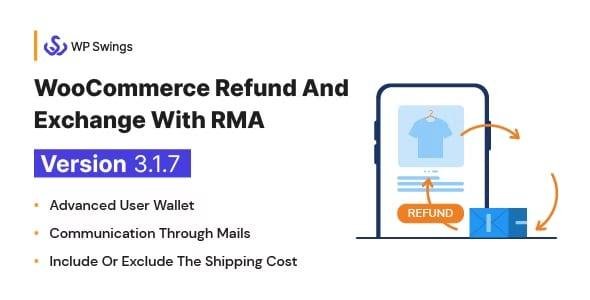
WooCommerce Refund And Exchange with RMA – Warranty Management, Refund Policy, Manage User Wallet 3.2.7
$59.00 Original price was: $59.00.$2.99Current price is: $2.99.
Instant Access
7 Day Money Back Guarantee
Online Support 24/7
Secure Payment
Description
WooCommerce Refund And Exchange with RMA 3.2.7 – Simplify Returns, Refunds & Warranty Management
The WooCommerce Refund and Exchange with RMA plugin is the ultimate solution to streamline refund, exchange, and warranty requests in your WooCommerce store. With advanced RMA (Return Merchandise Authorization) functionality, you can manage refunds, exchanges, cancellations, and warranty claims directly from the customer dashboard.
It also includes a user wallet system, refund policies, email notifications, and automation to improve customer satisfaction while reducing admin workload.
🔑 Key Features of WooCommerce Refund And Exchange with RMA
🛒 Easy Refund & Exchange Management
Customers can easily request refunds or exchanges from their account dashboard.
Supports partial and full refunds/exchanges.
Customers can upload attachments (like invoices or product images) while requesting.
🧾 Advanced RMA System
Centralized RMA management dashboard for store owners.
Admin can accept, reject, or modify refund/exchange requests.
Allow/disallow refund requests based on your store’s refund policy.
Set a time limit for refunds or exchanges after purchase.
📦 Warranty & Cancellation Management
Warranty management system for products.
Customers can raise warranty claims within the validity period.
Provide cancellation options before order shipment.
💳 Wallet Integration
Refund amount can be credited to the customer’s wallet.
Wallet balance can be used for future purchases.
Reduces dependency on external payment gateways for refunds.
📧 Automated Email Notifications
Customers and admins get instant email alerts for all requests.
Customizable email templates with store branding.
Notification for request approval, rejection, refund success, or exchange.
⚙️ Powerful Admin Settings
Create and enforce a custom refund/exchange policy.
Add reason selectors for refund/exchange requests.
Control which products/categories are refundable or exchangeable.
Set handling fees for exchanges or refunds if needed.
🚀 Benefits of Using WooCommerce Refund And Exchange with RMA
Improve customer trust with transparent refund & exchange policies.
Save admin time with an automated request & approval workflow.
Increase customer retention with wallet refunds for repeat purchases.
Reduce disputes & chargebacks by providing clear RMA procedures.
Boost brand loyalty with hassle-free warranty claim management.
📌 Use Cases
Fashion & Apparel stores – Allow easy size exchanges and returns.
Electronics stores – Manage warranty claims and defective product returns.
Grocery & Consumables – Quick refunds or exchanges for wrong/missing items.
Multi-vendor marketplaces – Centralized RMA for all sellers.
📝 Summary
The WooCommerce Refund And Exchange with RMA 3.2.7 plugin is a must-have solution for any WooCommerce store that wants to offer professional refund, exchange, cancellation, and warranty management. With features like wallet refunds, customizable policies, email notifications, and full RMA support, it ensures a smooth post-purchase experience for your customers.
It’s easy to configure, highly flexible, and fully compatible with modern WooCommerce stores.
Be the first to review “WooCommerce Refund And Exchange with RMA – Warranty Management, Refund Policy, Manage User Wallet 3.2.7” Cancel reply
How to Install
Follow these quick steps to install from a .zip file or directly from your WP dashboard.
-
1
Go to Plugins → Add New
In your WordPress dashboard, open Plugins and click Add New.
-
2
Click Upload Plugin
Press Upload Plugin → Choose File and select the downloaded
plugin-name.zip. -
3
Install & Activate
Click Install Now, then Activate. You’re done!
-
4
(Optional) Enter License / Use Shortcode
Open Plugins → Your Plugin → Settings to enter your license. Add the box on the product page with:
[plugin_info_box]
Alternative: Install from WordPress directory
Go to Plugins → Add New, search the plugin name, click Install then Activate.
Manual (FTP) method
Unzip locally → upload the folder to /wp-content/plugins/ using FTP → activate from Plugins.
-
1
Go to Appearance → Themes
Click Add New → Upload Theme.
-
2
Upload the .zip file
Select
theme-name.zip, click Install Now, then Activate. -
3
Install Required Plugins
If prompted, click Begin installing plugins and activate them.
-
4
(Optional) Import Starter Content
Use the theme’s Demo Import (if provided) to load sample pages and settings.
Manual (FTP) theme install
Unzip the theme → upload to /wp-content/themes/ → activate from Appearance → Themes.




Reviews
There are no reviews yet.