
- ✔ Verified by VirusTotal
- ✔ 100% Original Product & Virus-Free
- ✔ Lifetime Free Updates on Single Purchase
- ✔ Unlimited Website Usage
- ✔ Prices in USD (Tax Included)
🔥 Limited-Time Deal — Ends Soon!
WooCommerce Shipping Tracking 42.2
$23.00 Original price was: $23.00.$2.99Current price is: $2.99.
Instant Access
7 Day Money Back Guarantee
Online Support 24/7
Secure Payment
Description
WooCommerce Shipping Tracking 42.2
The WooCommerce Shipping Tracking plugin makes it easy for store owners to add tracking information to customer orders, giving buyers real-time updates on their shipments. With seamless integration into the WooCommerce order details page and customer email notifications, this plugin improves post-purchase experience, reduces support requests, and builds customer trust.
With support for hundreds of carriers worldwide, WooCommerce Shipping Tracking ensures that customers always know the exact status of their orders.
🔑 Key Features of WooCommerce Shipping Tracking
🚚 Easy Tracking Integration
Add tracking numbers and carrier details directly from the WooCommerce admin panel.
Automatically display tracking information on the Order Details page.
Works with both manual orders and bulk updates.
🌍 Worldwide Carrier Support
Pre-built integration with major shipping providers (DHL, FedEx, UPS, USPS, Canada Post, Royal Mail, and more).
Custom carrier option – add any shipping company with a tracking URL.
Supports multiple tracking numbers for split shipments.
📧 Email & SMS Notifications
Tracking details are automatically included in order confirmation and shipping emails.
Customers can click tracking links to check real-time status on the carrier’s site.
Optional SMS notifications for faster delivery updates.
⚙️ Advanced Admin Features
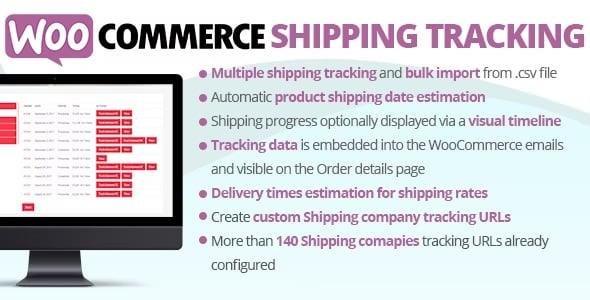
Bulk upload tracking codes via CSV.
Assign carriers by default for specific shipping methods.
Full compatibility with WooCommerce Shipping Zones.
Option to show estimated delivery dates along with tracking info.
🚀 Benefits of Using WooCommerce Shipping Tracking
Boost Customer Satisfaction – Buyers can track orders anytime without contacting support.
Reduce Support Tickets – Minimize “Where is my order?” inquiries.
Improve Store Credibility – Provide a professional post-purchase experience.
Seamless Workflow – Simple and fast for admins to manage shipments.
📌 Use Cases
Fashion & Apparel Stores – Provide accurate tracking updates for multiple shipments.
Electronics Shops – Manage international carriers and notify customers instantly.
Subscription & Box Deliveries – Send tracking codes every month for recurring orders.
Dropshipping Stores – Add tracking numbers from AliExpress, ePacket, or third-party carriers.
📝 Summary
The WooCommerce Shipping Tracking 42.2 plugin is an essential tool for any eCommerce store that ships products. It lets you add, manage, and share tracking details with customers in just a few clicks. With support for hundreds of global carriers, automated email notifications, and bulk upload options, this plugin ensures a smooth, transparent, and trustworthy post-purchase experience.
If you want to increase customer satisfaction, reduce order-related inquiries, and build long-term loyalty, WooCommerce Shipping Tracking is the perfect solution.
Be the first to review “WooCommerce Shipping Tracking 42.2” Cancel reply
How to Install
Follow these quick steps to install from a .zip file or directly from your WP dashboard.
-
1
Go to Plugins → Add New
In your WordPress dashboard, open Plugins and click Add New.
-
2
Click Upload Plugin
Press Upload Plugin → Choose File and select the downloaded
plugin-name.zip. -
3
Install & Activate
Click Install Now, then Activate. You’re done!
-
4
(Optional) Enter License / Use Shortcode
Open Plugins → Your Plugin → Settings to enter your license. Add the box on the product page with:
[plugin_info_box]
Alternative: Install from WordPress directory
Go to Plugins → Add New, search the plugin name, click Install then Activate.
Manual (FTP) method
Unzip locally → upload the folder to /wp-content/plugins/ using FTP → activate from Plugins.
-
1
Go to Appearance → Themes
Click Add New → Upload Theme.
-
2
Upload the .zip file
Select
theme-name.zip, click Install Now, then Activate. -
3
Install Required Plugins
If prompted, click Begin installing plugins and activate them.
-
4
(Optional) Import Starter Content
Use the theme’s Demo Import (if provided) to load sample pages and settings.
Manual (FTP) theme install
Unzip the theme → upload to /wp-content/themes/ → activate from Appearance → Themes.




Reviews
There are no reviews yet.