
- ✔ Verified by VirusTotal
- ✔ 100% Original Product & Virus-Free
- ✔ Lifetime Free Updates on Single Purchase
- ✔ Unlimited Website Usage
- ✔ Prices in USD (Tax Included)
🔥 Limited-Time Deal — Ends Soon!
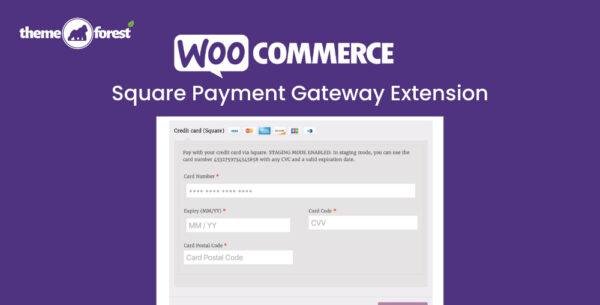
WooCommerce Square Payment Gateway Extension 5.1.0
$77.00 Original price was: $77.00.$2.99Current price is: $2.99.
Instant Access
7 Day Money Back Guarantee
Online Support 24/7
Secure Payment
Description
💳 WooCommerce Square Payment Gateway Extension (Latest Version)
This is a GPL-distributed version. No official support. Clean, secure, and legally redistributed under the GPL license.
The WooCommerce Square Payment Gateway Extension allows you to easily integrate your Square account with your WooCommerce store, enabling a seamless connection between your online shop and physical business operations. With just a few clicks, you can synchronize products, inventory, and customer data, keeping everything perfectly aligned across all sales channels.
⚙️ Key Features of WooCommerce Square Payment Gateway Extension:
💰 Accept Payments Anywhere – Take secure payments both online and in person with Square.
🔄 Real-Time Synchronization – Sync product details, prices, and inventory between WooCommerce and Square.
🧾 Centralized Data Management – Manage all your sales channels, customers, and transactions from one dashboard.
⚡ Easy Setup – Get started in minutes with simple integration steps and no coding required.
📦 Automatic Inventory Updates – Keep stock levels consistent across your online and physical stores.
🔐 Secure & Reliable – Powered by Square’s trusted payment processing infrastructure.
💼 Transparent Pricing – No hidden fees, long-term contracts, or surprises — pay only when you make a sale.
🏁 Conclusion
The WooCommerce Square Payment Gateway Extension is the ultimate tool for merchants who want to unify their online and offline sales. It simplifies payment collection, automates synchronization, and offers transparent pricing — making it an essential solution for businesses looking to grow efficiently and securely with WooCommerce.
Be the first to review “WooCommerce Square Payment Gateway Extension 5.1.0” Cancel reply
How to Install
Follow these quick steps to install from a .zip file or directly from your WP dashboard.
-
1
Go to Plugins → Add New
In your WordPress dashboard, open Plugins and click Add New.
-
2
Click Upload Plugin
Press Upload Plugin → Choose File and select the downloaded
plugin-name.zip. -
3
Install & Activate
Click Install Now, then Activate. You’re done!
-
4
(Optional) Enter License / Use Shortcode
Open Plugins → Your Plugin → Settings to enter your license. Add the box on the product page with:
[plugin_info_box]
Alternative: Install from WordPress directory
Go to Plugins → Add New, search the plugin name, click Install then Activate.
Manual (FTP) method
Unzip locally → upload the folder to /wp-content/plugins/ using FTP → activate from Plugins.
-
1
Go to Appearance → Themes
Click Add New → Upload Theme.
-
2
Upload the .zip file
Select
theme-name.zip, click Install Now, then Activate. -
3
Install Required Plugins
If prompted, click Begin installing plugins and activate them.
-
4
(Optional) Import Starter Content
Use the theme’s Demo Import (if provided) to load sample pages and settings.
Manual (FTP) theme install
Unzip the theme → upload to /wp-content/themes/ → activate from Appearance → Themes.




Reviews
There are no reviews yet.