
- ✔ Verified by VirusTotal
- ✔ 100% Original Product & Virus-Free
- ✔ Lifetime Free Updates on Single Purchase
- ✔ Unlimited Website Usage
- ✔ Prices in USD (Tax Included)
🔥 Limited-Time Deal — Ends Soon!
WooCommerce Support Ticket System 18.0
$25.00 Original price was: $25.00.$2.99Current price is: $2.99.
Instant Access
7 Day Money Back Guarantee
Online Support 24/7
Secure Payment
Description
🎟️ WooCommerce Support Ticket System (WCSTS) – CodeCanyon Item
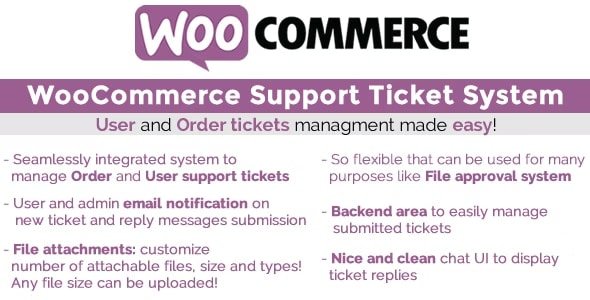
Seamlessly integrate a powerful support ticket system into your WooCommerce store. The WooCommerce Support Ticket System (WCSTS) gives you everything you need to manage customer queries, order issues, and even pay-per-ticket support — all directly from your WordPress dashboard.
👉 With WCSTS, your customers can open tickets related to orders or general issues, attach files, and track replies from their account area. Meanwhile, shop admins can manage tickets efficiently with status updates, priorities, automation, and notifications.
🚀 Why Choose WCSTS?
Managing customer support via email alone can be chaotic. WCSTS centralizes support into your WooCommerce store, allowing you to:
✅ Provide structured support for orders and user-related issues
✅ Save time with predefined answers & automation
✅ Offer Pay Per Ticket support tied to product purchases
✅ Boost customer satisfaction with a professional, streamlined process
🌟 Key Features
🎫 Ticket Types
Order Tickets – Customers open tickets directly from the My Account → Orders page.
User Tickets – Personal support requests tied to a user’s account.
Pay Per Ticket – Sell support access by binding questions to products/variations.
📂 Attachments & File Approval
Customers can upload files with tickets or replies.
Admins can approve/reject files and attach responses.
Supports large file uploads with chunked upload technology.
📩 Notifications & Communication
Automated email notifications for new tickets and replies.
Fully customizable email templates with placeholders like
{subject}or{ticket_id}.Display ticket status updates to customers in real-time.
🛠️ Backend Ticket Management
Manage all tickets in a central dashboard.
Assign tickets to specific admin users for better workflow.
Customizable ticket statuses (Open, In Progress, Closed, + your own).
Priorities, new message counters, filters, and search tools.
🛒 Pay Per Ticket System
Bind a set number of questions to products or variations.
Automatically open tickets after purchase completion.
Supports WooCommerce Subscriptions for recurring ticket allocations.
✨ Customizations & Options
Customizable texts for ticket forms, messages, and notifications.
Enable/disable attachments, size limits, and file types.
Define message and subject length limits.
WPML compatible for multilingual stores.
💡 Use Cases
🛍️ Order Support – Handle refunds, exchanges, or shipping queries directly on order pages.
🎯 Customer Service Desk – Offer user-specific support via the account dashboard.
💼 Premium Support Access – Sell support packs using the Pay Per Ticket feature.
📂 File Review System – Approve/reject customer-submitted files like designs, documents, or media.
🏆 Final Thoughts
The WooCommerce Support Ticket System transforms your WooCommerce shop into a professional helpdesk, giving both customers and admins an organized way to manage support. With advanced features like ticket automation, file attachments, pay-per-ticket support, and custom statuses, it’s the ultimate solution for WooCommerce stores that value customer service.
Be the first to review “WooCommerce Support Ticket System 18.0” Cancel reply
How to Install
Follow these quick steps to install from a .zip file or directly from your WP dashboard.
-
1
Go to Plugins → Add New
In your WordPress dashboard, open Plugins and click Add New.
-
2
Click Upload Plugin
Press Upload Plugin → Choose File and select the downloaded
plugin-name.zip. -
3
Install & Activate
Click Install Now, then Activate. You’re done!
-
4
(Optional) Enter License / Use Shortcode
Open Plugins → Your Plugin → Settings to enter your license. Add the box on the product page with:
[plugin_info_box]
Alternative: Install from WordPress directory
Go to Plugins → Add New, search the plugin name, click Install then Activate.
Manual (FTP) method
Unzip locally → upload the folder to /wp-content/plugins/ using FTP → activate from Plugins.
-
1
Go to Appearance → Themes
Click Add New → Upload Theme.
-
2
Upload the .zip file
Select
theme-name.zip, click Install Now, then Activate. -
3
Install Required Plugins
If prompted, click Begin installing plugins and activate them.
-
4
(Optional) Import Starter Content
Use the theme’s Demo Import (if provided) to load sample pages and settings.
Manual (FTP) theme install
Unzip the theme → upload to /wp-content/themes/ → activate from Appearance → Themes.




Reviews
There are no reviews yet.