-96%
GPL License
  • ✔ Verified by VirusTotal
  • 100% Original Product & Virus-Free
  • ✔ Lifetime Free Updates on Single Purchase
  • ✔ Unlimited Website Usage
  • ✔ Prices in USD (Tax Included)

🔥 Limited-Time Deal — Ends Soon!

12HOURS
00MIN
00SEC
Get Instant Access 🚀

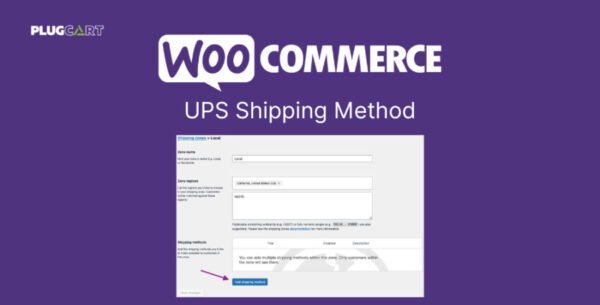
WooCommerce UPS Shipping Method 3.8.9

Original price was: $71.00.Current price is: $2.99.

Last updated: 7 Oct 2025
Version 3.8.9
Direct Download
No credits left

Instant Access

7 Day Money Back Guarantee

Online Support 24/7

Secure Payment

Description

📦 WooCommerce UPS Shipping Method 3.8.9 – Reliable Shipping Integration

WooCommerce UPS Shipping Method 3.8.9 allows your online store to connect directly with UPS, one of the world’s most trusted logistics providers. This extension helps you calculate real-time shipping rates for both domestic and international parcels, ensuring transparent pricing and smooth delivery management right from your WooCommerce dashboard.

UPS, founded in 1907, has evolved into a global logistics powerhouse. With this plugin, you can bring that same level of efficiency and reliability to your WooCommerce store.

⚙️ Key Features

🚚 Real-Time UPS Rates

Display live shipping quotes from UPS based on package weight, dimensions, and destination. Ensure your customers always see accurate shipping costs.

🌐 Worldwide Shipping Support

Handle both domestic and international orders seamlessly with UPS’s extensive global network.

⚖️ Automatic Unit Conversion

Though primarily using inches (ins) and pounds (lbs), this plugin automatically converts other measurement units to maintain accuracy.

💱 Currency-Specific Rates

UPS Rates API returns prices in the currency of the registered country, aligning perfectly with your WooCommerce store’s settings.

🧩 Easy Integration

Requires SimpleXML installed on your server and integrates effortlessly into your existing WooCommerce setup.🚀 What We Offer

This is a GPL-distributed version – clean, secure, and legally redistributed. You can install it on unlimited websites with no restrictions.

🏁 Conclusion

With WooCommerce UPS Shipping Method 3.8.9, you can offer your customers accurate shipping rates, fast delivery options, and a trusted carrier experience — all managed automatically within WooCommerce. It’s the ultimate tool to enhance your store’s logistics and customer satisfaction.


Reviews

There are no reviews yet.


Be the first to review “WooCommerce UPS Shipping Method 3.8.9”

How to Install

Follow these quick steps to install from a .zip file or directly from your WP dashboard.

Plugin (.zip) Buy Plugin .zip
  1. 1

    Go to Plugins → Add New

    In your WordPress dashboard, open Plugins and click Add New.

  2. 2

    Click Upload Plugin

    Press Upload PluginChoose File and select the downloaded plugin-name.zip.

  3. 3

    Install & Activate

    Click Install Now, then Activate. You’re done!

  4. 4

    (Optional) Enter License / Use Shortcode

    Open Plugins → Your Plugin → Settings to enter your license. Add the box on the product page with: [plugin_info_box]

Alternative: Install from WordPress directory

Go to Plugins → Add New, search the plugin name, click Install then Activate.

Manual (FTP) method

Unzip locally → upload the folder to /wp-content/plugins/ using FTP → activate from Plugins.

Theme (.zip) Buy Theme .zip
  1. 1

    Go to Appearance → Themes

    Click Add NewUpload Theme.

  2. 2

    Upload the .zip file

    Select theme-name.zip, click Install Now, then Activate.

  3. 3

    Install Required Plugins

    If prompted, click Begin installing plugins and activate them.

  4. 4

    (Optional) Import Starter Content

    Use the theme’s Demo Import (if provided) to load sample pages and settings.

Manual (FTP) theme install

Unzip the theme → upload to /wp-content/themes/ → activate from Appearance → Themes.

Related Products
