
- ✔ Verified by VirusTotal
- ✔ 100% Original Product & Virus-Free
- ✔ Lifetime Free Updates on Single Purchase
- ✔ Unlimited Website Usage
- ✔ Prices in USD (Tax Included)
🔥 Limited-Time Deal — Ends Soon!
WooLentor Pro – WooCommerce Elementor Addons + Builder 2.6.7
$60.00 Original price was: $60.00.$2.99Current price is: $2.99.
Instant Access
7 Day Money Back Guarantee
Online Support 24/7
Secure Payment
Description
WooLentor Pro – WooCommerce Elementor Addons + Builder 2.6.7
WooLentor Pro – Latest GPL Version
Transform your WooCommerce store with WooLentor Pro, a powerful WooCommerce page builder addon for Elementor. This is a GPL-distributed version—clean, secure, and legally redistributed under the GPL license. Please note: no official support is included.
WooLentor gives you complete freedom to design custom WooCommerce pages, including Shop, Product, Cart, Checkout, My Account, and Registration pages. With its intuitive drag-and-drop builder and rich set of widgets, you can completely redesign your store without touching code.
🌟 Why Choose WooLentor Pro?
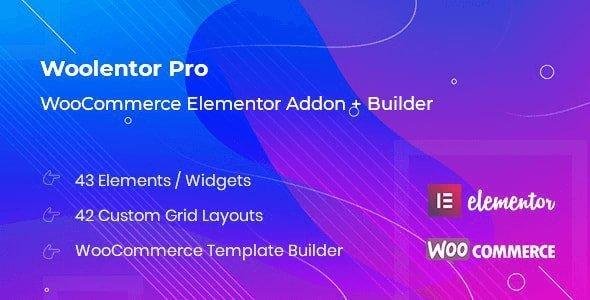
WooCommerce Template Builder – Build and customize any WooCommerce page.
41+ Elements & 42 Product Styles – Add products, sliders, categories, and grids with full design control.
Custom Product Pages – Create unique layouts for product details with reusable templates.
Cart, Checkout, & Account Pages – Redesign default WooCommerce pages to match your branding.
Product Filtering Options – Add horizontal/vertical filters with complete styling control.
Sales Notifications & Popups – Boost conversions with real-time/custom order popups.
Pre-Built Templates – Import ready-made layouts and customize in a few clicks.
Flexible Customization – Unlimited colors, fonts, slider options, and gallery settings.
🛠️ WooLentor Pro Feature Highlights
41+ Widgets & Elements for WooCommerce
Product Sliders (Featured, Best Selling, On Sale, Top Rated, Recent, Category Tabs)
Action Buttons in multiple positions
Sale/Discount Countdown Timer
Product Grid with tabbed display
15 Custom Product Templates (default or individual)
Complete Cart, Checkout, and My Account page builders
Archive Page Template Builder (category-specific layouts)
Fully responsive and optimized for speed
🚀 Design a Modern WooCommerce Store Without Coding
With WooLentor, you’re not limited to the default WooCommerce design anymore. You can create pixel-perfect, conversion-focused eCommerce pages that stand out. Whether you’re building a new online shop or upgrading an existing one, WooLentor Pro gives you the flexibility to deliver a modern shopping experience.
Be the first to review “WooLentor Pro – WooCommerce Elementor Addons + Builder 2.6.7” Cancel reply
How to Install
Follow these quick steps to install from a .zip file or directly from your WP dashboard.
-
1
Go to Plugins → Add New
In your WordPress dashboard, open Plugins and click Add New.
-
2
Click Upload Plugin
Press Upload Plugin → Choose File and select the downloaded
plugin-name.zip. -
3
Install & Activate
Click Install Now, then Activate. You’re done!
-
4
(Optional) Enter License / Use Shortcode
Open Plugins → Your Plugin → Settings to enter your license. Add the box on the product page with:
[plugin_info_box]
Alternative: Install from WordPress directory
Go to Plugins → Add New, search the plugin name, click Install then Activate.
Manual (FTP) method
Unzip locally → upload the folder to /wp-content/plugins/ using FTP → activate from Plugins.
-
1
Go to Appearance → Themes
Click Add New → Upload Theme.
-
2
Upload the .zip file
Select
theme-name.zip, click Install Now, then Activate. -
3
Install Required Plugins
If prompted, click Begin installing plugins and activate them.
-
4
(Optional) Import Starter Content
Use the theme’s Demo Import (if provided) to load sample pages and settings.
Manual (FTP) theme install
Unzip the theme → upload to /wp-content/themes/ → activate from Appearance → Themes.




Reviews
There are no reviews yet.