
- ✔ Verified by VirusTotal
- ✔ 100% Original Product & Virus-Free
- ✔ Lifetime Free Updates on Single Purchase
- ✔ Unlimited Website Usage
- ✔ Prices in USD (Tax Included)
🔥 Limited-Time Deal — Ends Soon!
WordPress WhatsApp Support 2.5.1
$22.00 Original price was: $22.00.$2.99Current price is: $2.99.
Instant Access
7 Day Money Back Guarantee
Online Support 24/7
Secure Payment
Description
WordPress WhatsApp Support 2.5.1
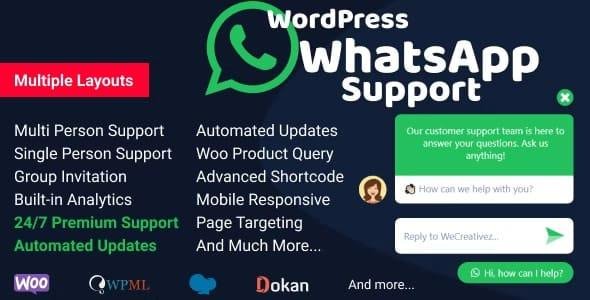
WordPress WhatsApp Support 2.5.1 is a premium WordPress plugin that enables your website to provide real-time WhatsApp chat support to visitors and customers. With this plugin, you can easily integrate WhatsApp contact buttons, allowing users to quickly reach out for inquiries, customer support, or sales assistance directly through WhatsApp.
This is a GPL-distributed version, clean, secure, and legally redistributed under the GPL license. No official support is included.
🌟 Key Features
🔹 Easy WhatsApp Integration
Add WhatsApp chat buttons to any page, post, or widget area.
Support multiple WhatsApp numbers for different departments or staff.
Display buttons on desktop, mobile, or both devices.
🔹 Customizable Button & Chat
Fully customizable button styles: color, size, position, icon.
Add custom greeting messages for users initiating chat.
Option to show or hide buttons on specific pages or posts.
🔹 Advanced Targeting Options
Device-based visibility: show buttons only on mobile or desktop.
Page-specific rules: assign different WhatsApp numbers for different pages or categories.
Option to schedule active hours when the chat button appears.
🔹 User-Friendly Experience
Instant redirection to WhatsApp app or web version.
Supports click-to-chat links without requiring users to save your number.
Multi-language support and fully responsive on all devices.
🔹 Analytics & Tracking
Track clicks and interactions to see which button or page generates more chats.
Option to integrate with Google Analytics for advanced tracking.
🔹 Compatibility
Works with all WordPress themes and most page builders like Elementor, WPBakery, and Gutenberg.
Fully responsive and mobile-ready.
Translation-ready and compatible with multilingual plugins like WPML.
✅ Benefits
Increase customer engagement and improve sales conversions.
Provide instant support and reduce response time.
Make your website more interactive and trustworthy with live chat.
Easy to set up and requires no coding skills.
📝 Meta Description
WordPress WhatsApp Support 2.5.1 – Add WhatsApp chat buttons to your website to provide instant support, increase engagement, and boost sales. Fully customizable and mobile-ready.
Be the first to review “WordPress WhatsApp Support 2.5.1” Cancel reply
How to Install
Follow these quick steps to install from a .zip file or directly from your WP dashboard.
- 1
Go to Plugins → Add New
In your WordPress dashboard, open Plugins and click Add New.
- 2
Click Upload Plugin
Press Upload Plugin → Choose File and select the downloaded
plugin-name.zip. - 3
Install & Activate
Click Install Now, then Activate. You’re done!
- 4
(Optional) Enter License / Use Shortcode
Open Plugins → Your Plugin → Settings to enter your license. Add the box on the product page with:
[plugin_info_box]
Alternative: Install from WordPress directory
Go to Plugins → Add New, search the plugin name, click Install then Activate.
Manual (FTP) method
Unzip locally → upload the folder to /wp-content/plugins/ using FTP → activate from Plugins.
- 1
Go to Appearance → Themes
Click Add New → Upload Theme.
- 2
Upload the .zip file
Select
theme-name.zip, click Install Now, then Activate. - 3
Install Required Plugins
If prompted, click Begin installing plugins and activate them.
- 4
(Optional) Import Starter Content
Use the theme’s Demo Import (if provided) to load sample pages and settings.
Manual (FTP) theme install
Unzip the theme → upload to /wp-content/themes/ → activate from Appearance → Themes.



Reviews
There are no reviews yet.