
- ✔ Verified by VirusTotal
- ✔ 100% Original Product & Virus-Free
- ✔ Lifetime Free Updates on Single Purchase
- ✔ Unlimited Website Usage
- ✔ Prices in USD (Tax Included)
🔥 Limited-Time Deal — Ends Soon!
WordPress WhatsApp Support 2.5.3
$22.00 Original price was: $22.00.$2.99Current price is: $2.99.
Instant Access
7 Day Money Back Guarantee
Online Support 24/7
Secure Payment
Description
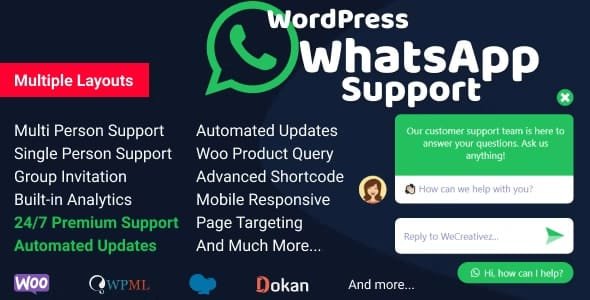
💬 WordPress WhatsApp Support by WeCreativez – Latest Version
The WordPress WhatsApp Support by WeCreativez plugin offers a simple yet powerful solution for connecting your website visitors with your support team instantly through WhatsApp. Used by over a billion people worldwide, WhatsApp is a trusted communication channel — and this plugin helps you harness its power directly from your WordPress site.
This is a GPL-distributed version, clean, secure, and legally redistributed under the GPL license (no official support included).
⚙️ Key Features
👥 Flexible Support Options
Multi-Person Support: Display multiple WhatsApp contacts in one box — perfect for multi-agent or departmental support.
Single Person Support: Ideal for small businesses or single support representatives.
Group Invitation: Allow users to join a WhatsApp group directly from your website.
🧩 Customization & Control
Fully Responsive Design: Works seamlessly across mobile, tablet, and desktop devices.
Customizable Appearance: Adjust colors, icons, text, and layout to match your website’s design.
Custom Welcome Message: Greet visitors with personalized messages that enhance engagement.
Change Popup Location: Choose popup positions for both desktop and mobile for optimal visibility.
Schedule by Days: Set available support days and hours, showing offline/online status automatically.
💻 Integration & Functionality
WooCommerce Product Query: Let customers contact you directly from product pages with pre-filled product details.
Auto Popup with Sound: Catch visitors’ attention with automated popup messages and notification sounds.
Live Support Button Shortcode Generator: Generate shortcodes for placing support buttons anywhere on your site.
Unlimited Buttons: Add unlimited WhatsApp contact or support buttons through shortcode placement.
Filter by Pages or Slugs: Display WhatsApp support buttons only on specific pages or URLs.
Enable/Disable by Device: Choose whether the button appears on mobile, desktop, or both.
🔒 Privacy & Compliance
GDPR Ready: Built with data privacy and compliance in mind, ensuring user data is handled safely.
💡 Why Use WordPress WhatsApp Support?
This plugin bridges the gap between you and your customers by offering real-time communication, increasing trust and conversion rates. Whether you’re managing an online store, a business site, or a service platform, instant WhatsApp support helps build stronger customer relationships and improve satisfaction.
🏁 Conclusion
WordPress WhatsApp Support by WeCreativez is a must-have plugin for any WordPress site that values quick and personal customer communication. With its wide range of customization options, scheduling features, WooCommerce integration, and device-based display control, it’s the perfect solution to make customer engagement fast, efficient, and convenient — all through the world’s most popular messaging app, WhatsApp.
Be the first to review “WordPress WhatsApp Support 2.5.3” Cancel reply
How to Install
Follow these quick steps to install from a .zip file or directly from your WP dashboard.
-
1
Go to Plugins → Add New
In your WordPress dashboard, open Plugins and click Add New.
-
2
Click Upload Plugin
Press Upload Plugin → Choose File and select the downloaded
plugin-name.zip. -
3
Install & Activate
Click Install Now, then Activate. You’re done!
-
4
(Optional) Enter License / Use Shortcode
Open Plugins → Your Plugin → Settings to enter your license. Add the box on the product page with:
[plugin_info_box]
Alternative: Install from WordPress directory
Go to Plugins → Add New, search the plugin name, click Install then Activate.
Manual (FTP) method
Unzip locally → upload the folder to /wp-content/plugins/ using FTP → activate from Plugins.
-
1
Go to Appearance → Themes
Click Add New → Upload Theme.
-
2
Upload the .zip file
Select
theme-name.zip, click Install Now, then Activate. -
3
Install Required Plugins
If prompted, click Begin installing plugins and activate them.
-
4
(Optional) Import Starter Content
Use the theme’s Demo Import (if provided) to load sample pages and settings.
Manual (FTP) theme install
Unzip the theme → upload to /wp-content/themes/ → activate from Appearance → Themes.




Reviews
There are no reviews yet.