
- ✔ Verified by VirusTotal
- ✔ 100% Original Product & Virus-Free
- ✔ Lifetime Free Updates on Single Purchase
- ✔ Unlimited Website Usage
- ✔ Prices in USD (Tax Included)
🔥 Limited-Time Deal — Ends Soon!
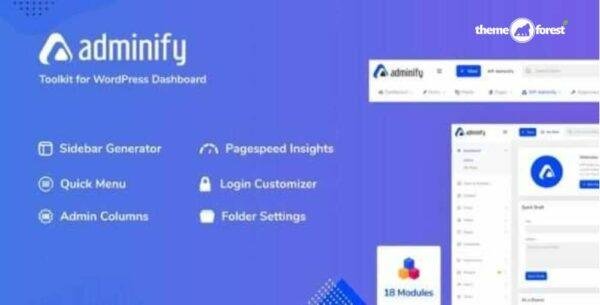
WP Adminify Pro – Toolkit for WordPress Dashboard 4.0.5.5
$57.00 Original price was: $57.00.$2.99Current price is: $2.99.
Instant Access
7 Day Money Back Guarantee
Online Support 24/7
Secure Payment
Description
⚙️ WP Adminify Pro GPL – Advanced WordPress Dashboard Customization Plugin
The WP Adminify Pro GPL is a powerful, lightweight, and feature-rich WordPress Admin Customization plugin designed to give your dashboard a professional and modern look. Packed with 18+ advanced modules, WP Adminify helps you organize, optimize, and personalize your WordPress admin area for a seamless workflow. Whether you manage a single website or multiple projects, WP Adminify brings beauty, control, and productivity to your WordPress experience.
🎯 Key Features of WP Adminify Pro
🗂️ Media & Post Type Folders – Organize pages, posts, and media files with unlimited folders.
🎨 Login Page Customizer – Redesign your login page with custom layouts, typography, and colors.
📋 Admin Columns Customizer – Add, remove, or reorder admin columns for different post types.
🧭 Dashboard Menu Editor & Duplicator – Edit, reorder, or duplicate admin menus effortlessly.
📊 Google PageSpeed Insights – Integrated audit and optimization reports powered by Lighthouse.
🚫 Disable Admin Notices & Comments – Remove clutter and focus on what matters.
🔐 Activity Logs – Track every event happening on your site for improved security and transparency.
💬 Notification Bar – Create top or bottom alert bars for announcements, promotions, or cookie notices.
🧱 Admin Page Builder – Create custom admin pages using Elementor, Visual Composer, or Oxygen.
📄 Post & Page Duplicator – Clone existing posts or pages in one click.
🧩 Sidebar Generator – Build unlimited custom sidebars with drag-and-drop ordering.
📈 Server Information Module – View and manage server details, debug logs, and performance info.
🌀 Quick Floating Menu – Add a quick-access floating navigation for better dashboard usability.
🧰 White Label Branding – Replace WordPress branding with your own logo and color scheme.
💡 Custom CSS/JS – Add custom styling or scripts globally or per-page without editing theme files.
💼 What We Offer
The WP Adminify Pro GPL version is 100% clean, secure, and legally distributed under the GPL license. You get full access to all premium features—no activation or license required. Ideal for developers, agencies, and business owners who want a more professional, fast, and organized WordPress dashboard experience.
🌟 Conclusion
The WP Adminify Pro GPL plugin redefines how you manage your WordPress backend. With its intuitive modules, design flexibility, and performance-focused tools, it’s perfect for anyone looking to customize, declutter, and supercharge their admin interface.
Be the first to review “WP Adminify Pro – Toolkit for WordPress Dashboard 4.0.5.5” Cancel reply
How to Install
Follow these quick steps to install from a .zip file or directly from your WP dashboard.
-
1
Go to Plugins → Add New
In your WordPress dashboard, open Plugins and click Add New.
-
2
Click Upload Plugin
Press Upload Plugin → Choose File and select the downloaded
plugin-name.zip. -
3
Install & Activate
Click Install Now, then Activate. You’re done!
-
4
(Optional) Enter License / Use Shortcode
Open Plugins → Your Plugin → Settings to enter your license. Add the box on the product page with:
[plugin_info_box]
Alternative: Install from WordPress directory
Go to Plugins → Add New, search the plugin name, click Install then Activate.
Manual (FTP) method
Unzip locally → upload the folder to /wp-content/plugins/ using FTP → activate from Plugins.
-
1
Go to Appearance → Themes
Click Add New → Upload Theme.
-
2
Upload the .zip file
Select
theme-name.zip, click Install Now, then Activate. -
3
Install Required Plugins
If prompted, click Begin installing plugins and activate them.
-
4
(Optional) Import Starter Content
Use the theme’s Demo Import (if provided) to load sample pages and settings.
Manual (FTP) theme install
Unzip the theme → upload to /wp-content/themes/ → activate from Appearance → Themes.




Reviews
There are no reviews yet.