
- ✔ Verified by VirusTotal
- ✔ 100% Original Product & Virus-Free
- ✔ Lifetime Free Updates on Single Purchase
- ✔ Unlimited Website Usage
- ✔ Prices in USD (Tax Included)
🔥 Limited-Time Deal — Ends Soon!
WP Courseware – Online Course Builder for WordPress 4.17.0
$57.00 Original price was: $57.00.$2.99Current price is: $2.99.
Instant Access
7 Day Money Back Guarantee
Online Support 24/7
Secure Payment
Description
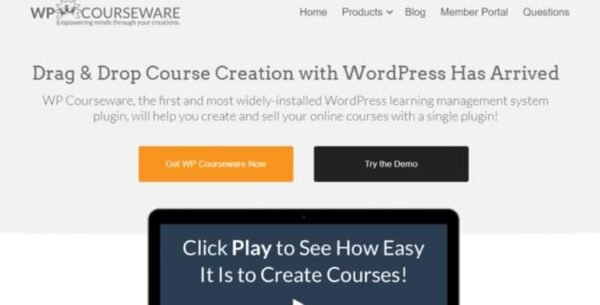
🔹 WP Courseware – Drag & Drop Online Course Builder for WordPress
WP Courseware is a powerful WordPress LMS plugin that allows you to build, manage, and sell online courses effortlessly using an intuitive drag-and-drop interface. Perfect for educators, trainers, and businesses looking to deliver online learning.
✨ Key Features
1. Drag-and-Drop Course Builder
Easily create courses, modules, and lessons without coding.
Arrange lessons and modules visually with simple drag-and-drop.
2. Multimedia Support
Fully video-ready to host and deliver engaging lessons.
Supports images, audio, PDFs, and other training materials.
3. Monetization & Membership
Sell courses using WooCommerce or Easy Digital Downloads integrations.
Protect content for specific memberships or users.
Supports drip content, releasing lessons on a schedule.
4. Quizzes, Surveys & Certificates
Create custom quizzes and surveys for learners.
Automatically award certificates of completion to students.
Track quiz results and completion rates.
5. Instructor & Role Management
Assign Instructor roles to multiple educators.
Instructors can manage their own courses, lessons, and students.
6. Plugin & Theme Compatible
Works with all major WordPress themes.
Integrates with popular plugins like WooCommerce, BuddyPress, and more.
7. GDPR Compliance
Collects and manages user data in compliance with GDPR standards.
8. Continuous Improvement
Regular updates and feature enhancements ensure a modern, reliable LMS.
✅ Benefits
User-Friendly: No coding needed; perfect for beginners.
Flexible Learning: Drip content, quizzes, surveys, and certificates enhance the learning experience.
Revenue Generation: Sell courses, memberships, and integrate with payment gateways.
Scalable: Suitable for individual educators or large organizations.
Conclusion:
WP Courseware is a complete solution for creating, managing, and selling online courses on WordPress, combining ease-of-use, multimedia support, and powerful monetization features to deliver a professional eLearning experience.
Be the first to review “WP Courseware – Online Course Builder for WordPress 4.17.0” Cancel reply
How to Install
Follow these quick steps to install from a .zip file or directly from your WP dashboard.
-
1
Go to Plugins → Add New
In your WordPress dashboard, open Plugins and click Add New.
-
2
Click Upload Plugin
Press Upload Plugin → Choose File and select the downloaded
plugin-name.zip. -
3
Install & Activate
Click Install Now, then Activate. You’re done!
-
4
(Optional) Enter License / Use Shortcode
Open Plugins → Your Plugin → Settings to enter your license. Add the box on the product page with:
[plugin_info_box]
Alternative: Install from WordPress directory
Go to Plugins → Add New, search the plugin name, click Install then Activate.
Manual (FTP) method
Unzip locally → upload the folder to /wp-content/plugins/ using FTP → activate from Plugins.
-
1
Go to Appearance → Themes
Click Add New → Upload Theme.
-
2
Upload the .zip file
Select
theme-name.zip, click Install Now, then Activate. -
3
Install Required Plugins
If prompted, click Begin installing plugins and activate them.
-
4
(Optional) Import Starter Content
Use the theme’s Demo Import (if provided) to load sample pages and settings.
Manual (FTP) theme install
Unzip the theme → upload to /wp-content/themes/ → activate from Appearance → Themes.




Reviews
There are no reviews yet.