
- ✔ Verified by VirusTotal
- ✔ 100% Original Product & Virus-Free
- ✔ Lifetime Free Updates on Single Purchase
- ✔ Unlimited Website Usage
- ✔ Prices in USD (Tax Included)
🔥 Limited-Time Deal — Ends Soon!
WP Job Manager Job Tags Addon 1.4.6
$60.00 Original price was: $60.00.$2.99Current price is: $2.99.
Instant Access
7 Day Money Back Guarantee
Online Support 24/7
Secure Payment
Description
WP Job Manager – Job Tags Addon (v1.4.6)
The WP Job Manager – Job Tags Addon is a powerful extension designed to enhance your WordPress job board by enabling tags for job listings. Tags are essential for organizing your listings, improving search functionality, and providing job seekers with a seamless browsing experience. This addon makes it easier than ever to categorize, filter, and display job opportunities with precision and efficiency.
This version (v1.4.6) is a GPL-distributed version, meaning it is clean, secure, and legally redistributed. There is no official support, but it is fully compatible with the core WP Job Manager plugin and other popular add-ons.
Key Benefits
1. Enhance Job Search Experience
With job tags, job seekers can quickly find relevant listings based on skills, roles, industries, or custom keywords. Tags improve the searchability of your listings and make your job board more user-friendly.
2. Organize Listings Intuitively
Tags allow you to categorize jobs beyond standard categories, giving you more flexibility to structure your listings. For example, you can tag jobs by skill set (“JavaScript,” “Project Management”), job type (“Full-Time,” “Remote”), or industry.
3. Powerful Filtering and Navigation
Tags integrate seamlessly with WP Job Manager search and filtering options. Job seekers can click on a tag to view all jobs with that tag, making the browsing process intuitive and interactive.
4. Easy Backend Management
Site admins can add, edit, or remove tags directly from the WordPress dashboard. The interface is clean, fast, and user-friendly, making it easy to manage a growing database of tags.
5. Compatibility and Flexibility
Fully compatible with WP Job Manager core plugin.
Works alongside other popular WP Job Manager add-ons like Resume Manager, Applications, and Job Alerts.
Compatible with most WordPress themes and page builders.
Translation-ready, so it works for multilingual job boards using WPML or Polylang.
6. SEO & Engagement Benefits
Using job tags can increase your site’s SEO by creating more keyword-rich pages for search engines to index. Each tag can act as a landing page, attracting organic traffic from users searching for specific skills or roles.
7. Improve User Retention
By helping job seekers find exactly what they’re looking for, job tags increase engagement and session duration on your site. Your visitors can effortlessly explore similar roles, improving their overall experience and increasing the likelihood of repeated visits.
How It Works
Assign Tags: While creating or editing a job listing, simply add relevant tags that describe the job’s skills, type, or industry.
Display Tags: Tags are displayed on the job listing page for easy browsing. Visitors can click any tag to see related listings.
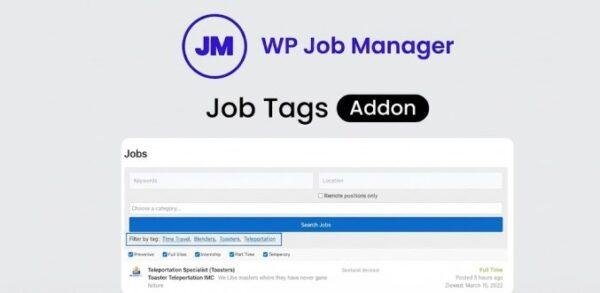
Filter Listings: WP Job Manager search filters can now include tags, helping job seekers narrow results based on their specific criteria.
Manage Tags: Admins can view, edit, or delete tags from the backend, keeping the job board organized and relevant.
Why Choose WP Job Manager – Job Tags Addon?
If you’re running a WordPress job board, this addon is an essential tool for improving navigation, search, and user engagement. It helps your site feel more professional, organized, and easy to use. Whether you are building a niche job portal, a corporate recruitment site, or a community-driven job board, this addon provides the functionality needed to make job searching faster and more efficient.
Boost user satisfaction by making it easier for job seekers to find the right positions.
Enhance your site’s SEO with keyword-rich tag pages.
Keep your listings organized, even as your site grows.
No coding required – everything works seamlessly from the WordPress dashboard.
Technical Details
Version: 1.4.6
License: GPL
Compatible With: WP Job Manager Core Plugin
Translation Ready: Yes
Theme Compatibility: Most modern WordPress themes
Requirements: WordPress 5.0+ and PHP 7.0+
Perfect For
Job boards with hundreds or thousands of listings
Niche recruitment websites (IT jobs, healthcare, finance, etc.)
Corporate HR portals
Freelance marketplaces or gig platforms
Be the first to review “WP Job Manager Job Tags Addon 1.4.6” Cancel reply
How to Install
Follow these quick steps to install from a .zip file or directly from your WP dashboard.
-
1
Go to Plugins → Add New
In your WordPress dashboard, open Plugins and click Add New.
-
2
Click Upload Plugin
Press Upload Plugin → Choose File and select the downloaded
plugin-name.zip. -
3
Install & Activate
Click Install Now, then Activate. You’re done!
-
4
(Optional) Enter License / Use Shortcode
Open Plugins → Your Plugin → Settings to enter your license. Add the box on the product page with:
[plugin_info_box]
Alternative: Install from WordPress directory
Go to Plugins → Add New, search the plugin name, click Install then Activate.
Manual (FTP) method
Unzip locally → upload the folder to /wp-content/plugins/ using FTP → activate from Plugins.
-
1
Go to Appearance → Themes
Click Add New → Upload Theme.
-
2
Upload the .zip file
Select
theme-name.zip, click Install Now, then Activate. -
3
Install Required Plugins
If prompted, click Begin installing plugins and activate them.
-
4
(Optional) Import Starter Content
Use the theme’s Demo Import (if provided) to load sample pages and settings.
Manual (FTP) theme install
Unzip the theme → upload to /wp-content/themes/ → activate from Appearance → Themes.




Reviews
There are no reviews yet.