
- ✔ Verified by VirusTotal
- ✔ 100% Original Product & Virus-Free
- ✔ Lifetime Free Updates on Single Purchase
- ✔ Unlimited Website Usage
- ✔ Prices in USD (Tax Included)
🔥 Limited-Time Deal — Ends Soon!
WP News and Scrolling Widgets 2.8
$58.00 Original price was: $58.00.$2.99Current price is: $2.99.
Instant Access
7 Day Money Back Guarantee
Online Support 24/7
Secure Payment
Description
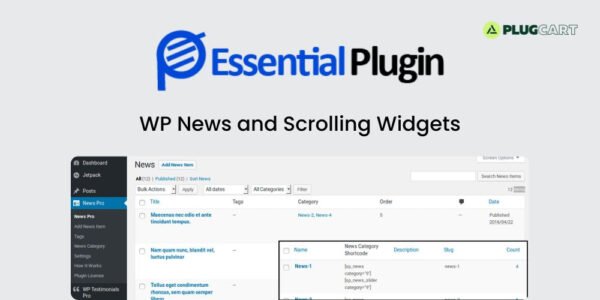
📰 WP News and Scrolling Widgets – Dynamic WordPress News Plugin
WP News and Scrolling Widgets is a powerful, dynamic WordPress plugin designed to elevate your website’s news presentation. With over 120 stunning layouts and multiple design options, it allows you to create visually appealing news sections with grids, sliders, tickers, and lists. The plugin is fully responsive, ensuring your news content looks perfect on desktops, tablets, and mobile devices.
⚡ Easily add, manage, and remove news posts with custom links, popular sliders, and grid layouts. It supports major page builders including Elementor, WPBakery, Divi, Beaver, SiteOrigin, and Fusion, making it perfect for website designers and developers. SEO-friendly features ensure all posts are optimized for search engines, helping increase your website’s visibility.
🖥️ Whether you want to create a dedicated news page, scrolling news widgets, or a full news website, this plugin has you covered. With 6 versatile shortcodes, drag-and-drop ordering, category-based displays, and Jetpack publicize support, managing and showcasing news has never been easier.
🌍 WP News and Scrolling Widgets is 100% multilingual, Gutenberg-ready, and designed for smooth integration into any WordPress theme. Elevate your web design process and keep your visitors engaged with professional news layouts and interactive elements.
✨ Key Features
🖼️ 120+ stunning news layouts
📊 Grid, Slider, List, Gridbox, Ticker displays
🔗 6 shortcodes with various parameters
📱 Fully responsive (Desktop, Tablet, Mobile)
⚡ Compatible with Elementor, Divi, WPBakery & more
🔍 SEO-optimized posts for better search rankings
🔄 Drag & Drop news ordering
🌟 Popular news slider & category-wise display
📢 Jetpack Publicize support for social sharing
🌐 Multilingual and Gutenberg-ready
🛠️ What We Offer
✅ Easy-to-use news management system
🎨 Ready-to-use layouts with customizable designs
📰 Interactive news tickers and sliders
⚙️ Smooth integration with all major page builders
🌍 Full support for multilingual content and custom links
✅ Conclusion
💡 WP News and Scrolling Widgets is the ultimate solution to enhance your WordPress site with dynamic, responsive, and SEO-friendly news sections. From sliders to tickers, grid to list views, this plugin makes managing and displaying news effortless while keeping your visitors engaged.
Be the first to review “WP News and Scrolling Widgets 2.8” Cancel reply
How to Install
Follow these quick steps to install from a .zip file or directly from your WP dashboard.
-
1
Go to Plugins → Add New
In your WordPress dashboard, open Plugins and click Add New.
-
2
Click Upload Plugin
Press Upload Plugin → Choose File and select the downloaded
plugin-name.zip. -
3
Install & Activate
Click Install Now, then Activate. You’re done!
-
4
(Optional) Enter License / Use Shortcode
Open Plugins → Your Plugin → Settings to enter your license. Add the box on the product page with:
[plugin_info_box]
Alternative: Install from WordPress directory
Go to Plugins → Add New, search the plugin name, click Install then Activate.
Manual (FTP) method
Unzip locally → upload the folder to /wp-content/plugins/ using FTP → activate from Plugins.
-
1
Go to Appearance → Themes
Click Add New → Upload Theme.
-
2
Upload the .zip file
Select
theme-name.zip, click Install Now, then Activate. -
3
Install Required Plugins
If prompted, click Begin installing plugins and activate them.
-
4
(Optional) Import Starter Content
Use the theme’s Demo Import (if provided) to load sample pages and settings.
Manual (FTP) theme install
Unzip the theme → upload to /wp-content/themes/ → activate from Appearance → Themes.




Reviews
There are no reviews yet.