
- ✔ Verified by VirusTotal
- ✔ 100% Original Product & Virus-Free
- ✔ Lifetime Free Updates on Single Purchase
- ✔ Unlimited Website Usage
- ✔ Prices in USD (Tax Included)
🔥 Limited-Time Deal — Ends Soon!
WP Sheet Editor Editable Frontend Tables Addon 2.4.43
$57.00 Original price was: $57.00.$2.99Current price is: $2.99.
Instant Access
7 Day Money Back Guarantee
Online Support 24/7
Secure Payment
Description
📝 WP Sheet Editor – Editable Frontend Tables for WordPress
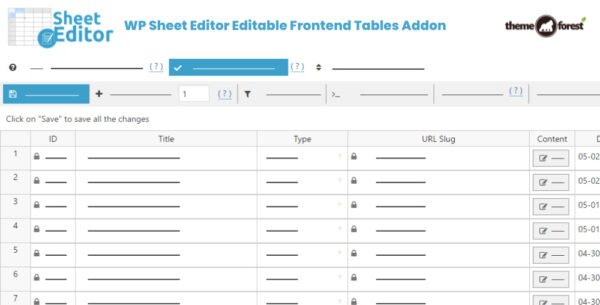
WP Sheet Editor Editable Frontend Tables Addon is a powerful WordPress plugin that allows you to manage and edit your website data from the front-end in a spreadsheet-like interface. Perfect for document libraries, marketplaces, WooCommerce stores, employee dashboards, and directories, this plugin streamlines content management and saves valuable time.
This GPL-distributed version is clean, secure, and legally redistributed, providing full functionality without official support.
⚡ Key Features of WP Sheet Editor Frontend Addon
Frontend Editing for WordPress Content
Edit posts, pages, products, and custom post types directly from the front-end
Choose which fields can be edited for each editor
Place a simple shortcode on a page to display the editable spreadsheet
WooCommerce Product Management 🛒
Edit all product fields, attributes, and variations
Bulk upload product images quickly
Manage inventory, stock, and pricing with ease
Use formulas to edit hundreds of products at once
Advanced Search & Filtering 🔍
Search by keywords, date range, author, taxonomies, or custom fields
Quickly find and edit the data you need
Advanced filtering options for large datasets
Custom Columns & Views
Add custom columns to frontend spreadsheets
Resize and sort columns as needed
Hide or display columns differently for each spreadsheet
Full support for Advanced Custom Fields (ACF) and meta boxes
SEO & User Management
Edit Yoast SEO titles, descriptions, and keywords directly in the spreadsheet
Optionally manage WordPress users and customer profiles from the front-end
✅ Benefits at a Glance
Full frontend spreadsheet editing for posts, pages, products, and custom post types
Bulk management of WooCommerce products including images, inventory, and variations
Customizable columns, resizing, and visibility for flexible editing
Advanced search and filtering options for efficient content management
Edit ACF meta boxes and Yoast SEO data directly
Optional user and customer profile management from the frontend
Saves time, simplifies workflow, and eliminates the need to access the backend
WP Sheet Editor Editable Frontend Tables Addon empowers WordPress site owners and managers to edit and manage large datasets directly from the frontend with ease. Whether you run a WooCommerce store, a business directory, or a custom post type-driven site, this plugin provides a powerful, flexible, and time-saving spreadsheet interface for seamless content management. 📝✨
Be the first to review “WP Sheet Editor Editable Frontend Tables Addon 2.4.43” Cancel reply
How to Install
Follow these quick steps to install from a .zip file or directly from your WP dashboard.
-
1
Go to Plugins → Add New
In your WordPress dashboard, open Plugins and click Add New.
-
2
Click Upload Plugin
Press Upload Plugin → Choose File and select the downloaded
plugin-name.zip. -
3
Install & Activate
Click Install Now, then Activate. You’re done!
-
4
(Optional) Enter License / Use Shortcode
Open Plugins → Your Plugin → Settings to enter your license. Add the box on the product page with:
[plugin_info_box]
Alternative: Install from WordPress directory
Go to Plugins → Add New, search the plugin name, click Install then Activate.
Manual (FTP) method
Unzip locally → upload the folder to /wp-content/plugins/ using FTP → activate from Plugins.
-
1
Go to Appearance → Themes
Click Add New → Upload Theme.
-
2
Upload the .zip file
Select
theme-name.zip, click Install Now, then Activate. -
3
Install Required Plugins
If prompted, click Begin installing plugins and activate them.
-
4
(Optional) Import Starter Content
Use the theme’s Demo Import (if provided) to load sample pages and settings.
Manual (FTP) theme install
Unzip the theme → upload to /wp-content/themes/ → activate from Appearance → Themes.




Reviews
There are no reviews yet.