
- ✔ Verified by VirusTotal
- ✔ 100% Original Product & Virus-Free
- ✔ Lifetime Free Updates on Single Purchase
- ✔ Unlimited Website Usage
- ✔ Prices in USD (Tax Included)
🔥 Limited-Time Deal — Ends Soon!
WPDesk Dropshipping Export PRO 2.1.1
$64.00 Original price was: $64.00.$2.99Current price is: $2.99.
Instant Access
7 Day Money Back Guarantee
Online Support 24/7
Secure Payment
Description
📦 WPDesk Dropshipping Export PRO 2.1.1– Smart Product Export for WooCommerce
⚡ WPDesk Dropshipping Export PRO is the ultimate WooCommerce solution for exporting products to CSV or XML files with ease. Designed for dropshippers and store owners, it offers a powerful yet user-friendly interface to automate and simplify product data exports.
🧠 With this plugin, you can set specific export conditions, choose which products to include, and generate clean, structured files ready for use in Google Merchant Center, suppliers’ databases, or other sales platforms.
💾 The latest version introduces Google Merchant Center feed support, making it effortless to sync your product data with Google Shopping ads — boosting visibility and sales potential.
💼 Whether you manage a large dropshipping store or a small online business, WPDesk Dropshipping Export PRO ensures accuracy, flexibility, and time-saving automation. You can export selected categories, attributes, or product types, and generate reports that align perfectly with your operational workflow.
🌐 Trusted by over 3,000+ active installations, this plugin combines speed, simplicity, and performance — giving WooCommerce users complete control over their export process.
✨ Key Features
📊 Export WooCommerce products to CSV or XML formats
🧩 Supports Google Merchant Center product feed
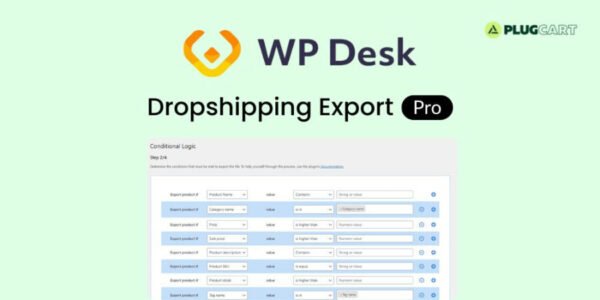
⚙️ Apply filters and conditions for precise exports
🚀 Fast and lightweight performance
💼 Ideal for dropshipping and product synchronization
🔄 Automate and schedule export tasks
🔒 Secure, GPL-compliant, and reliable
🛠️ What We Offer
💡 Easy product data export tools for WooCommerce
🎯 Customizable export settings for full flexibility
🌍 Integration-ready feeds for third-party platforms
🧠 Optimized for efficiency and scalability
✅ Conclusion
🚀 WPDesk Dropshipping Export PRO 2.0.10 simplifies product management for WooCommerce. Whether exporting to CSV, XML, or Google Merchant Center, it provides unmatched control, automation, and reliability — perfect for professional dropshippers and eCommerce store owners.
Be the first to review “WPDesk Dropshipping Export PRO 2.1.1” Cancel reply
How to Install
Follow these quick steps to install from a .zip file or directly from your WP dashboard.
-
1
Go to Plugins → Add New
In your WordPress dashboard, open Plugins and click Add New.
-
2
Click Upload Plugin
Press Upload Plugin → Choose File and select the downloaded
plugin-name.zip. -
3
Install & Activate
Click Install Now, then Activate. You’re done!
-
4
(Optional) Enter License / Use Shortcode
Open Plugins → Your Plugin → Settings to enter your license. Add the box on the product page with:
[plugin_info_box]
Alternative: Install from WordPress directory
Go to Plugins → Add New, search the plugin name, click Install then Activate.
Manual (FTP) method
Unzip locally → upload the folder to /wp-content/plugins/ using FTP → activate from Plugins.
-
1
Go to Appearance → Themes
Click Add New → Upload Theme.
-
2
Upload the .zip file
Select
theme-name.zip, click Install Now, then Activate. -
3
Install Required Plugins
If prompted, click Begin installing plugins and activate them.
-
4
(Optional) Import Starter Content
Use the theme’s Demo Import (if provided) to load sample pages and settings.
Manual (FTP) theme install
Unzip the theme → upload to /wp-content/themes/ → activate from Appearance → Themes.




Reviews
There are no reviews yet.