
- ✔ Verified by VirusTotal
- ✔ 100% Original Product & Virus-Free
- ✔ Lifetime Free Updates on Single Purchase
- ✔ Unlimited Website Usage
- ✔ Prices in USD (Tax Included)
🔥 Limited-Time Deal — Ends Soon!
Yellow Pencil Visual CSS Style Editor 7.6.7
$9.00 Original price was: $9.00.$2.99Current price is: $2.99.
Instant Access
7 Day Money Back Guarantee
Online Support 24/7
Secure Payment
Description
Yellow Pencil Visual CSS Style Editor
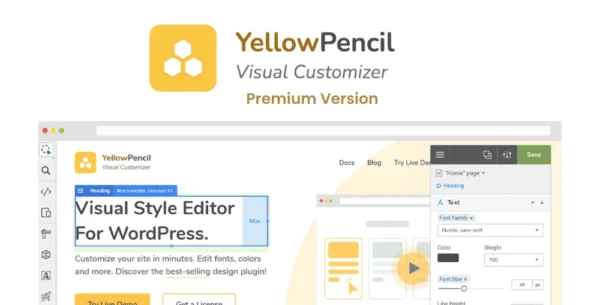
YellowPencil is a powerful WordPress CSS style editor plugin that allows you to customize your website design in real time – no coding required. Simply click on any element, and start editing colors, fonts, sizes, spacing, and layouts visually.
This is a GPL-distributed version – 100% clean, secure, and legally redistributed under the GPL license. No official support is included.
🌟 Key Features
🎨 Visual Editing Made Easy
Customize any page & element instantly.
Auto CSS selector for smart targeting.
Adjust fonts, colors, sizes, spacing, positions, borders, shadows, opacity, and much more.
Drag & Drop + Live resizing tools for precise control.
Undo/Redo & Live Preview before publishing changes.
🎬 Visual Animation Generator
Add animations with 50+ pre-made effects.
Create custom animations with the generator tool.
Manage animations visually with the Animation Manager.
💻 Live CSS Editor
Beginner-friendly visual editor – no coding needed.
Advanced users can directly code with the Live CSS Editor.
Export or import your custom CSS stylesheets easily.
📱 Responsive Design Tools
Adjust designs for any screen size.
Inspect and customize elements for mobile, tablet, and desktop.
Wireframe & box-model views for pixel-perfect editing.
🎨 Design Assets Included
800+ Google Fonts integration.
300+ Background patterns.
Trendy color palettes to choose from.
Gradient generator for modern effects.
⚡ Performance & Workflow
Lightweight and optimized for WordPress.
Manage and organize all changes in one place.
Shortcuts for faster editing.
Automatic plugin updates.
✅ Benefits
No coding skills required – perfect for beginners.
Advanced CSS control for developers.
Save time with real-time visual editing.
Make your website look unique, modern, and professional.
📝 Meta Description
Yellow Pencil Visual CSS Style Editor – WordPress plugin to customize your site in real-time. Edit colors, fonts, layouts, and animations visually with no coding required.
Be the first to review “Yellow Pencil Visual CSS Style Editor 7.6.7” Cancel reply
How to Install
Follow these quick steps to install from a .zip file or directly from your WP dashboard.
-
1
Go to Plugins → Add New
In your WordPress dashboard, open Plugins and click Add New.
-
2
Click Upload Plugin
Press Upload Plugin → Choose File and select the downloaded
plugin-name.zip. -
3
Install & Activate
Click Install Now, then Activate. You’re done!
-
4
(Optional) Enter License / Use Shortcode
Open Plugins → Your Plugin → Settings to enter your license. Add the box on the product page with:
[plugin_info_box]
Alternative: Install from WordPress directory
Go to Plugins → Add New, search the plugin name, click Install then Activate.
Manual (FTP) method
Unzip locally → upload the folder to /wp-content/plugins/ using FTP → activate from Plugins.
-
1
Go to Appearance → Themes
Click Add New → Upload Theme.
-
2
Upload the .zip file
Select
theme-name.zip, click Install Now, then Activate. -
3
Install Required Plugins
If prompted, click Begin installing plugins and activate them.
-
4
(Optional) Import Starter Content
Use the theme’s Demo Import (if provided) to load sample pages and settings.
Manual (FTP) theme install
Unzip the theme → upload to /wp-content/themes/ → activate from Appearance → Themes.




Reviews
There are no reviews yet.