
- ✔ Verified by VirusTotal
- ✔ 100% Original Product & Virus-Free
- ✔ Lifetime Free Updates on Single Purchase
- ✔ Unlimited Website Usage
- ✔ Prices in USD (Tax Included)
🔥 Limited-Time Deal — Ends Soon!
YITH Auctions for WooCommerce Premium 4.18.0
$57.00 Original price was: $57.00.$2.99Current price is: $2.99.
Instant Access
7 Day Money Back Guarantee
Online Support 24/7
Secure Payment
Description
🏆 YITH Auctions for WooCommerce Premium – Run eBay-Style Auctions on Your Store
The YITH Auctions for WooCommerce Premium Plugin allows you to transform your WooCommerce store into a fully functional auction platform, similar to eBay. Whether you sell exclusive items, collectibles, or limited editions, this plugin provides all the tools you need to create engaging, time-limited auctions that drive excitement and increase sales.
This is a GPL-distributed version, 100% clean, secure, and legally redistributed under the GPL license. (No official support is included.)
⚙️ Key Features
🛒 Unlimited Auction Products
Create an unlimited number of auction products and manage them effortlessly from your WooCommerce dashboard.
💰 Flexible Pricing Options
Set start prices, reserve prices, and buy now options to control profitability.
Define start and end dates/times for each auction with automatic timers.
🔁 Real-Time Bidding System
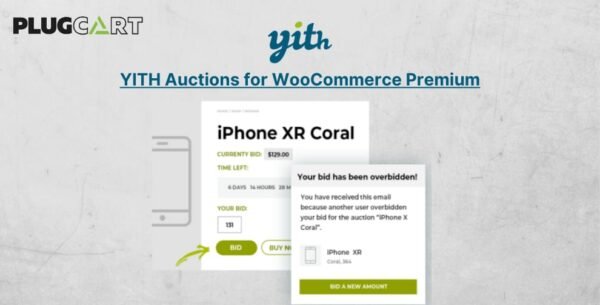
Enable automatic bid increments when users place higher bids and display live updates for active auctions.
🕒 Extended Auction Timers
Automatically extend an auction if a bid is placed just before the end time — ensuring fair competition and maximizing final bids.
🧑💻 User Management & Privacy
Option to encrypt or show bidder usernames.
Ban users from bidding if needed.
Hide or display auction products based on status (active, upcoming, or ended).
✉️ Smart Email Notifications
Send automatic notifications to bidders, winners, and admins for every important event — including bid updates, auction end, and winner confirmation.
🌍 Full Compatibility
Works with WPML Currency Switcher (not included).
Integrates seamlessly with YITH Frontend Manager for WooCommerce.
💼 What We Offer
100% GPL-licensed secure version
Clean and verified plugin files
Instant digital download
Lifetime version at an affordable price
✅ Conclusion
The YITH Auctions for YITH Auctions Premium Plugin gives you the power to bring the auction excitement of eBay directly into your WordPress store. Engage your customers, sell rare or high-demand items at the best possible price, and use scarcity to boost conversions.
If you’re looking for a flexible, user-friendly way to add competitive bidding features to your WooCommerce store, this plugin is the perfect solution to increase engagement and maximize your profits.
Be the first to review “YITH Auctions for WooCommerce Premium 4.18.0” Cancel reply
How to Install
Follow these quick steps to install from a .zip file or directly from your WP dashboard.
-
1
Go to Plugins → Add New
In your WordPress dashboard, open Plugins and click Add New.
-
2
Click Upload Plugin
Press Upload Plugin → Choose File and select the downloaded
plugin-name.zip. -
3
Install & Activate
Click Install Now, then Activate. You’re done!
-
4
(Optional) Enter License / Use Shortcode
Open Plugins → Your Plugin → Settings to enter your license. Add the box on the product page with:
[plugin_info_box]
Alternative: Install from WordPress directory
Go to Plugins → Add New, search the plugin name, click Install then Activate.
Manual (FTP) method
Unzip locally → upload the folder to /wp-content/plugins/ using FTP → activate from Plugins.
-
1
Go to Appearance → Themes
Click Add New → Upload Theme.
-
2
Upload the .zip file
Select
theme-name.zip, click Install Now, then Activate. -
3
Install Required Plugins
If prompted, click Begin installing plugins and activate them.
-
4
(Optional) Import Starter Content
Use the theme’s Demo Import (if provided) to load sample pages and settings.
Manual (FTP) theme install
Unzip the theme → upload to /wp-content/themes/ → activate from Appearance → Themes.




Reviews
There are no reviews yet.