
- ✔ Verified by VirusTotal
- ✔ 100% Original Product & Virus-Free
- ✔ Lifetime Free Updates on Single Purchase
- ✔ Unlimited Website Usage
- ✔ Prices in USD (Tax Included)
🔥 Limited-Time Deal — Ends Soon!
YITH Multiple Shipping Addresses for WooCommerce Premium 1.33.0
$58.00 Original price was: $58.00.$2.99Current price is: $2.99.
Instant Access
7 Day Money Back Guarantee
Online Support 24/7
Secure Payment
Description
YITH Multiple Shipping Addresses for WooCommerce Premium 📦📍
📌 This is a GPL-distributed version. No official support. Clean, secure, and legally redistributed under the GPL license.
What is YITH Multiple Shipping Addresses? ❓
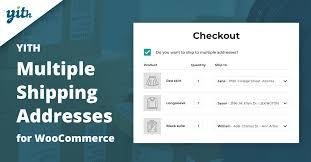
YITH Multiple Shipping Addresses for WooCommerce Premium allows your customers to ship products from a single order to different addresses, making online shopping more flexible, especially for gifting and business needs.
Whether it’s sending holiday gifts, delivering items to multiple offices, or splitting a bulk purchase, this plugin ensures a smooth and professional shopping experience.
Why You Need It 🚀
🎁 Boost Holiday Sales – make it easy for customers to send gifts to different addresses in one order.
📦 Increase Average Order Value – customers are more likely to buy more products if they can ship them to multiple recipients.
🏢 Perfect for Businesses – let customers with multiple offices or branches ship products where they’re needed.
🛍️ Improved User Experience – streamline the checkout process with convenient address management.
Key Features 🌟
Multi-Shipping Options
Enable multi-shipping for every single order.
Allow all users, or only registered ones, to set different shipping addresses.
Exclude specific products or categories from multi-shipping.
Flexible Address Management 🏠
Add unlimited custom shipping addresses.
Customers can manage addresses from Checkout and My Account pages.
Support for product variations.
Product Splitting & Control ✂️
Split product quantities across multiple shipping addresses.
Choose different recipients for the same product.
Shipping Status & Notifications ✉️
Manage order statuses: Processing, Shipped, Cancelled, Returned.
Send automatic email notifications to customers when shipping status changes.
Global Compatibility 🌍
Fully compatible with WPML – easily translate into multiple languages.
Benefits for Your Store 💼
✅ Encourage Bigger Purchases by making gifting and multi-destination orders simple.
✅ Save Customers’ Time with a streamlined checkout for multiple shipments.
✅ Enhance Holiday Sales & Promotions with gift-ready flexibility.
✅ Boost Customer Loyalty by offering features often found only in high-end eCommerce stores.
👉 YITH Multiple Shipping Addresses Premium is the ultimate tool to simplify multi-destination shopping, making your WooCommerce store more professional, user-friendly, and profitable.
Be the first to review “YITH Multiple Shipping Addresses for WooCommerce Premium 1.33.0” Cancel reply
How to Install
Follow these quick steps to install from a .zip file or directly from your WP dashboard.
-
1
Go to Plugins → Add New
In your WordPress dashboard, open Plugins and click Add New.
-
2
Click Upload Plugin
Press Upload Plugin → Choose File and select the downloaded
plugin-name.zip. -
3
Install & Activate
Click Install Now, then Activate. You’re done!
-
4
(Optional) Enter License / Use Shortcode
Open Plugins → Your Plugin → Settings to enter your license. Add the box on the product page with:
[plugin_info_box]
Alternative: Install from WordPress directory
Go to Plugins → Add New, search the plugin name, click Install then Activate.
Manual (FTP) method
Unzip locally → upload the folder to /wp-content/plugins/ using FTP → activate from Plugins.
-
1
Go to Appearance → Themes
Click Add New → Upload Theme.
-
2
Upload the .zip file
Select
theme-name.zip, click Install Now, then Activate. -
3
Install Required Plugins
If prompted, click Begin installing plugins and activate them.
-
4
(Optional) Import Starter Content
Use the theme’s Demo Import (if provided) to load sample pages and settings.
Manual (FTP) theme install
Unzip the theme → upload to /wp-content/themes/ → activate from Appearance → Themes.
Reviews
There are no reviews yet.