
- ✔ Verified by VirusTotal
- ✔ 100% Original Product & Virus-Free
- ✔ Lifetime Free Updates on Single Purchase
- ✔ Unlimited Website Usage
- ✔ Prices in USD (Tax Included)
🔥 Limited-Time Deal — Ends Soon!
YITH Product Shipping for WooCommerce Premium 1.31.1
$58.00 Original price was: $58.00.$2.99Current price is: $2.99.
Instant Access
7 Day Money Back Guarantee
Online Support 24/7
Secure Payment
Description
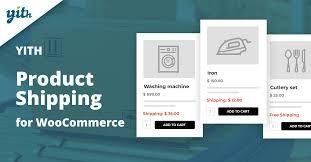
YITH Product Shipping for WooCommerce Premium 🚚✨
📌 This is a GPL-distributed version. No official support. Clean, secure, and legally redistributed under the GPL license.
What Does This Plugin Do? ❓
YITH Product Shipping for WooCommerce Premium gives you full control over shipping costs in your store. Instead of relying on one-size-fits-all shipping fees, you can define custom shipping rules per product, category, or tag, ensuring accurate costs for each order. Whether by country, region, or city, this plugin lets you manage shipping in a way that reflects your business needs and customer locations.
Why It Matters 🚀
Shipping costs can make or break a sale. If you undercharge, you lose profit. If you overcharge, customers abandon their carts. With this plugin, you can:
✅ Assign different shipping costs per product or variation.
🌍 Set shipping fees by country, state, region, or city.
💵 Add fixed costs or conditions based on cart totals and quantities.
📑 Show customers an exact summary of shipping costs directly on the product page.
This not only increases transparency but also boosts trust and conversion rates.
Key Features 🌟
✔ Custom Shipping Rules – Create general rules or rules for each simple/variable product.
✔ Flexible Cost Management – Add shipping fees by category, tag, or product quantity.
✔ Geographic Control – Apply rules by country, state, region, or city.
✔ Conditional Logic – Set costs when the cart total or product quantity meets specific criteria.
✔ Fixed Fees – Add additional fixed costs to each product in the cart.
✔ Customer Transparency – Display a custom message and cost summary on product pages.
✔ Priority Handling – Drag & drop rules to set processing order.
✔ Advanced Options – Assign rules by user role, enable/disable taxes, and integrate with WooCommerce Shipping Zones.
Real-World Use Cases 💡
📦 Heavy or bulky products – Apply higher fees only for specific items.
🌍 Regional shipping control – Charge differently for international vs. local deliveries.
🛒 Wholesale & B2B orders – Manage shipping based on product quantity or cart value.
🎯 Membership stores – Apply special shipping rules for certain customer roles.
Why Choose YITH Product Shipping for WooCommerce Premium? ✅
Because it saves you money, increases profit margins, and builds customer trust. By offering accurate and fair shipping rates, you’ll reduce abandoned carts, improve the shopping experience, and streamline order management.
With YITH Product Shipping for WooCommerce Premium, you’re in full control of how shipping costs are calculated—giving your WooCommerce store the flexibility it needs to grow.
Be the first to review “YITH Product Shipping for WooCommerce Premium 1.31.1” Cancel reply
How to Install
Follow these quick steps to install from a .zip file or directly from your WP dashboard.
-
1
Go to Plugins → Add New
In your WordPress dashboard, open Plugins and click Add New.
-
2
Click Upload Plugin
Press Upload Plugin → Choose File and select the downloaded
plugin-name.zip. -
3
Install & Activate
Click Install Now, then Activate. You’re done!
-
4
(Optional) Enter License / Use Shortcode
Open Plugins → Your Plugin → Settings to enter your license. Add the box on the product page with:
[plugin_info_box]
Alternative: Install from WordPress directory
Go to Plugins → Add New, search the plugin name, click Install then Activate.
Manual (FTP) method
Unzip locally → upload the folder to /wp-content/plugins/ using FTP → activate from Plugins.
-
1
Go to Appearance → Themes
Click Add New → Upload Theme.
-
2
Upload the .zip file
Select
theme-name.zip, click Install Now, then Activate. -
3
Install Required Plugins
If prompted, click Begin installing plugins and activate them.
-
4
(Optional) Import Starter Content
Use the theme’s Demo Import (if provided) to load sample pages and settings.
Manual (FTP) theme install
Unzip the theme → upload to /wp-content/themes/ → activate from Appearance → Themes.



Reviews
There are no reviews yet.