
- ✔ Verified by VirusTotal
- ✔ 100% Original Product & Virus-Free
- ✔ Lifetime Free Updates on Single Purchase
- ✔ Unlimited Website Usage
- ✔ Prices in USD (Tax Included)
🔥 Limited-Time Deal — Ends Soon!
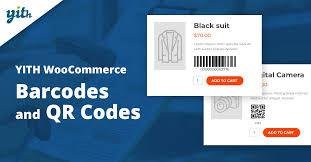
YITH Woocommerce Barcodes & QR Codes Premium 2.46.0
$57.00 Original price was: $57.00.$2.99Current price is: $2.99.
Instant Access
7 Day Money Back Guarantee
Online Support 24/7
Secure Payment
Description
YITH WooCommerce Barcodes and QR Codes Premium – Latest GPL Version
SEO Meta Description:
Download the latest YITH WooCommerce Barcodes and QR Codes Premium GPL version. Automatically generate barcodes and QR codes for products and orders, streamline inventory, reduce errors, and simplify order management. 100% clean, secure, and legally redistributed under the GPL license.
Why Use YITH WooCommerce Barcodes and QR Codes?
Managing orders and inventory manually can lead to human errors and wasted time. With YITH WooCommerce Barcodes and QR Codes, you can automate the process by assigning unique barcodes or QR codes to every product and order. This ensures faster checkout, easier inventory tracking, and error-free order management.
Key Benefits
Automation: Generate barcodes and QR codes automatically for products and orders.
Efficiency: Minimize manual errors and streamline operations.
Flexibility: Choose from 10 different barcode protocols including EAN, UPC, and QR.
Integration: Show barcodes in emails, product pages, and printable PDFs.
Control: Scan barcodes to search products, update stock, or change order status.
Features of YITH WooCommerce Barcodes and QR Codes Premium
Barcode & QR Code Generation
Assign barcodes/QR codes to products and orders.
Auto-generate codes for new orders and products.
Generate barcodes using product ID, SKU, or custom fields.
Generate order barcodes using order ID, order number, or custom fields.
Support for 10 barcode protocols:
EAN-13, EAN-8, UPC-A, STD 25, INT 25, CODE 39, CODE 93, CODE 128, Codabar, QR Code.
Generate codes for existing products automatically.
Support for variable product barcodes.
Regenerate or delete barcodes from product and order pages.
Display & Integration
Show product barcode on the product detail page.
Display order and product barcodes in order confirmation emails.
Use product URL to generate QR codes for direct linking.
Scanning & Order Management
Scan and search products and orders by barcode.
Perform actions by scanning barcodes:
Decrease/increase stock.
Change order status instantly.
Printing Options
Print all product barcodes in PDF format, including variations.
Add product details (image, name, SKU, price, short description) to barcode print lists.
Print multiple copies of the same product barcode for labeling and stock management.
Advantages of Using This Plugin
Error-Free: Eliminate manual mistakes with automated code generation.
Time-Saving: Simplify order processing and inventory management.
Professional Workflow: Enhance warehouse operations with scannable codes.
Versatility: Works for small shops or large-scale WooCommerce stores.
GPL Licensed: Safe, clean, and legally distributed version.
Conclusion
The YITH WooCommerce Barcodes and QR Codes Premium GPL plugin is a must-have for any WooCommerce store owner who wants to simplify operations, manage inventory more effectively, and reduce errors. From generating and printing barcodes to scanning orders and products, this plugin makes your store management smooth and professional.
Be the first to review “YITH Woocommerce Barcodes & QR Codes Premium 2.46.0” Cancel reply
How to Install
Follow these quick steps to install from a .zip file or directly from your WP dashboard.
-
1
Go to Plugins → Add New
In your WordPress dashboard, open Plugins and click Add New.
-
2
Click Upload Plugin
Press Upload Plugin → Choose File and select the downloaded
plugin-name.zip. -
3
Install & Activate
Click Install Now, then Activate. You’re done!
-
4
(Optional) Enter License / Use Shortcode
Open Plugins → Your Plugin → Settings to enter your license. Add the box on the product page with:
[plugin_info_box]
Alternative: Install from WordPress directory
Go to Plugins → Add New, search the plugin name, click Install then Activate.
Manual (FTP) method
Unzip locally → upload the folder to /wp-content/plugins/ using FTP → activate from Plugins.
-
1
Go to Appearance → Themes
Click Add New → Upload Theme.
-
2
Upload the .zip file
Select
theme-name.zip, click Install Now, then Activate. -
3
Install Required Plugins
If prompted, click Begin installing plugins and activate them.
-
4
(Optional) Import Starter Content
Use the theme’s Demo Import (if provided) to load sample pages and settings.
Manual (FTP) theme install
Unzip the theme → upload to /wp-content/themes/ → activate from Appearance → Themes.



Reviews
There are no reviews yet.