
- ✔ Verified by VirusTotal
- ✔ 100% Original Product & Virus-Free
- ✔ Lifetime Free Updates on Single Purchase
- ✔ Unlimited Website Usage
- ✔ Prices in USD (Tax Included)
🔥 Limited-Time Deal — Ends Soon!
YITH WooCommerce Delivery Date Premium 2.42.0
$57.00 Original price was: $57.00.$2.99Current price is: $2.99.
Instant Access
7 Day Money Back Guarantee
Online Support 24/7
Secure Payment
Description
YITH WooCommerce Delivery Date Premium 2.42.0 📦
⚡ This is a GPL-distributed version. No official support. Clean, secure, and legally redistributed under the GPL license.
Allow Customers to Choose Their Preferred Delivery Date 🗓️
Giving customers the ability to choose a preferred delivery date significantly improves their shopping experience and increases satisfaction. With YITH WooCommerce Delivery Date, your store offers a professional and flexible delivery system that adapts to customer needs.
Whether you sell physical products, perishable goods, or personalized items, letting customers select when they want their order delivered adds convenience and builds trust in your store.
Key Benefits 🎯
Reduce delivery-related complaints and missed orders
Offer a personalized shopping experience
Improve customer satisfaction and loyalty
Plan your logistics efficiently with pre-set delivery options
Increase conversions by giving customers control over delivery
Premium Features ✨
Flexible Delivery Scheduling
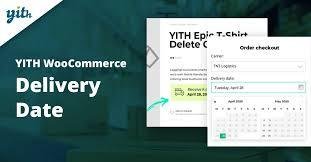
Allow customers to choose a delivery date at checkout
Set minimum and maximum delivery days to manage preparation time
Disable holidays, weekends, or specific dates
Limit daily deliveries to avoid overbooking
Customizable Options
Customize delivery date labels and messages
Show the delivery date in cart, checkout, and order emails
Set different delivery options per product or category
Add a time picker to allow precise delivery time selection
Customize colors and style of the delivery date picker
Administrative Tools
View and manage all scheduled deliveries from the admin dashboard
Export delivery dates and orders for better logistics planning
Send reminder emails to customers about their upcoming deliveries
Fully compatible with WooCommerce reports and order management
Why Choose It? 💎
With YITH WooCommerce Delivery Date Premium, your customers enjoy complete control over when they receive their orders, while you get better planning, fewer complaints, and a professional reputation.
Deliver convenience, increase customer loyalty, and boost your store’s credibility with this essential WooCommerce plugin!
Be the first to review “YITH WooCommerce Delivery Date Premium 2.42.0” Cancel reply
How to Install
Follow these quick steps to install from a .zip file or directly from your WP dashboard.
-
1
Go to Plugins → Add New
In your WordPress dashboard, open Plugins and click Add New.
-
2
Click Upload Plugin
Press Upload Plugin → Choose File and select the downloaded
plugin-name.zip. -
3
Install & Activate
Click Install Now, then Activate. You’re done!
-
4
(Optional) Enter License / Use Shortcode
Open Plugins → Your Plugin → Settings to enter your license. Add the box on the product page with:
[plugin_info_box]
Alternative: Install from WordPress directory
Go to Plugins → Add New, search the plugin name, click Install then Activate.
Manual (FTP) method
Unzip locally → upload the folder to /wp-content/plugins/ using FTP → activate from Plugins.
-
1
Go to Appearance → Themes
Click Add New → Upload Theme.
-
2
Upload the .zip file
Select
theme-name.zip, click Install Now, then Activate. -
3
Install Required Plugins
If prompted, click Begin installing plugins and activate them.
-
4
(Optional) Import Starter Content
Use the theme’s Demo Import (if provided) to load sample pages and settings.
Manual (FTP) theme install
Unzip the theme → upload to /wp-content/themes/ → activate from Appearance → Themes.




Reviews
There are no reviews yet.