
- ✔ Verified by VirusTotal
- ✔ 100% Original Product & Virus-Free
- ✔ Lifetime Free Updates on Single Purchase
- ✔ Unlimited Website Usage
- ✔ Prices in USD (Tax Included)
🔥 Limited-Time Deal — Ends Soon!
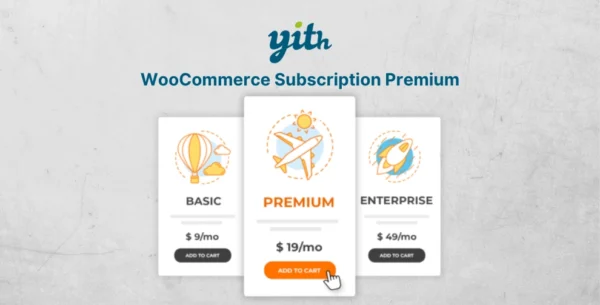
YITH WooCommerce Subscription Premium 4.16.0
$99.00 Original price was: $99.00.$2.99Current price is: $2.99.
Instant Access
7 Day Money Back Guarantee
Online Support 24/7
Secure Payment
Description
YITH WooCommerce Subscription Premium – Latest GPL Version
SEO Meta Description:
Download the latest YITH WooCommerce Subscription Premium GPL version – create recurring payments, manage multiple subscriptions, offer free trials, and build steady income with subscription-based products and services. 100% clean, secure, and legally redistributed under GPL license.
Why Choose YITH WooCommerce Subscription Premium?
Purchasing services like hosting, online coaching, courses, and podcasts on a subscription basis has become standard. With YITH WooCommerce Subscription Premium, you can easily sell products and services with recurring payments, ensuring constant and predictable income for your WooCommerce store.
A simple subscription model allows you to:
Sell physical or digital products with flexible billing cycles.
Offer exclusive membership plans integrated with YITH WooCommerce Membership.
Provide trial periods to attract new customers.
Automate payment renewals via PayPal, Stripe, and other gateways.
Key Features of YITH WooCommerce Subscription Premium
Free Version Features
Create subscription plans for digital & downloadable products.
Renew collections daily or monthly.
Cancel or delete subscriptions when needed.
Manage simple subscription plans with ease.
Premium Version Features
Accept payments via PayPal, Stripe, and Express Checkout.
Create subscription plans for physical, digital, and variable products.
Allow users to pause, resume, upgrade, or downgrade subscriptions.
Offer free trials and sign-up fees.
Provide full subscription details: start date, renewal date, billing info, and more.
Automatically send email notifications for renewals, cancellations, and expirations.
Suspend subscriptions automatically if payment fails.
Full GDPR compliance with customer data handling.
Benefits of Using YITH WooCommerce Subscription Premium
Steady revenue stream – predictable monthly income through automated billing.
Customer retention – keep users engaged with memberships, courses, or exclusive content.
Flexible subscription management – users can manage their own plans from “My Account.”
Seamless integration – works perfectly with WooCommerce, PayPal, and Stripe.
GPL licensed version – 100% legal, clean, and secure to use.
Conclusion
With YITH WooCommerce Subscription Premium, you can transform your WooCommerce store into a subscription-based business. Whether you sell digital products, online services, or physical items, this plugin gives you full control over billing cycles, renewals, and customer retention strategies.
Be the first to review “YITH WooCommerce Subscription Premium 4.16.0” Cancel reply
How to Install
Follow these quick steps to install from a .zip file or directly from your WP dashboard.
-
1
Go to Plugins → Add New
In your WordPress dashboard, open Plugins and click Add New.
-
2
Click Upload Plugin
Press Upload Plugin → Choose File and select the downloaded
plugin-name.zip. -
3
Install & Activate
Click Install Now, then Activate. You’re done!
-
4
(Optional) Enter License / Use Shortcode
Open Plugins → Your Plugin → Settings to enter your license. Add the box on the product page with:
[plugin_info_box]
Alternative: Install from WordPress directory
Go to Plugins → Add New, search the plugin name, click Install then Activate.
Manual (FTP) method
Unzip locally → upload the folder to /wp-content/plugins/ using FTP → activate from Plugins.
-
1
Go to Appearance → Themes
Click Add New → Upload Theme.
-
2
Upload the .zip file
Select
theme-name.zip, click Install Now, then Activate. -
3
Install Required Plugins
If prompted, click Begin installing plugins and activate them.
-
4
(Optional) Import Starter Content
Use the theme’s Demo Import (if provided) to load sample pages and settings.
Manual (FTP) theme install
Unzip the theme → upload to /wp-content/themes/ → activate from Appearance → Themes.
Reviews
There are no reviews yet.