
- ✔ Verified by VirusTotal
- ✔ 100% Original Product & Virus-Free
- ✔ Lifetime Free Updates on Single Purchase
- ✔ Unlimited Website Usage
- ✔ Prices in USD (Tax Included)
🔥 Limited-Time Deal — Ends Soon!
Yoast WordPress Local SEO Premium 15.5
$69.00 Original price was: $69.00.$3.99Current price is: $3.99.
Instant Access
7 Day Money Back Guarantee
Online Support 24/7
Secure Payment
Description
🌍 Yoast WordPress SEO Premium GPL Plugin – Latest Version
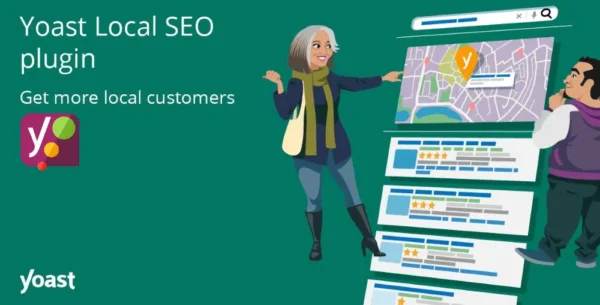
Yoast Local SEO Premium (GPL Version) is the ultimate WordPress plugin to optimize your business website for local search results. Whether you run a shop, restaurant, office, or service-based business, this plugin ensures that your customers can easily find your location, contact details, directions, and opening hours directly in Google Search and Google Maps.
This is a GPL-distributed version – 100% clean, secure, and legally redistributed under the GPL license (no official support included).
🚀 Why Choose Yoast Local SEO GPL?
Local SEO is essential for businesses that rely on foot traffic and regional customers. Every day, potential customers search for nearby shops and services. If your website isn’t ranking in Google’s local pack, Google Maps, and Knowledge Panel, you’re losing customers to competitors.
Yoast Local SEO Premium solves this by:
Embedding Google Maps with directions on your site.
Automatically displaying up-to-date opening hours.
Adding structured data (Schema.org) for business details.
Generating KML files & sitemaps for Google indexing.
Optimizing your site for single or multiple locations.
🛠 Yoast WordPress Key Features of Yoast Local SEO Premium GPL
✅ Complete Local Business Schema Integration
Outputs business information (name, type, address, phone, opening hours) in Schema.org format.
Ensures Google understands and displays your local details across search results.
✅ Google Maps & Store Locator
Embed interactive Google Maps with directions on your site.
Add a store finder for businesses with multiple locations.
Upload or import locations via CSV file.
✅ Opening Hours Management
Show clear opening hours for each location.
Schema-optimized output ensures Google highlights your availability.
✅ Yoast WordPress Multiple Locations Support
Optimize for single or multiple branches.
Display the nearest location for users in search results.
✅ Technical Enhancements
KML file generation for local SEO.
Integration with WordPress + Yoast SEO core.
Auto-submission of local business data to Google.
🌟Yoast WordPressBenefits of Using Yoast Local SEO GPL
Appear in Google Maps & local search results.
Get more customers in your store, office, or restaurant.
Save time with automatic schema, sitemaps & maps integration.
Outrank competitors in your area with proven local SEO strategies.
Whether you’re a local shop owner, multi-location business, or service provider, Yoast Local SEO Premium GPL gives you everything you need to stand out in local search and attract more nearby customers.
Be the first to review “Yoast WordPress Local SEO Premium 15.5” Cancel reply
How to Install
Follow these quick steps to install from a .zip file or directly from your WP dashboard.
-
1
Go to Plugins → Add New
In your WordPress dashboard, open Plugins and click Add New.
-
2
Click Upload Plugin
Press Upload Plugin → Choose File and select the downloaded
plugin-name.zip. -
3
Install & Activate
Click Install Now, then Activate. You’re done!
-
4
(Optional) Enter License / Use Shortcode
Open Plugins → Your Plugin → Settings to enter your license. Add the box on the product page with:
[plugin_info_box]
Alternative: Install from WordPress directory
Go to Plugins → Add New, search the plugin name, click Install then Activate.
Manual (FTP) method
Unzip locally → upload the folder to /wp-content/plugins/ using FTP → activate from Plugins.
-
1
Go to Appearance → Themes
Click Add New → Upload Theme.
-
2
Upload the .zip file
Select
theme-name.zip, click Install Now, then Activate. -
3
Install Required Plugins
If prompted, click Begin installing plugins and activate them.
-
4
(Optional) Import Starter Content
Use the theme’s Demo Import (if provided) to load sample pages and settings.
Manual (FTP) theme install
Unzip the theme → upload to /wp-content/themes/ → activate from Appearance → Themes.




Reviews
There are no reviews yet.