
- ✔ Verified by VirusTotal
- ✔ 100% Original Product & Virus-Free
- ✔ Lifetime Free Updates on Single Purchase
- ✔ Unlimited Website Usage
- ✔ Prices in USD (Tax Included)
🔥 Limited-Time Deal — Ends Soon!
Your AI Assistant for WordPress – OpenAI – ChatGPT 1.3.1
$49.00 Original price was: $49.00.$2.99Current price is: $2.99.
Instant Access
7 Day Money Back Guarantee
Online Support 24/7
Secure Payment
Description
Your AI Assistant for WordPress – OpenAI – ChatGPT 1.3.1
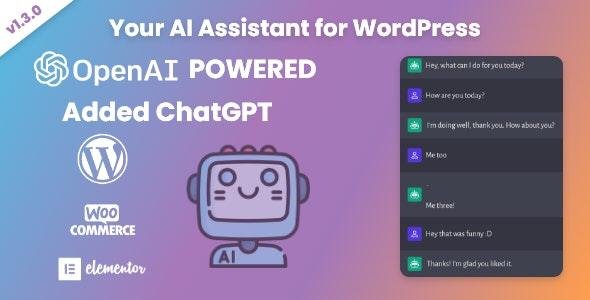
Your AI Assistant for WordPress – ChatGPT Integration is a smart and powerful plugin that brings the capabilities of OpenAI’s ChatGPT directly into your WordPress website. Whether you run a blog, WooCommerce store, or business site, this plugin allows you to harness the power of AI-driven content creation, customer support, SEO optimization, and productivity tools – all from your WordPress dashboard.
Seamlessly connect to OpenAI’s API and enjoy automated workflows, natural language responses, and AI assistance for both front-end and back-end tasks.
🌟 Key Features
🤖 AI-Powered Content Creation
Generate SEO-friendly blog posts, product descriptions, and FAQs.
Rewrite, expand, or summarize existing content instantly.
Create titles, meta descriptions, and keywords for better search ranking.
💬 Chatbot & Customer Support
Add a ChatGPT-powered chatbot to your website.
Provide instant responses to visitor queries 24/7.
Support WooCommerce stores by answering product-related questions.
⚙️ Seamless WordPress Integration
Works inside the Gutenberg editor, Classic editor, and Elementor.
Add AI-generated content directly to posts, pages, or WooCommerce products.
Shortcode & widget support for embedding AI chat anywhere.
📈 Productivity & Automation
Automate repetitive writing tasks like emails, outlines, and documentation.
AI-assisted brainstorming for marketing campaigns and product ideas.
Generate custom code snippets (HTML, CSS, PHP, JS) for developers.
🛠️ Flexible & Customizable
Set API key and configure usage limits.
Define AI behavior with custom instructions & tone settings.
Choose between multiple OpenAI models for speed or accuracy.
🔒 Secure & Lightweight
Clean and optimized code for fast performance.
API-driven – no heavy processing on your server.
Fully GDPR-compliant – user data stays safe.
✅ Benefits
Save time and boost productivity with AI-assisted workflows.
Improve SEO and engagement with optimized content.
Provide better customer support with an intelligent chatbot.
Empower both beginners and professionals to work smarter.
🌍 Use Cases
Bloggers & Content Creators – Generate posts, summaries, and SEO snippets.
E-commerce Stores – Create product descriptions, answer customer queries.
Agencies & Businesses – Automate emails, reports, and client communications.
Developers – Get AI help with code snippets and troubleshooting.
📝 Meta Description
Your AI Assistant for WordPress – OpenAI ChatGPT 1.3.1 plugin brings AI-powered content creation, chatbots, SEO tools, and automation directly into WordPress for blogs, stores, and businesses.
Be the first to review “Your AI Assistant for WordPress – OpenAI – ChatGPT 1.3.1” Cancel reply
How to Install
Follow these quick steps to install from a .zip file or directly from your WP dashboard.
-
1
Go to Plugins → Add New
In your WordPress dashboard, open Plugins and click Add New.
-
2
Click Upload Plugin
Press Upload Plugin → Choose File and select the downloaded
plugin-name.zip. -
3
Install & Activate
Click Install Now, then Activate. You’re done!
-
4
(Optional) Enter License / Use Shortcode
Open Plugins → Your Plugin → Settings to enter your license. Add the box on the product page with:
[plugin_info_box]
Alternative: Install from WordPress directory
Go to Plugins → Add New, search the plugin name, click Install then Activate.
Manual (FTP) method
Unzip locally → upload the folder to /wp-content/plugins/ using FTP → activate from Plugins.
-
1
Go to Appearance → Themes
Click Add New → Upload Theme.
-
2
Upload the .zip file
Select
theme-name.zip, click Install Now, then Activate. -
3
Install Required Plugins
If prompted, click Begin installing plugins and activate them.
-
4
(Optional) Import Starter Content
Use the theme’s Demo Import (if provided) to load sample pages and settings.
Manual (FTP) theme install
Unzip the theme → upload to /wp-content/themes/ → activate from Appearance → Themes.




Reviews
There are no reviews yet.