
- ✔ Verified by VirusTotal
- ✔ 100% Original Product & Virus-Free
- ✔ Lifetime Free Updates on Single Purchase
- ✔ Unlimited Website Usage
- ✔ Prices in USD (Tax Included)
🔥 Limited-Time Deal — Ends Soon!
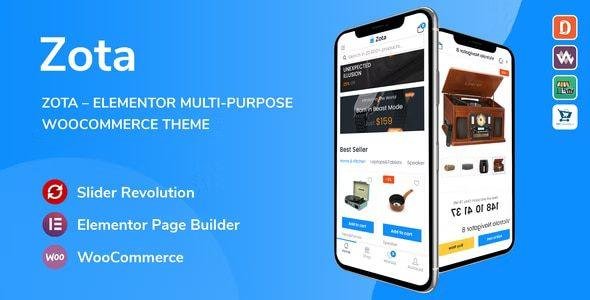
Zota – Elementor Multi-Purpose WooCommerce Theme 1.3.13
$39.00 Original price was: $39.00.$2.99Current price is: $2.99.
Instant Access
7 Day Money Back Guarantee
Online Support 24/7
Secure Payment
Description
Zota Theme – Elementor Multi-Purpose WooCommerce Theme Latest Version
This is a GPL-distributed version. No official support. Clean, secure, and legally redistributed under the GPL license.
Zota is a flexible and customizable WooCommerce Multi-Purpose WordPress Theme that installs and changes any item in a matter of minutes via Powerful Theme Options
Theme built with Elementor will help you customize your website in minutes without needing to edit any code.
Header & Footer builder with Elementor: Helps you to easily edit the content of Header and Footer as you want. This is an outstanding feature of Zota Theme.
This is truly a “Marketplace WooCommerce Theme”. Because the theme is fully compatible with popular plugins like Dokan and WC Marketplace WCFM and WC Vendors. It helps you to build your own marketplace similar to Amazon, Shopify, eBay, Magento marketplaces in under 30 minutes.
Optimized Mobile Design: always one of the important criteria with the theme of Thembay Team. Help your customers experience the website like they are using the App. Increase engagement, time, especially, that boost your sales.
Zota rocks a handy mobile menu that will take your shoppers to their desired product effortlessly. In total, you receive a whopping three hundred pages and get to benefit from the one-click demo content import.
Enjoy the multiple contents now and have an eCommerce page up in close to no time.
From mesmerizing home and product pages to several contact sections, a nifty checkout process, and even a blog system, it is all there. And no, you do not need to be an experienced coder to be able to work with Zota.
You do not even need to touch a single line of code, Zota makes customizing super newbie-friendly.
Other treats of Zota are Slider Revolution, the multivendor marketplace support, various shop and product layouts, speedy loading, search engine optimization, and multi-language and currency support. With the enormous set of features, you will find nothing missing in the Zota kit.
Get involved and start building a sophisticated multi-vendor marketplace with the one and only, Zota.
Zota GPL Theme Features
- Beautiful Home Pages Design
- WordPress 5.7 Ready
- WooCommerce 5.3 Ready
- Revolution Slider 6.4 Ready
- Compatible with Elementor
- WOOF – WooCommerce Products Filter 2.1.x Ready
- Font Awesome Version 5 Ready
- Font Simple Line Icons Ready
- One-Click Demo Installation
- Catalog mode
- Modern minimalist design
- Optimize design for mobile
- Mega main menu
- Vertical Menu
- Custom CSS & JS in Theme Settings
- Products carousel, latest posts carousel
- Grid view and list view for shop page
- Product Quick View supported
- Search Product AJAX supported
- Product Wishlist supported
- Product Compare supported
- Instagram Element supported
- MailChimp For WordPress supported
- Powered by Redux framework
- Social icon links
- Error 404 pages included
- Flexible Theme Options
- High Speed & Performance
- Customized for Online Store
- SEO Optimized
- RTL Language Support
- Cross-Browser Compatible
Be the first to review “Zota – Elementor Multi-Purpose WooCommerce Theme 1.3.13” Cancel reply
How to Install
Follow these quick steps to install from a .zip file or directly from your WP dashboard.
-
1
Go to Plugins → Add New
In your WordPress dashboard, open Plugins and click Add New.
-
2
Click Upload Plugin
Press Upload Plugin → Choose File and select the downloaded
plugin-name.zip. -
3
Install & Activate
Click Install Now, then Activate. You’re done!
-
4
(Optional) Enter License / Use Shortcode
Open Plugins → Your Plugin → Settings to enter your license. Add the box on the product page with:
[plugin_info_box]
Alternative: Install from WordPress directory
Go to Plugins → Add New, search the plugin name, click Install then Activate.
Manual (FTP) method
Unzip locally → upload the folder to /wp-content/plugins/ using FTP → activate from Plugins.
-
1
Go to Appearance → Themes
Click Add New → Upload Theme.
-
2
Upload the .zip file
Select
theme-name.zip, click Install Now, then Activate. -
3
Install Required Plugins
If prompted, click Begin installing plugins and activate them.
-
4
(Optional) Import Starter Content
Use the theme’s Demo Import (if provided) to load sample pages and settings.
Manual (FTP) theme install
Unzip the theme → upload to /wp-content/themes/ → activate from Appearance → Themes.




Reviews
There are no reviews yet.