
- ✔ Verified by VirusTotal
- ✔ 100% Original Product & Virus-Free
- ✔ Lifetime Free Updates on Single Purchase
- ✔ Unlimited Website Usage
- ✔ Prices in USD (Tax Included)
🔥 Limited-Time Deal — Ends Soon!
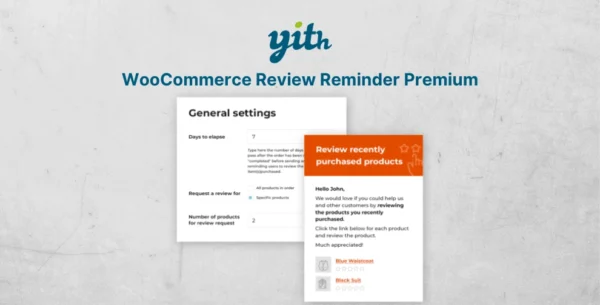
YITH WooCommerce Review Reminder Premium 1.53.0
$59.00 Original price was: $59.00.$2.99Current price is: $2.99.
Instant Access
7 Day Money Back Guarantee
Online Support 24/7
Secure Payment
Description
YITH WooCommerce Review Reminder Premium 📝
⚡ This is a GPL-distributed version. No official support. Clean, secure, and legally redistributed under the GPL license.
Why Reviews Matter ⭐
Market research shows that 77% of customers read reviews before making a purchase. That means 8 out of 10 visitors decide whether to buy your product based on what other buyers say.
Positive reviews:
Build trust & credibility 🛡️
Boost sales conversions 📈
Strengthen your brand reputation
What This Plugin Does 🚀
YITH WooCommerce Review Reminder Premium automatically encourages your customers to leave reviews after purchasing. Instead of manually following up with each buyer, you can:
Send automated review reminder emails directly from your admin panel ✉️
Improve engagement & loyalty with minimal effort
Collect more authentic feedback that influences future buyers
It’s the easiest and most effective way to prove product quality and increase your shop’s conversions.
Smart Incentives 💡
Pair it with YITH WooCommerce Review for Discounts and reward customers with a coupon when they leave a review.
👉 They get a gift, and you get social proof for your products. A true win-win!
Free Version Features 🆓
Send reminder emails (HTML or text)
Customize email content ✍️
Use the default WooCommerce template
Add users manually to the reminder list
Block users who don’t want more reminders
Premium Version Features 💎
Includes all Free version features, plus:
Choose between WooCommerce template or 3 custom templates
Send test emails before live campaigns
Allow users to unsubscribe easily
Schedule reminders based on purchase date
Target reviews for:
First/last purchased products
Products with highest/lowest quantity
Highest/lowest total order value
Products with most/fewest reviews
Random product selection 🎯
Reschedule, force send, or manage emails with flexibility
Integration with Mandrill/MailChimp for advanced delivery
Track campaigns via Google Analytics 📊
Compatible with YITH WooCommerce Email Templates
Send emails only to customers who consent at checkout ✅
Why Choose It? ❤️
By automating your review requests, you:
Save time ⏳
Build strong customer relationships 🤝
Increase sales through social proof and trust
With YITH WooCommerce Review Reminder Premium, turning satisfied buyers into brand advocates has never been easier.
Be the first to review “YITH WooCommerce Review Reminder Premium 1.53.0” Cancel reply
How to Install
Follow these quick steps to install from a .zip file or directly from your WP dashboard.
-
1
Go to Plugins → Add New
In your WordPress dashboard, open Plugins and click Add New.
-
2
Click Upload Plugin
Press Upload Plugin → Choose File and select the downloaded
plugin-name.zip. -
3
Install & Activate
Click Install Now, then Activate. You’re done!
-
4
(Optional) Enter License / Use Shortcode
Open Plugins → Your Plugin → Settings to enter your license. Add the box on the product page with:
[plugin_info_box]
Alternative: Install from WordPress directory
Go to Plugins → Add New, search the plugin name, click Install then Activate.
Manual (FTP) method
Unzip locally → upload the folder to /wp-content/plugins/ using FTP → activate from Plugins.
-
1
Go to Appearance → Themes
Click Add New → Upload Theme.
-
2
Upload the .zip file
Select
theme-name.zip, click Install Now, then Activate. -
3
Install Required Plugins
If prompted, click Begin installing plugins and activate them.
-
4
(Optional) Import Starter Content
Use the theme’s Demo Import (if provided) to load sample pages and settings.
Manual (FTP) theme install
Unzip the theme → upload to /wp-content/themes/ → activate from Appearance → Themes.



Reviews
There are no reviews yet.