
- ✔ Verified by VirusTotal
- ✔ 100% Original Product & Virus-Free
- ✔ Lifetime Free Updates on Single Purchase
- ✔ Unlimited Website Usage
- ✔ Prices in USD (Tax Included)
🔥 Limited-Time Deal — Ends Soon!
YITH WooCommerce PDF Invoice and Shipping List Premium 4.30.0
$69.00 Original price was: $69.00.$2.99Current price is: $2.99.
Instant Access
7 Day Money Back Guarantee
Online Support 24/7
Secure Payment
Description
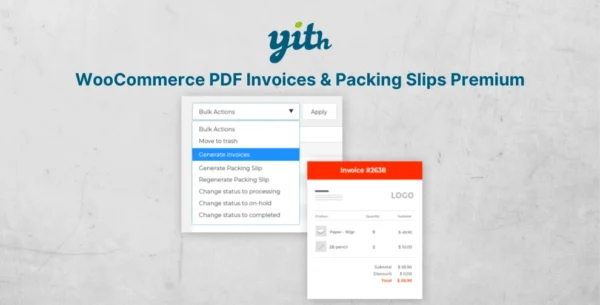
YITH WooCommerce PDF Invoice and Shipping List Premium – Latest GPL Version
SEO Meta Description:
Download the latest YITH WooCommerce PDF Invoice and Shipping List Premium GPL version – automatically generate PDF invoices, shipping lists, and proforma documents for your WooCommerce store. Fully customizable, 100% clean, secure, and legally redistributed under GPL license.
Why Choose YITH WooCommerce PDF Invoice and Shipping List Premium?
Creating invoices manually can be time-consuming and stressful. With YITH WooCommerce PDF Invoice and Shipping List Premium, you can automate the entire process: generate invoices, shipping lists, and proforma documents instantly. This not only saves time but also ensures accuracy and compliance.
Key Benefits:
Save time: Automate invoice and shipping list generation.
Stay organized: Keep digital records and simplify archiving.
Reduce errors: Automatically number and manage invoices.
Improve customer experience: Let users download invoices directly from their accounts.
Eco-friendly & cost-effective: Minimize paperwork and manual processes.
Features of YITH WooCommerce PDF Invoice and Shipping List
Free Version Features
Automatic progressive invoice numbering.
Customize invoice numbers with prefix/suffix.
Reset invoice numbers annually.
Generate invoices manually or automatically.
Show/download invoices in the browser.
Editable invoice and shipping list templates.
Add business logo, company details, and notes.
Customers can download invoices from their “Orders” page.
Premium Version Features
All free features included.
Manage proforma invoices alongside regular invoices.
Request SSN or VAT at checkout and include them in invoices.
Automatic Dropbox backup for all generated files.
Customize file names with placeholders.
Add personalized notes and footers for invoices, proforma, and shipping lists.
Choose which details appear on each document type.
Customers can download proforma invoices from their account.
Insert order and customer meta data into PDF documents.
Enable invoice previews without affecting numbering.
Show full tax and discount details on invoices.
Integrates with YITH WooCommerce Order Tracking to include shipping data.
Benefits of Using YITH WooCommerce PDF Invoice and Shipping List Premium
Full Automation: No more manual invoice creation.
Customization: Control templates, numbering, and details displayed.
Professional Documents: Branded invoices and shipping lists improve trust.
Customer-Friendly: Easy access to invoices and proforma documents.
GPL Licensed: 100% legal, clean, and secure GPL distribution.
Conclusion
With YITH WooCommerce PDF Invoice and Shipping List Premium, you can automate your billing process, reduce errors, and improve efficiency. From customizable templates to Dropbox backups, this plugin offers everything you need for professional invoice management in WooCommerce.
Be the first to review “YITH WooCommerce PDF Invoice and Shipping List Premium 4.30.0” Cancel reply
How to Install
Follow these quick steps to install from a .zip file or directly from your WP dashboard.
-
1
Go to Plugins → Add New
In your WordPress dashboard, open Plugins and click Add New.
-
2
Click Upload Plugin
Press Upload Plugin → Choose File and select the downloaded
plugin-name.zip. -
3
Install & Activate
Click Install Now, then Activate. You’re done!
-
4
(Optional) Enter License / Use Shortcode
Open Plugins → Your Plugin → Settings to enter your license. Add the box on the product page with:
[plugin_info_box]
Alternative: Install from WordPress directory
Go to Plugins → Add New, search the plugin name, click Install then Activate.
Manual (FTP) method
Unzip locally → upload the folder to /wp-content/plugins/ using FTP → activate from Plugins.
-
1
Go to Appearance → Themes
Click Add New → Upload Theme.
-
2
Upload the .zip file
Select
theme-name.zip, click Install Now, then Activate. -
3
Install Required Plugins
If prompted, click Begin installing plugins and activate them.
-
4
(Optional) Import Starter Content
Use the theme’s Demo Import (if provided) to load sample pages and settings.
Manual (FTP) theme install
Unzip the theme → upload to /wp-content/themes/ → activate from Appearance → Themes.


Reviews
There are no reviews yet.