
- ✔ Verified by VirusTotal
- ✔ 100% Original Product & Virus-Free
- ✔ Lifetime Free Updates on Single Purchase
- ✔ Unlimited Website Usage
- ✔ Prices in USD (Tax Included)
🔥 Limited-Time Deal — Ends Soon!
Advanced Custom Fields (ACF) Pro 6.6.1
$100.00 Original price was: $100.00.$2.99Current price is: $2.99.
Instant Access
7 Day Money Back Guarantee
Online Support 24/7
Secure Payment
Description
⚡ Advanced Custom Fields (ACF) Pro
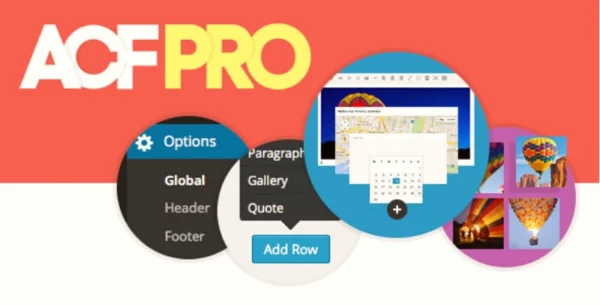
Advanced Custom Fields (ACF) Pro is the ultimate WordPress plugin to enhance your website with powerful custom fields and flexible content management. Perfect for developers and site builders, ACF Pro allows you to add, manage, and display custom fields anywhere on your site with ease.
🛠 Key Features
30+ Field Types – Add everything from text and image fields to repeatable and flexible content blocks.
Intuitive Field Builder – Quickly create and assign fields to posts, pages, users, taxonomies, media, comments, or custom options pages.
Flexible Content & Layouts – Design repeatable blocks, page layouts, and galleries for advanced customization.
Developer-Friendly Functions – Load and display custom field values in theme templates seamlessly.
Custom Settings Pages – Create reusable field groups and site-wide settings for enhanced control.
Extensive Documentation & Support – Millions of users and comprehensive resources to help you maximize ACF Pro.
🎯 What We Offer
ACF Pro gives you complete control over your WordPress content. From simple custom fields to complex layouts and repeatable blocks, it enables you to build flexible, dynamic websites efficiently. Perfect for developers, agencies, and business owners who want a fully customized WordPress experience.
✅ Conclusion
With Advanced Custom Fields Pro, you can supercharge your WordPress site with advanced custom fields, flexible layouts, intuitive galleries, and reusable content blocks. Save time, simplify development, and create a fully tailored website with ACF Pro.
Be the first to review “Advanced Custom Fields (ACF) Pro 6.6.1” Cancel reply
How to Install
Follow these quick steps to install from a .zip file or directly from your WP dashboard.
-
1
Go to Plugins → Add New
In your WordPress dashboard, open Plugins and click Add New.
-
2
Click Upload Plugin
Press Upload Plugin → Choose File and select the downloaded
plugin-name.zip. -
3
Install & Activate
Click Install Now, then Activate. You’re done!
-
4
(Optional) Enter License / Use Shortcode
Open Plugins → Your Plugin → Settings to enter your license. Add the box on the product page with:
[plugin_info_box]
Alternative: Install from WordPress directory
Go to Plugins → Add New, search the plugin name, click Install then Activate.
Manual (FTP) method
Unzip locally → upload the folder to /wp-content/plugins/ using FTP → activate from Plugins.
-
1
Go to Appearance → Themes
Click Add New → Upload Theme.
-
2
Upload the .zip file
Select
theme-name.zip, click Install Now, then Activate. -
3
Install Required Plugins
If prompted, click Begin installing plugins and activate them.
-
4
(Optional) Import Starter Content
Use the theme’s Demo Import (if provided) to load sample pages and settings.
Manual (FTP) theme install
Unzip the theme → upload to /wp-content/themes/ → activate from Appearance → Themes.




Reviews
There are no reviews yet.