
- ✔ Verified by VirusTotal
- ✔ 100% Original Product & Virus-Free
- ✔ Lifetime Free Updates on Single Purchase
- ✔ Unlimited Website Usage
- ✔ Prices in USD (Tax Included)
🔥 Limited-Time Deal — Ends Soon!
Advanced Google Maps Plugin for WordPress 6.0.3
$99.00 Original price was: $99.00.$2.99Current price is: $2.99.
Instant Access
7 Day Money Back Guarantee
Online Support 24/7
Secure Payment
Description
🗺️ Advanced Google Maps Plugin for WordPress (GPL Version)
This is a GPL-distributed version. No official support. Clean, secure, and legally redistributed under the GPL license.
🌟 Introduction
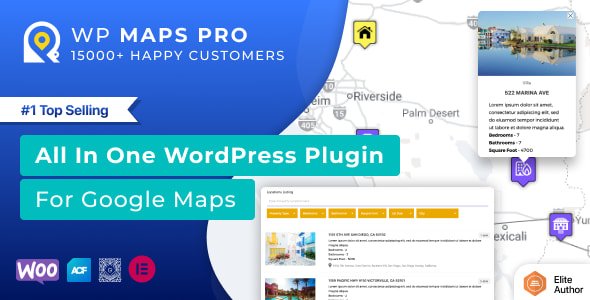
The Advanced Google Maps Plugin is the most powerful and feature-rich Google Maps solution for WordPress. Built with feedback from thousands of users, it helps you create fully customizable, interactive maps with filters, listings, directions, routes, shapes, and more — all without coding.
Whether you run a directory, travel site, real estate business, event listing platform, or local store, this plugin gives you unmatched flexibility to showcase your locations in style.
🚀 Key Features
📍 Location & Listings
Assign locations to posts, pages, or custom post types.
Display details like title, content, image, categories & custom fields in map info windows.
Show listings below the map in grid or list view with AJAX-based filters.
Import unlimited locations via CSV with categories & custom fields.
🔎 Filtering & Search
Filter locations by categories, custom fields, or taxonomies.
Advanced search with zip, city, country, or radius filters.
Sort listings by title, address, or category.
Pagination, printing options & customizable placeholders for data.
🗺️ Routes & Directions
Add multiple routes with custom colors, waypoints, and draggable paths.
Show walking, driving, cycling, or transit directions.
Visitors can set start & end points with miles or kilometers.
✨ Markers & Clustering
Assign custom markers per category or choose from 500+ icons.
Enable marker clustering with 10+ styles for large datasets.
Bounce & drop animations for markers.
🖌️ Maps & Styling
Draw shapes (circles, polygons, rectangles, polylines) directly on maps.
Apply custom map skins via SnazzyMaps styles.
Add layers: traffic, bicycling, terrain, KML/KMZ, fusion tables & more.
Responsive maps with full control over zoom, drag, scroll, and UI elements.
⚡ Extra Features
Display real-time traffic & overlays.
Nearby places search with Google Places API.
Export vouchers to PDF/CSV.
Fully customizable info windows with placeholders.
Multi-language & multi-location support.
🎯 Perfect For
🏨 Hotels & Travel Agencies
🏡 Real Estate Listings
🎉 Event Directories
🛍️ Local Businesses & Stores
📚 Educational Institutions
🚴 Adventure & Tour Companies
✅ Conclusion
The Advanced Google Maps Plugin (GPL Version) gives you complete freedom to build powerful, interactive maps tailored to your business needs. With its huge range of features, customization options, and responsive design, it’s the #1 choice for WordPress sites needing advanced mapping functionality.
Be the first to review “Advanced Google Maps Plugin for WordPress 6.0.3” Cancel reply
How to Install
Follow these quick steps to install from a .zip file or directly from your WP dashboard.
-
1
Go to Plugins → Add New
In your WordPress dashboard, open Plugins and click Add New.
-
2
Click Upload Plugin
Press Upload Plugin → Choose File and select the downloaded
plugin-name.zip. -
3
Install & Activate
Click Install Now, then Activate. You’re done!
-
4
(Optional) Enter License / Use Shortcode
Open Plugins → Your Plugin → Settings to enter your license. Add the box on the product page with:
[plugin_info_box]
Alternative: Install from WordPress directory
Go to Plugins → Add New, search the plugin name, click Install then Activate.
Manual (FTP) method
Unzip locally → upload the folder to /wp-content/plugins/ using FTP → activate from Plugins.
-
1
Go to Appearance → Themes
Click Add New → Upload Theme.
-
2
Upload the .zip file
Select
theme-name.zip, click Install Now, then Activate. -
3
Install Required Plugins
If prompted, click Begin installing plugins and activate them.
-
4
(Optional) Import Starter Content
Use the theme’s Demo Import (if provided) to load sample pages and settings.
Manual (FTP) theme install
Unzip the theme → upload to /wp-content/themes/ → activate from Appearance → Themes.




Reviews
There are no reviews yet.