
- ✔ Verified by VirusTotal
- ✔ 100% Original Product & Virus-Free
- ✔ Lifetime Free Updates on Single Purchase
- ✔ Unlimited Website Usage
- ✔ Prices in USD (Tax Included)
🔥 Limited-Time Deal — Ends Soon!
All in One Support Button + Callback Request. WhatsApp, Messenger, Telegram, LiveChat and more 2.2.7
$57.00 Original price was: $57.00.$2.99Current price is: $2.99.
Instant Access
7 Day Money Back Guarantee
Online Support 24/7
Secure Payment
Description
All in One Support Button – Callback Request, WhatsApp, Messenger, Telegram, LiveChat & More (Latest GPL Version)
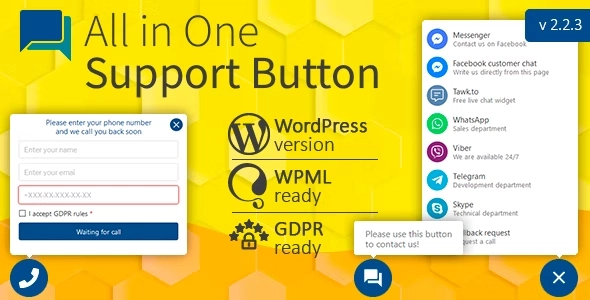
Make it easy for your visitors to connect with you using All in One Support Button, the ultimate multi-channel contact and messaging solution for WordPress. This powerful plugin displays a customizable floating support button on every page, giving users instant access to all your preferred communication channels.
This GPL-distributed version is 100% clean, secure, and legally redistributed (no official support included).
Key Features:
All-in-One Contact Hub: Combine multiple communication channels in one button
Supported Platforms:
WhatsApp
Facebook Messenger & Customer Chat
Telegram
Viber
Skype
Slack
Email
LiveChat, Zendesk, Crisp, Smartsupp, Tawk.to, LiveHelper Chat
Callback Request & more
Device-Specific Links: Choose separate contact links for desktop and mobile visitors
Fully customizable placement, colors, and icons
Works with any WordPress theme or page builder
Lightweight, responsive, and user-friendly design
Why Choose All in One Support Button?
Centralize all your communication channels in a single floating support button to improve customer engagement, streamline support, and provide users with a seamless way to reach you.
Be the first to review “All in One Support Button + Callback Request. WhatsApp, Messenger, Telegram, LiveChat and more 2.2.7” Cancel reply
How to Install
Follow these quick steps to install from a .zip file or directly from your WP dashboard.
-
1
Go to Plugins → Add New
In your WordPress dashboard, open Plugins and click Add New.
-
2
Click Upload Plugin
Press Upload Plugin → Choose File and select the downloaded
plugin-name.zip. -
3
Install & Activate
Click Install Now, then Activate. You’re done!
-
4
(Optional) Enter License / Use Shortcode
Open Plugins → Your Plugin → Settings to enter your license. Add the box on the product page with:
[plugin_info_box]
Alternative: Install from WordPress directory
Go to Plugins → Add New, search the plugin name, click Install then Activate.
Manual (FTP) method
Unzip locally → upload the folder to /wp-content/plugins/ using FTP → activate from Plugins.
-
1
Go to Appearance → Themes
Click Add New → Upload Theme.
-
2
Upload the .zip file
Select
theme-name.zip, click Install Now, then Activate. -
3
Install Required Plugins
If prompted, click Begin installing plugins and activate them.
-
4
(Optional) Import Starter Content
Use the theme’s Demo Import (if provided) to load sample pages and settings.
Manual (FTP) theme install
Unzip the theme → upload to /wp-content/themes/ → activate from Appearance → Themes.


Reviews
There are no reviews yet.