
- ✔ Verified by VirusTotal
- ✔ 100% Original Product & Virus-Free
- ✔ Lifetime Free Updates on Single Purchase
- ✔ Unlimited Website Usage
- ✔ Prices in USD (Tax Included)
🔥 Limited-Time Deal — Ends Soon!
AmaLinks Pro + Tables – Amazon Affiliate WordPress Plugin 1.5.7
$399.00 Original price was: $399.00.$2.99Current price is: $2.99.
Instant Access
7 Day Money Back Guarantee
Online Support 24/7
Secure Payment
Description
🔗 AmaLinks Pro + Tables – Amazon Affiliate WordPress Plugin (GPL Version)
📌 This is a GPL-distributed version. No official support. Clean, secure, and legally redistributed under the GPL license.
📝 Overview
AmaLinks Pro is a powerful yet simple Amazon Affiliate WordPress plugin designed to help publishers monetize their content quickly and effectively. With its intuitive interface, you can create, edit, and insert Amazon affiliate links, product showcase boxes, comparison tables, and custom CTA buttons—all directly from WordPress.
Whether you have Amazon API access or not, AmaLinks Pro ensures compliance with Amazon Associates policies and gives you everything you need to boost click-through rates and increase affiliate commissions.
🚀 Key Features of AmaLinks Pro
Insert Text & Image Links – Quickly add affiliate links within content without leaving WordPress.
Custom Call-to-Action Buttons – Add Amazon-compliant “Buy on Amazon” buttons or create your own attractive CTA designs.
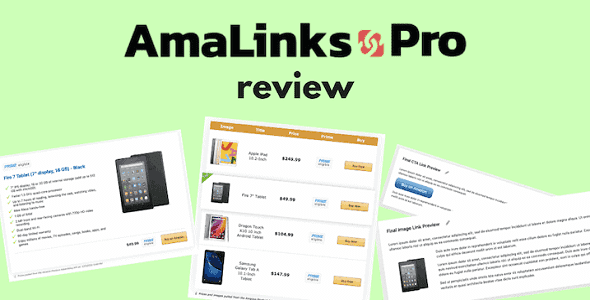
Product Showcase Boxes – Highlight product info, images, ratings, reviews, and links using data from the Amazon API.
Comparison Tables – Build interactive, high-converting tables to compare products side by side.
No-API Mode – Insert affiliate links and product showcases even if you don’t have Amazon API access.
Shortcode-Based Editing – Update product boxes or buttons by changing only the ASIN—fast and accurate.
Attractive Design – Clean, modern layouts that don’t look spammy and align with your branding.
100% Amazon-Compliant – Built to follow Amazon Associates’ guidelines for link and product display.
🎯 Why Use AmaLinks Pro?
📈 Boost CTR & Earnings – Showcase products with beautiful buttons, tables, and boxes that drive clicks.
⏱ Save Time – Easy setup and shortcode-based changes mean no learning curve.
🎨 Custom Branding – Fully customizable elements that blend with your site’s design.
🌍 Flexible for All Users – Works with or without Amazon API access.
🔒 Stay Compliant – Designed to keep your affiliate site safe under Amazon’s strict policies.
🌟 Benefits for Affiliates
Increase site engagement with eye-catching product showcases and tables.
Guarantee accuracy with real-time product data (via API) or easy manual updates (No-API mode).
Build trust and conversions with modern, non-spammy affiliate elements.
Scale your affiliate site by monetizing content effortlessly.
✅ With AmaLinks Pro + Tables (GPL Version), you can transform your WordPress site into a high-converting Amazon affiliate business with product showcases, comparison tables, and smart affiliate links—all while staying fully Amazon-compliant.
Be the first to review “AmaLinks Pro + Tables – Amazon Affiliate WordPress Plugin 1.5.7” Cancel reply
How to Install
Follow these quick steps to install from a .zip file or directly from your WP dashboard.
-
1
Go to Plugins → Add New
In your WordPress dashboard, open Plugins and click Add New.
-
2
Click Upload Plugin
Press Upload Plugin → Choose File and select the downloaded
plugin-name.zip. -
3
Install & Activate
Click Install Now, then Activate. You’re done!
-
4
(Optional) Enter License / Use Shortcode
Open Plugins → Your Plugin → Settings to enter your license. Add the box on the product page with:
[plugin_info_box]
Alternative: Install from WordPress directory
Go to Plugins → Add New, search the plugin name, click Install then Activate.
Manual (FTP) method
Unzip locally → upload the folder to /wp-content/plugins/ using FTP → activate from Plugins.
-
1
Go to Appearance → Themes
Click Add New → Upload Theme.
-
2
Upload the .zip file
Select
theme-name.zip, click Install Now, then Activate. -
3
Install Required Plugins
If prompted, click Begin installing plugins and activate them.
-
4
(Optional) Import Starter Content
Use the theme’s Demo Import (if provided) to load sample pages and settings.
Manual (FTP) theme install
Unzip the theme → upload to /wp-content/themes/ → activate from Appearance → Themes.




Reviews
There are no reviews yet.