
- ✔ Verified by VirusTotal
- ✔ 100% Original Product & Virus-Free
- ✔ Lifetime Free Updates on Single Purchase
- ✔ Unlimited Website Usage
- ✔ Prices in USD (Tax Included)
🔥 Limited-Time Deal — Ends Soon!
Bacola Theme – Grocery Store and Food eCommerce Theme 1.5.4
$47.00 Original price was: $47.00.$2.99Current price is: $2.99.
Instant Access
7 Day Money Back Guarantee
Online Support 24/7
Secure Payment
Description
Bacola Theme – Grocery Store & Organic Food WordPress Theme
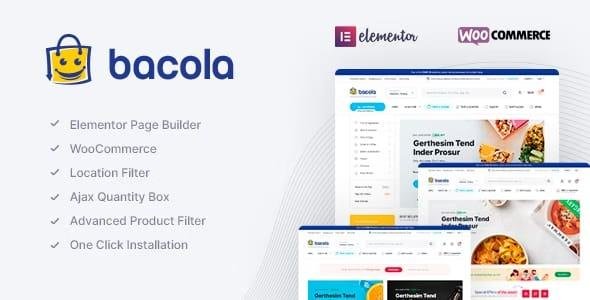
Bacola is a modern, responsive WordPress theme designed for grocery stores, organic food shops, online supermarkets, and multi-vendor marketplaces. Fully compatible with WooCommerce and Elementor, this GPL-distributed version is clean, secure, and legally redistributed, allowing anyone to build a professional eCommerce website without coding knowledge.
Key Features
1. Full WooCommerce & Multi-Vendor Compatibility
WooCommerce-ready for building any type of online store
Supports Dokan and WC Marketplace for multi-vendor capabilities
Easily list, manage, and promote products with unlimited categories
Supports online supermarkets, grocery delivery, organic food shops, and more
2. Elementor Page Builder
Drag-and-drop visual page building for creating custom layouts
Prebuilt templates for pages, products, and landing pages
Fully customizable without coding
3. Advanced eCommerce Features
AJAX product search and filtering for fast user experience
Quick view, wishlist, side cart, and recently viewed products
Load more pagination and infinite scroll for smooth navigation
AJAX add-to-cart and remove-from-cart for variable and grouped products
Buy Now button and WhatsApp ordering integration
Product image zoom, videos (YouTube/Vimeo), stock progress bars, and countdown timers
4. Mobile & User Experience Enhancements
Mobile bottom menu and sticky add-to-cart for single products
Single product mobile filters for easier browsing
Side cart for instant shopping overview
Recently viewed products for better user engagement
5. Product & Shop Management
Quantity field, min/max quantity options, and min order amount
Catalog mode for display-only stores
Product filters by color, brand, category, and stock status
Product status indicators (On Sale / In Stock)
6. Marketing & Conversion Tools
GDPR-ready and newsletter popup support
Attractive landing pages for promotions and campaigns
Infinite customization with Elementor for brand-specific layouts
7. RTL & Localization Ready
Fully compatible with RTL languages, including Arabic
Location filter and popup filter for geolocation-based shopping
Why Choose Bacola Theme
Versatile & Multi-Purpose: Works for grocery, organic food, multi-vendor marketplaces, and more
Fast Setup: One-click demo import and prebuilt templates
No Coding Needed: Elementor integration makes page building easy
Mobile Optimized: Fully responsive and user-friendly on all devices
Professional eCommerce Features: AJAX shopping, quick view, wishlist, mobile sticky cart, and more
GPL-Compliant: Secure and legally distributable
Be the first to review “Bacola Theme – Grocery Store and Food eCommerce Theme 1.5.4” Cancel reply
How to Install
Follow these quick steps to install from a .zip file or directly from your WP dashboard.
-
1
Go to Plugins → Add New
In your WordPress dashboard, open Plugins and click Add New.
-
2
Click Upload Plugin
Press Upload Plugin → Choose File and select the downloaded
plugin-name.zip. -
3
Install & Activate
Click Install Now, then Activate. You’re done!
-
4
(Optional) Enter License / Use Shortcode
Open Plugins → Your Plugin → Settings to enter your license. Add the box on the product page with:
[plugin_info_box]
Alternative: Install from WordPress directory
Go to Plugins → Add New, search the plugin name, click Install then Activate.
Manual (FTP) method
Unzip locally → upload the folder to /wp-content/plugins/ using FTP → activate from Plugins.
-
1
Go to Appearance → Themes
Click Add New → Upload Theme.
-
2
Upload the .zip file
Select
theme-name.zip, click Install Now, then Activate. -
3
Install Required Plugins
If prompted, click Begin installing plugins and activate them.
-
4
(Optional) Import Starter Content
Use the theme’s Demo Import (if provided) to load sample pages and settings.
Manual (FTP) theme install
Unzip the theme → upload to /wp-content/themes/ → activate from Appearance → Themes.




Reviews
There are no reviews yet.