
- ✔ Verified by VirusTotal
- ✔ 100% Original Product & Virus-Free
- ✔ Lifetime Free Updates on Single Purchase
- ✔ Unlimited Website Usage
- ✔ Prices in USD (Tax Included)
🔥 Limited-Time Deal — Ends Soon!
Blog Designer PRO for WordPress 3.4.9
$59.00 Original price was: $59.00.$2.99Current price is: $2.99.
Instant Access
7 Day Money Back Guarantee
Online Support 24/7
Secure Payment
Description
📝 Blog Designer PRO WordPress Plugin (GPL Version)
This is a GPL-distributed version. No official support. Clean, secure, and legally redistributed under the GPL license.
🌟 Introduction
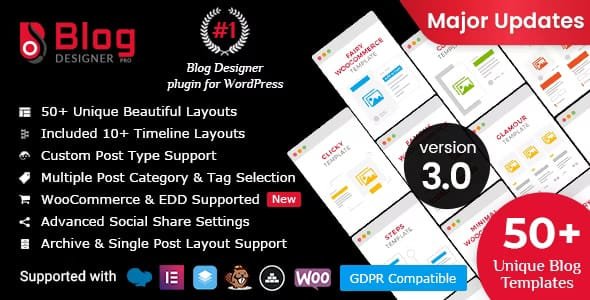
Blog Designer PRO is one of the most popular and powerful plugins to beautify and customize your WordPress blog pages without writing a single line of code. With 50+ pre-designed templates, multiple layout styles, and full customization options, this plugin helps you transform your blog into an attractive, engaging, and professional-looking section of your website.
Whether you’re running a personal blog, fashion blog, business site, portfolio, or eCommerce store, Blog Designer PRO makes it easy to enhance user experience and attract more visitors.
🚀 Key Features of Blog Designer PRO
✔️ 50+ Ready-to-Use Templates – Grid, Masonry, Full-Width, Timeline, Newspaper, Story, and Slider layouts.
✔️ Fully Responsive Design – Works seamlessly on desktops, tablets, and smartphones.
✔️ Cross-Browser Compatibility – Compatible with Chrome, Firefox, Safari, Opera, and more.
✔️ Customizable Blog Layouts – Change fonts, colors, backgrounds, and styles with ease.
✔️ Support for Custom Post Types – Apply designs to custom post types, not just blog posts.
✔️ Live Preview – Preview your blog layout before applying changes to the frontend.
✔️ Multiple Layouts Available:
Grid Layouts: Minimal, Glamour, Media Grid, etc.
Masonry Layouts: Masonry Timeline, Glossary, Rectangle, etc.
Timeline Layouts: Vertical, Horizontal, Story, Easy Timeline, etc.
Full-Width Layouts: Classical, Evolution, Pretty, Schedule, etc.
Newspaper Layouts: Navia, News, Deport.
Slider Layouts: Sunshiny Slider, Overlay Horizontal, Crayon, etc.
🎯 Where Blog Designer PRO is Useful
Blogging websites 📰
Company news or product updates
Author biography or achievements (Timeline)
Tutorials and step-by-step guides
Fashion & Lifestyle blogs
Event highlights and summaries
NGO websites to share updates
Portfolios & personal storytelling blogs
Business & Entrepreneurship blogs
✅ Why Choose Blog Designer PRO?
Fully responsive templates on all devices.
Cross-browser support for smooth accessibility.
Custom post type support for flexibility.
50+ templates with multiple layout styles.
Preview blog design before publishing.
User-friendly interface with no coding required.
Improved engagement and more blog visitors.
📦 Conclusion
The Blog Designer PRO WordPress Plugin (GPL Version) is the ultimate solution to revamp your blog section with beautiful, responsive, and customizable templates. It’s easy to use for beginners and powerful enough for developers — making your WordPress blog stand out instantly.
Be the first to review “Blog Designer PRO for WordPress 3.4.9” Cancel reply
How to Install
Follow these quick steps to install from a .zip file or directly from your WP dashboard.
-
1
Go to Plugins → Add New
In your WordPress dashboard, open Plugins and click Add New.
-
2
Click Upload Plugin
Press Upload Plugin → Choose File and select the downloaded
plugin-name.zip. -
3
Install & Activate
Click Install Now, then Activate. You’re done!
-
4
(Optional) Enter License / Use Shortcode
Open Plugins → Your Plugin → Settings to enter your license. Add the box on the product page with:
[plugin_info_box]
Alternative: Install from WordPress directory
Go to Plugins → Add New, search the plugin name, click Install then Activate.
Manual (FTP) method
Unzip locally → upload the folder to /wp-content/plugins/ using FTP → activate from Plugins.
-
1
Go to Appearance → Themes
Click Add New → Upload Theme.
-
2
Upload the .zip file
Select
theme-name.zip, click Install Now, then Activate. -
3
Install Required Plugins
If prompted, click Begin installing plugins and activate them.
-
4
(Optional) Import Starter Content
Use the theme’s Demo Import (if provided) to load sample pages and settings.
Manual (FTP) theme install
Unzip the theme → upload to /wp-content/themes/ → activate from Appearance → Themes.




Reviews
There are no reviews yet.