
- ✔ Verified by VirusTotal
- ✔ 100% Original Product & Virus-Free
- ✔ Lifetime Free Updates on Single Purchase
- ✔ Unlimited Website Usage
- ✔ Prices in USD (Tax Included)
🔥 Limited-Time Deal — Ends Soon!
Blog Designer PRO for WordPress 3.4.8
$59.00 Original price was: $59.00.$2.99Current price is: $2.99.
Instant Access
7 Day Money Back Guarantee
Online Support 24/7
Secure Payment
Description
Blog Designer PRO WordPress Plugin Features
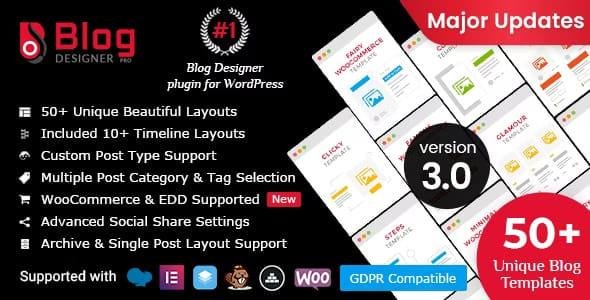
Blog Designer is an effective and user-friendly way to beautify your blog pages on your websites. It’s a very popular plugin for a website’s WordPress blog to attract more clients as well as more blog visitors. Blog Designer makes your blog section more intuitive with no coding skills. It’s very easy to manage for beginners to website developers.
Blog designer plugin bundled with precisely designed 50 templates for various category and we will keep adding more in a future version.
If you are looking for a category/tag archive design then Blog Designer is the best solution for you that you never saw above.
Every single blog template contains a number of options to manage your blog style and design like colors, font style, font family, etc.
Where Blog Designer Pro plugin is useful?
Blog Designer plugin useful for all WordPress websites. Below is one small list for which purposes you can start the use of the Blog Designer WordPress plugin.
- Blogging Website
- A new section of the website.
- Business & Technology idea sharing
- Your company story (timeline)
- Event summary showcase (timeline)
- My achievements (timeline)
- Author biography (timeline)
- Company new product updates
- Step by step tutorial guideline
- Fashion blog website
- Latest trend blog
- Business & Entrepreneurship Blogs
- NGO website to share news/update
- Personal blog Site
- Portfolio Presentation (Grid)
- Showcase post with slideshow (slider)
- To display different category posts with different design
- Ecommerce website
How to start with Blog Designer PRO?
Explore the steps to start a journey with Blog Designer PRO
01 CHECKOUT LIVE DEMOS
We have already implemented a demo for each blog template and a single blog design page at our demo website.
02 INSTALL PLUGIN
Download plugin zip file, extract it to your local drive and choose plugin zip file (blog-designer-pro.zip) for ‘Upload Plugin’ selection and then Install and Activate Blog Designer PRO from the admin area.
03 CHOOSE LAYOUT & SELECT BLOG PAGE
Choose your favorite blog layout and set a new design to your blog page with all your appropriate requirements and “Save Change” to apply for the front-end.
04 HAPPY BLOG VISITORS
Get more blog visitors with simple and awesome designs. No coding skill is required to change blog templates. Beginners can also do that thing. Enjoy with Blog Designer PRO
Precisely designed 50 templates
We have categorized our all blog templates for you that might help to you to choose the correct one. You can use the default settings for each template or modify it as per your need.
GRID LAYOUT
Brit Co, Boxy, Boxy Clean, Chapter, Explore, Famous, Glamour, Hoverbic, Invert Grid, Media Grid, Minimal, Glossary, Rectangle, Wise Block
BOX VIEW LAYOUT
Chapter, Elina, Light Breeze, Sharpen, My Diary, Region, Winter
MASONRY LAYOUT
Boxy, Glossary, Masonry Timeline, Rectangle, Hoverbic
FULL-WIDTH LAYOUT
Brite, Classical, Clicky, Cover, Elina, Evolution, Fairy, Food Box, Hub, Light Breeze, Miracle, My Diary, Neaty Block, Nicy, Offer, Pretty, Region, Schedule, Sharpen, Soft Block, Spektrum, Tagly, Winter
NEWSPAPER LAYOUT
Deport, Masonry Timeline, Navia, News
TIMELINE LAYOUT
Cool Horizontal Timeline, Easy Timeline, Masonary Timeline, Overlay Horizontal Timeline, Steps Timeline, Simple/Vertical Timeline, Story Timeline
STORY LAYOUT
Deport, My Diary, Story Timeline, Masonary Timeline
SLIDER LAYOUT
Cool horizontal, Crayon, Overlay horizontal, Sallet, Sunshiny Slider
What makes Blog Designer PRO Outstanding?
10 Reasons to Choose Blog Designer PRO
1. FULLY RESPONSIVE BLOG TEMPLATES
Templates are fully responsive with any devices like smartphones, tablets, iPad, laptops, desktops, etc.
2. CROSS-BROWSER COMPATIBILITY
Templates are compatible with all major browsers like Firefox, Chrome, Opera, safari, etc.
3. SUPPORT OF CUSTOM POST TYPE
Set blog template design for your custom post types also.
4. PREVIEW OF BLOG LAYOUT
Preview style or design of layout before publishing it on front-end.
5. IMPORT & EXPORT BLOG LAYOUTS
Import & export your favorite layouts anytime and reuse them with another website easily.
6. ARCHIVE & SINGLE POST LAYOUT OPTIONS
All types of archives like category/tag/date or author & single post design options are available.
7. PAGINATION WITH LOAD MORE
4 Different types of pagination are available – No Pagination, Paged, Load More, and Load on Page Scroll.
8. INBUILT POPULAR SOCIAL SHARE
Inbuilt social share buttons on each post with share count. No need to install/activate another plugin for social share buttons. WhatsApp share was also added for mobile users.
9. GOOGLE FONT SUPPORT
Enhance your blog page design with 800 Google Font support. Easily move your blog page style to website style via large font collections.
10. DEFAULT STYLE AND SETTINGS
Every template contains default style & settings with its own design. No need to worry about if you don’t have much knowledge about design.
Be the first to review “Blog Designer PRO for WordPress 3.4.8” Cancel reply
How to Install
Follow these quick steps to install from a .zip file or directly from your WP dashboard.
-
1
Go to Plugins → Add New
In your WordPress dashboard, open Plugins and click Add New.
-
2
Click Upload Plugin
Press Upload Plugin → Choose File and select the downloaded
plugin-name.zip. -
3
Install & Activate
Click Install Now, then Activate. You’re done!
-
4
(Optional) Enter License / Use Shortcode
Open Plugins → Your Plugin → Settings to enter your license. Add the box on the product page with:
[plugin_info_box]
Alternative: Install from WordPress directory
Go to Plugins → Add New, search the plugin name, click Install then Activate.
Manual (FTP) method
Unzip locally → upload the folder to /wp-content/plugins/ using FTP → activate from Plugins.
-
1
Go to Appearance → Themes
Click Add New → Upload Theme.
-
2
Upload the .zip file
Select
theme-name.zip, click Install Now, then Activate. -
3
Install Required Plugins
If prompted, click Begin installing plugins and activate them.
-
4
(Optional) Import Starter Content
Use the theme’s Demo Import (if provided) to load sample pages and settings.
Manual (FTP) theme install
Unzip the theme → upload to /wp-content/themes/ → activate from Appearance → Themes.




Reviews
There are no reviews yet.