
- ✔ Verified by VirusTotal
- ✔ 100% Original Product & Virus-Free
- ✔ Lifetime Free Updates on Single Purchase
- ✔ Unlimited Website Usage
- ✔ Prices in USD (Tax Included)
🔥 Limited-Time Deal — Ends Soon!
Bookly Coupons (Add-on) 5.1
$39.00 Original price was: $39.00.$2.99Current price is: $2.99.
Instant Access
7 Day Money Back Guarantee
Online Support 24/7
Secure Payment
Description
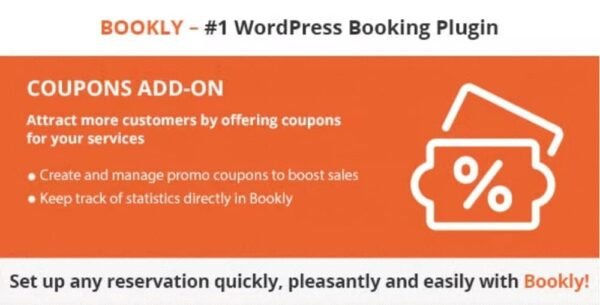
🎟️ Bookly Coupons Add-on Plugin – Boost Bookings with Smart Discounts
The Bookly Coupons Add-on Plugin (Latest Version) is the perfect tool to attract more clients and encourage repeat bookings by offering discounts and promotional codes. It seamlessly integrates with Bookly PRO, allowing your customers to apply coupon codes directly at checkout for instant savings.
This is a GPL-distributed version, clean, secure, and legally redistributed under the GPL license (no official support included).
💡 Key Features of Bookly Coupons Add-on
💰 Offer Discounts Easily: Create custom coupons to give clients price reductions on specific services or categories.
🧾 Coupon Code Field at Checkout: Clients can enter coupon codes during the booking process to instantly receive a discount.
⚙️ Full Integration with Bookly PRO: Requires Bookly PRO to activate and functions seamlessly within your existing booking system.
🧠 Smart Coupon Management: Add, edit, and delete promo codes directly in the Bookly admin dashboard.
📊 Track Coupon Usage: Keep a detailed record of coupon redemptions and measure the effectiveness of your campaigns.
🎯 Targeted Promotions: Apply discounts to specific services, staff members, or booking types to suit your marketing strategy.
📅 Custom Expiration Dates: Set start and end dates for coupons to control promotional periods.
👩💼 Increase Customer Retention: Reward loyal clients and encourage them to return for future bookings.
🚀 What We Offer
Our GPL version of the Bookly Coupons Add-on provides all premium features to help you manage promotions efficiently. It’s ideal for salons, spas, fitness centers, consultants, and any service-based business using Bookly PRO to schedule appointments.
✅ Conclusion
The Bookly Coupons Add-on Plugin makes it simple to create effective promotional campaigns that attract new clients and retain existing ones. By integrating discounts directly into your booking process, you’ll enhance customer satisfaction, increase conversions, and keep your schedule full—all while maintaining full control through your Bookly dashboard.
Be the first to review “Bookly Coupons (Add-on) 5.1” Cancel reply
How to Install
Follow these quick steps to install from a .zip file or directly from your WP dashboard.
-
1
Go to Plugins → Add New
In your WordPress dashboard, open Plugins and click Add New.
-
2
Click Upload Plugin
Press Upload Plugin → Choose File and select the downloaded
plugin-name.zip. -
3
Install & Activate
Click Install Now, then Activate. You’re done!
-
4
(Optional) Enter License / Use Shortcode
Open Plugins → Your Plugin → Settings to enter your license. Add the box on the product page with:
[plugin_info_box]
Alternative: Install from WordPress directory
Go to Plugins → Add New, search the plugin name, click Install then Activate.
Manual (FTP) method
Unzip locally → upload the folder to /wp-content/plugins/ using FTP → activate from Plugins.
-
1
Go to Appearance → Themes
Click Add New → Upload Theme.
-
2
Upload the .zip file
Select
theme-name.zip, click Install Now, then Activate. -
3
Install Required Plugins
If prompted, click Begin installing plugins and activate them.
-
4
(Optional) Import Starter Content
Use the theme’s Demo Import (if provided) to load sample pages and settings.
Manual (FTP) theme install
Unzip the theme → upload to /wp-content/themes/ → activate from Appearance → Themes.




Reviews
There are no reviews yet.