
- ✔ Verified by VirusTotal
- ✔ 100% Original Product & Virus-Free
- ✔ Lifetime Free Updates on Single Purchase
- ✔ Unlimited Website Usage
- ✔ Prices in USD (Tax Included)
🔥 Limited-Time Deal — Ends Soon!
Bookly PRO Appointment Booking and Scheduling Software System 9.2
$89.00 Original price was: $89.00.$2.99Current price is: $2.99.
Instant Access
7 Day Money Back Guarantee
Online Support 24/7
Secure Payment
Description
📅 Bookly PRO Appointment Booking and Scheduling Software
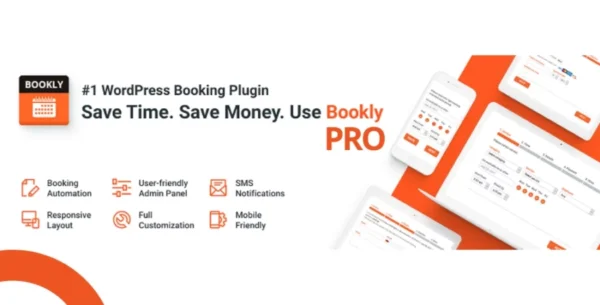
Bookly PRO Appointment is a powerful WordPress appointment booking and scheduling plugin designed for businesses of all sizes. Fully customizable, it allows users to manage appointments, staff schedules, payments, and notifications efficiently. With Google Calendar integration, automated email/SMS reminders, and analytics, Bookly PRO streamlines your booking process while enhancing customer experience.
⚡ Key Features of Bookly PRO Appointment
Fully Customizable Booking Form – Works on any device for seamless user experience.
Filterable & Searchable Booking List – Easily view, manage, or export appointments to CSV.
Unlimited Staff Members – Set individual schedules, prices, and booking availability.
Unlimited Services & Categories – Color-coded services for easier calendar management.
Client Management – Import/export clients with payment history and notes.
Email & SMS Notifications – Multiple customizable templates to keep clients informed.
Google Calendar 2-Way Sync – Automatic reflection of updates between Bookly and Google Calendar.
Payment Integration – Supports PayPal Express Checkout, tracks completed and pending payments.
Built-in Analytics – View booking statistics and performance reports.
WooCommerce Compatible – Sell services directly through your online store.
Multi-Language Support – Includes 12 languages for global reach.
24/7 Online Support – Six months of dedicated customer assistance included.
🎯 What We Offer
Bookly PRO Appointment provides a complete solution for managing appointments and schedules. It saves time for businesses, reduces no-shows with automated notifications, and allows staff and clients to manage bookings conveniently. Ideal for salons, clinics, gyms, tutors, and any service-based business, Bookly PRO ensures professional, reliable, and efficient booking management.
✅ Conclusion
With Bookly PRO Appointment Booking and Scheduling Software, streamline your booking process and enhance client satisfaction. Enjoy customizable forms, staff management, automated notifications, payment processing, and Google Calendar sync — all within one intuitive WordPress plugin.
Be the first to review “Bookly PRO Appointment Booking and Scheduling Software System 9.2” Cancel reply
How to Install
Follow these quick steps to install from a .zip file or directly from your WP dashboard.
-
1
Go to Plugins → Add New
In your WordPress dashboard, open Plugins and click Add New.
-
2
Click Upload Plugin
Press Upload Plugin → Choose File and select the downloaded
plugin-name.zip. -
3
Install & Activate
Click Install Now, then Activate. You’re done!
-
4
(Optional) Enter License / Use Shortcode
Open Plugins → Your Plugin → Settings to enter your license. Add the box on the product page with:
[plugin_info_box]
Alternative: Install from WordPress directory
Go to Plugins → Add New, search the plugin name, click Install then Activate.
Manual (FTP) method
Unzip locally → upload the folder to /wp-content/plugins/ using FTP → activate from Plugins.
-
1
Go to Appearance → Themes
Click Add New → Upload Theme.
-
2
Upload the .zip file
Select
theme-name.zip, click Install Now, then Activate. -
3
Install Required Plugins
If prompted, click Begin installing plugins and activate them.
-
4
(Optional) Import Starter Content
Use the theme’s Demo Import (if provided) to load sample pages and settings.
Manual (FTP) theme install
Unzip the theme → upload to /wp-content/themes/ → activate from Appearance → Themes.




Reviews
There are no reviews yet.