
- ✔ Verified by VirusTotal
- ✔ 100% Original Product & Virus-Free
- ✔ Lifetime Free Updates on Single Purchase
- ✔ Unlimited Website Usage
- ✔ Prices in USD (Tax Included)
🔥 Limited-Time Deal — Ends Soon!
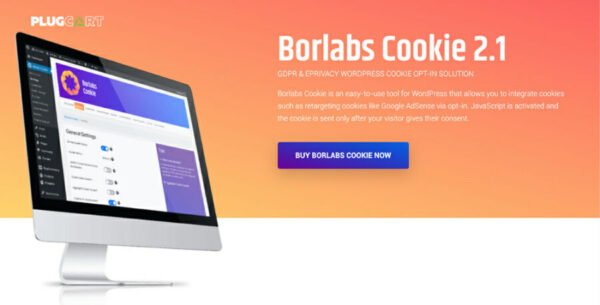
Borlabs Cookie | WordPress Premium Consent Management Plugin 3.3.17
$58.00 Original price was: $58.00.$2.99Current price is: $2.99.
Instant Access
7 Day Money Back Guarantee
Online Support 24/7
Secure Payment
Description
🍪 Borlabs Cookie – WordPress Cookie Consent & Compliance
This is a GPL-distributed version – clean, secure, and legally redistributed under the GPL license. No official support included.
Borlabs Cookie is the ultimate WordPress cookie consent plugin that ensures your website is GDPR, CCPA, and ePrivacy compliant. It helps manage cookies, trackers, and third-party services while giving your visitors full control over their data. Perfect for all types of WordPress websites, Borlabs Cookie is simple, effective, and secure.
⚡ Key Features
🔍 Website Scanner
Automatically analyzes your WordPress site for cookies and trackers
Recommends packages from the exclusive Borlabs library to ensure compliance
Keeps your favorite plugins running securely and worry-free
✅ TCF v2.2 & Google Consent Mode v2
Fully compatible with TCF 2.2 for GDPR compliance
Supports Google Consent Mode v2 to optimize ads and track marketing campaigns
Accurately measures advertising performance while respecting user consent
🌍 Geo-Restriction
Display the consent dialog only for EU visitors
Hide dialogs for non-EU countries automatically
Control visibility per country in plugin settings
🌐 Automatic Translation
Native translations in English, German, French, Italian, Dutch, Polish, and Spanish
Automatically translates services, content blockers, providers, and dialogs
Custom changes propagate to all supported languages
📚 Library & Packages
Exclusive library with 150+ ready-to-use packages
Templates for popular services and compatibility patches for third-party plugins
New packages added weekly; missing packages can be requested
⚙️ Extensive Customization
Over 300 settings for full control of cookie consent
Design your consent dialog with 150+ design options
Advanced customization using custom CSS
Default settings optimized for fast and secure setup
🎯 Who Should Use Borlabs Cookie?
WordPress site owners needing GDPR, CCPA, and ePrivacy compliance
Websites using multiple third-party services or trackers
Businesses running ads and marketing campaigns that require user consent
Agencies managing multilingual websites with cookie regulations
🏁 Conclusion
Borlabs Cookie is the most powerful and flexible cookie consent plugin for WordPress. With its scanner, library of ready-to-use packages, geo-restriction, and automatic translations, it ensures your website is fully compliant, secure, and optimized. Protect your users’ data while continuing to leverage your favorite plugins effectively.
Be the first to review “Borlabs Cookie | WordPress Premium Consent Management Plugin 3.3.17” Cancel reply
How to Install
Follow these quick steps to install from a .zip file or directly from your WP dashboard.
-
1
Go to Plugins → Add New
In your WordPress dashboard, open Plugins and click Add New.
-
2
Click Upload Plugin
Press Upload Plugin → Choose File and select the downloaded
plugin-name.zip. -
3
Install & Activate
Click Install Now, then Activate. You’re done!
-
4
(Optional) Enter License / Use Shortcode
Open Plugins → Your Plugin → Settings to enter your license. Add the box on the product page with:
[plugin_info_box]
Alternative: Install from WordPress directory
Go to Plugins → Add New, search the plugin name, click Install then Activate.
Manual (FTP) method
Unzip locally → upload the folder to /wp-content/plugins/ using FTP → activate from Plugins.
-
1
Go to Appearance → Themes
Click Add New → Upload Theme.
-
2
Upload the .zip file
Select
theme-name.zip, click Install Now, then Activate. -
3
Install Required Plugins
If prompted, click Begin installing plugins and activate them.
-
4
(Optional) Import Starter Content
Use the theme’s Demo Import (if provided) to load sample pages and settings.
Manual (FTP) theme install
Unzip the theme → upload to /wp-content/themes/ → activate from Appearance → Themes.




Reviews
There are no reviews yet.