
- ✔ Verified by VirusTotal
- ✔ 100% Original Product & Virus-Free
- ✔ Lifetime Free Updates on Single Purchase
- ✔ Unlimited Website Usage
- ✔ Prices in USD (Tax Included)
🔥 Limited-Time Deal — Ends Soon!
ChatBot for WordPress 13.6.5
$25.00 Original price was: $25.00.$2.99Current price is: $2.99.
Instant Access
7 Day Money Back Guarantee
Online Support 24/7
Secure Payment
Description
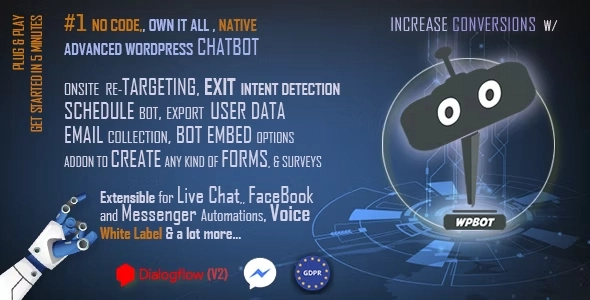
WPBot – WordPress ChatBot Plugin is a powerful, plug-and-play chatbot designed to enhance user engagement, automate support, and boost conversions on your WordPress website. With AI-driven conversations and Natural Language Processing (NLP) integration via DialogFlow, WPBot can answer questions, collect feedback, gather emails, and even display rich messages with images, videos, and cards.
Ideal for business websites, eCommerce stores, blogs, and agencies, WPBot provides a seamless conversational experience that mimics real human interaction, improving customer satisfaction while saving your team valuable time. Predefined intents allow the bot to function immediately without technical setup, while advanced AI features are available for more intelligent, context-aware conversations.
Key Features:
✔ Plug-and-play setup – ready to use in minutes
✔ AI & NLP support via DialogFlow for advanced conversations
✔ Predefined intents for email collection, FAQ, website search, and feedback
✔ Supports images, GIFs, and YouTube videos in chat
✔ Onsite retargeting, exit-intent messages, and email subscriptions
✔ Advanced website search to match user queries with content
✔ Multi-language support with editable responses (RTL supported)
✔ Bot activity scheduling for office hours or live chat integration
✔ In-chat support and contact functionality
✔ Collects user feedback, phone numbers, and emails
✔ Conversational forms and rich card responses
Whether you want to automate support, engage visitors, or increase conversions, WPBot is the ultimate AI-powered WordPress ChatBot to deliver a modern, interactive user experience with minimal setup.
Be the first to review “ChatBot for WordPress 13.6.5” Cancel reply
How to Install
Follow these quick steps to install from a .zip file or directly from your WP dashboard.
-
1
Go to Plugins → Add New
In your WordPress dashboard, open Plugins and click Add New.
-
2
Click Upload Plugin
Press Upload Plugin → Choose File and select the downloaded
plugin-name.zip. -
3
Install & Activate
Click Install Now, then Activate. You’re done!
-
4
(Optional) Enter License / Use Shortcode
Open Plugins → Your Plugin → Settings to enter your license. Add the box on the product page with:
[plugin_info_box]
Alternative: Install from WordPress directory
Go to Plugins → Add New, search the plugin name, click Install then Activate.
Manual (FTP) method
Unzip locally → upload the folder to /wp-content/plugins/ using FTP → activate from Plugins.
-
1
Go to Appearance → Themes
Click Add New → Upload Theme.
-
2
Upload the .zip file
Select
theme-name.zip, click Install Now, then Activate. -
3
Install Required Plugins
If prompted, click Begin installing plugins and activate them.
-
4
(Optional) Import Starter Content
Use the theme’s Demo Import (if provided) to load sample pages and settings.
Manual (FTP) theme install
Unzip the theme → upload to /wp-content/themes/ → activate from Appearance → Themes.




Reviews
There are no reviews yet.