
- ✔ Verified by VirusTotal
- ✔ 100% Original Product & Virus-Free
- ✔ Lifetime Free Updates on Single Purchase
- ✔ Unlimited Website Usage
- ✔ Prices in USD (Tax Included)
🔥 Limited-Time Deal — Ends Soon!
Custom Instagram Feed Pro By Smash Balloon 6.8.1
$58.00 Original price was: $58.00.$2.99Current price is: $2.99.
Instant Access
7 Day Money Back Guarantee
Online Support 24/7
Secure Payment
Description
Custom Instagram Instagram Feed Pro GPL by Smash Balloon 📸
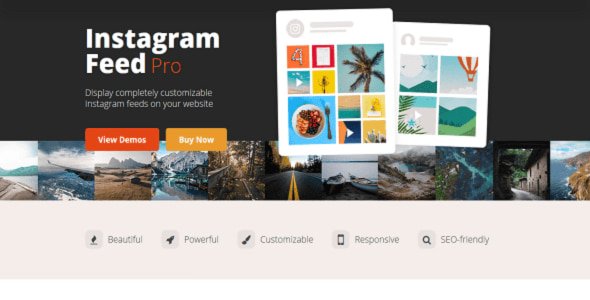
Instagram Feed Pro is a powerful and fully responsive WordPress plugin by Smash Balloon that allows you to display Instagram feeds directly on your website. Whether you want to showcase photos, videos, stories, or shoppable feeds, this plugin provides unlimited customization options, multiple layouts, and easy integration for a seamless social media experience on your site.
⚡ Custom Instagram Key Features of Instagram Feed Pro
Super Simple Setup ✅
No design or technical knowledge required.
Works with any WordPress theme, fully responsive and mobile-optimized.
Multiple Feed Options 🔄
Display feeds from multiple Instagram accounts on the same website.
Use hashtag feeds, tagged feeds, or stories.
Highlight specific posts using hashtags, IDs, or patterns.
Custom Instagram Engaging Layouts & Carousels 🎨
Multiple layout options including grid, masonry, carousel, and slideshow.
Create photo and video carousels to display content attractively.
HTML5 video support ensures smooth playback.
Visual Moderation System 👀
Easily hide specific posts or photos from certain users.
Highlight or feature posts in a visually appealing way.
Moderation system is simple and intuitive.
Interactive Features ✨
Pop-up media lightbox for Instagram Stories and images.
Display post comments directly under feeds.
Create “shoppable” feeds by linking posts to products or custom URLs.
Share posts directly from your website to Instagram.
Customization & Developer Friendly 🛠️
Tons of customization options including text translations and styling.
Advanced customization via templating, hooks, and code snippets.
Store images locally for faster loading and SEO benefits.
Reliable & Up-to-Date 🔒
Caching system ensures feeds load quickly and reliably.
Fully compatible with the latest Instagram API, including hashtag feeds.
Constantly updated to minimize conflicts with WordPress and other plugins.
💡 Benefits of Instagram Feed Pro
✅ Enhance your website with live Instagram content.
✅ Increase user engagement by showcasing stories and posts.
✅ Highlight specific posts to drive traffic to products or pages.
✅ Filter content by hashtags or keywords to control your feed.
✅ Perfect for eCommerce, portfolios, blogs, and social media marketing.
🔹 Use Cases
eCommerce Stores 🛍️
Create shoppable Instagram feeds to directly link products, increasing sales.
Portfolio & Photography Websites 📷
Showcase your creative work using grids, carousels, and story pop-ups.
Blogs & Content Sites 📝
Engage readers by displaying curated Instagram posts related to your niche.
Social Media Campaigns 📣
Highlight campaigns or promotions directly on your website to boost awareness.
🔹 Why Choose Instagram Feed Pro?
Instagram Feed Pro by Smash Balloon is fully responsive, highly customizable, and easy to use, making it a top choice for any WordPress website. With features like stories pop-up, hashtag feeds, visual moderation, and shoppable posts, it allows you to maximize the impact of your Instagram content and keep users engaged for longer.
Be the first to review “Custom Instagram Feed Pro By Smash Balloon 6.8.1” Cancel reply
How to Install
Follow these quick steps to install from a .zip file or directly from your WP dashboard.
-
1
Go to Plugins → Add New
In your WordPress dashboard, open Plugins and click Add New.
-
2
Click Upload Plugin
Press Upload Plugin → Choose File and select the downloaded
plugin-name.zip. -
3
Install & Activate
Click Install Now, then Activate. You’re done!
-
4
(Optional) Enter License / Use Shortcode
Open Plugins → Your Plugin → Settings to enter your license. Add the box on the product page with:
[plugin_info_box]
Alternative: Install from WordPress directory
Go to Plugins → Add New, search the plugin name, click Install then Activate.
Manual (FTP) method
Unzip locally → upload the folder to /wp-content/plugins/ using FTP → activate from Plugins.
-
1
Go to Appearance → Themes
Click Add New → Upload Theme.
-
2
Upload the .zip file
Select
theme-name.zip, click Install Now, then Activate. -
3
Install Required Plugins
If prompted, click Begin installing plugins and activate them.
-
4
(Optional) Import Starter Content
Use the theme’s Demo Import (if provided) to load sample pages and settings.
Manual (FTP) theme install
Unzip the theme → upload to /wp-content/themes/ → activate from Appearance → Themes.




Reviews
There are no reviews yet.