
- ✔ Verified by VirusTotal
- ✔ 100% Original Product & Virus-Free
- ✔ Lifetime Free Updates on Single Purchase
- ✔ Unlimited Website Usage
- ✔ Prices in USD (Tax Included)
🔥 Limited-Time Deal — Ends Soon!
Cvio Theme – Personal Portfolio WordPress Theme 3.3.7
$29.00 Original price was: $29.00.$2.99Current price is: $2.99.
Instant Access
7 Day Money Back Guarantee
Online Support 24/7
Secure Payment
Description
CVIO – CV / Resume WordPress Theme Latest Version
Cvio Theme is a GPL-distributed version. No official support. Clean, secure, and legally redistributed under the GPL license.
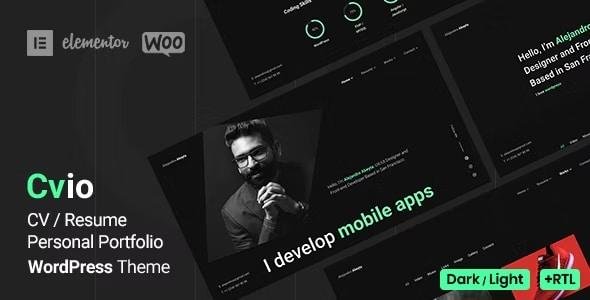
Cvio – Resume WordPress Theme best suited for developers, designers, programmers, freelancers, writers, musicians, photographers or any other professions. Modern and clean theme with a trendy dark design that will help you create a web presence. Includes Different layouts, Dark & Light modes, Unlimited color, RTL support, One & Multi-page, One Click Demo Import, WooCommerce Support, Transitions page animations, ACF Pro, and Elementor – No coding skills needed, creating an online resume and CV websites should no longer be difficult.
Visual Drag & Drop Elementor Page Builder – one of the best user-friendly page builders for WordPress. No coding skills are needed, everything can be done through a handy user panel interface. You do not need to be a professional at web development to successfully launch a high-end website. Creating a Resume/CV or personal website with Cvio is an effective way to promote yourself and showcase your works.
CVIO Theme GPL Features List:
- Elementor Drag & Drop Page Builder
- Multi and One Page
- 8+ Home Page Variants
- Compatible with WordPress 5.8
- WooCommerce Support
- Dark & Light Mode
- RTL Support
- 6+ Background Options (Default, Image, Video, Gradient, Color, Slideshow)
- 6+ Lightbox Portfolio Variants: Image, Gallery, Media, Iframe (YouTube, Vimeo), Audio (SoundCloud), Link
- ACF Pro Plugin Included (Save $25)
- One-Click Demo Import
- Awesome Portfolio with Isotope Filters
- Skills with Percent & Dotted Bar, Circles, Knowledge
- Resume On Timeline
- Testimonials Carousel
- Team Carousel
- Pricing Tables
- Contact Form 7 Plugin
- Unlimited Colors
- Fully Responsive
- Minimal and Clean
- Fully Customize
- Cross Browser
- ACF flexible content
- Import Demo Data
- Blog Page & Blog Details Page
- Clean code
- Widgets ready
- Localization Support (Included .pot file)
- Child themes support
- Fonts Icons
- Google Fonts
- 24/7 Support
- Regular Updates
- Documentation Included
- and more features coming soon!
resume, cv, vcard, resume portfolio, web developer portfolio, personal portfolio, personal site, business card, resume wordpress theme, programmer resume, developer resume, programmer cv, developer cv, designer vcard, designer cv, designer portfolio, designer resume, programmer portfolio, designer portfolio, digital business card, personal website, online resume, creative cv, clean vcard, resume site, resume website, profile resume, minimal, minimal resume, minimal vcard, personal, portfolio, creative, modern, clean, online cv, creative portfolio, professional, artist, photographer, freelancer, designer, developer, rtl, rtl vcard, rtl resume, rtl cv
Be the first to review “Cvio Theme – Personal Portfolio WordPress Theme 3.3.7” Cancel reply
How to Install
Follow these quick steps to install from a .zip file or directly from your WP dashboard.
-
1
Go to Plugins → Add New
In your WordPress dashboard, open Plugins and click Add New.
-
2
Click Upload Plugin
Press Upload Plugin → Choose File and select the downloaded
plugin-name.zip. -
3
Install & Activate
Click Install Now, then Activate. You’re done!
-
4
(Optional) Enter License / Use Shortcode
Open Plugins → Your Plugin → Settings to enter your license. Add the box on the product page with:
[plugin_info_box]
Alternative: Install from WordPress directory
Go to Plugins → Add New, search the plugin name, click Install then Activate.
Manual (FTP) method
Unzip locally → upload the folder to /wp-content/plugins/ using FTP → activate from Plugins.
-
1
Go to Appearance → Themes
Click Add New → Upload Theme.
-
2
Upload the .zip file
Select
theme-name.zip, click Install Now, then Activate. -
3
Install Required Plugins
If prompted, click Begin installing plugins and activate them.
-
4
(Optional) Import Starter Content
Use the theme’s Demo Import (if provided) to load sample pages and settings.
Manual (FTP) theme install
Unzip the theme → upload to /wp-content/themes/ → activate from Appearance → Themes.




Reviews
There are no reviews yet.