
- ✔ Verified by VirusTotal
- ✔ 100% Original Product & Virus-Free
- ✔ Lifetime Free Updates on Single Purchase
- ✔ Unlimited Website Usage
- ✔ Prices in USD (Tax Included)
🔥 Limited-Time Deal — Ends Soon!
DHVC Form 2.3.8
$20.00 Original price was: $20.00.$2.99Current price is: $2.99.
Instant Access
7 Day Money Back Guarantee
Online Support 24/7
Secure Payment
Description
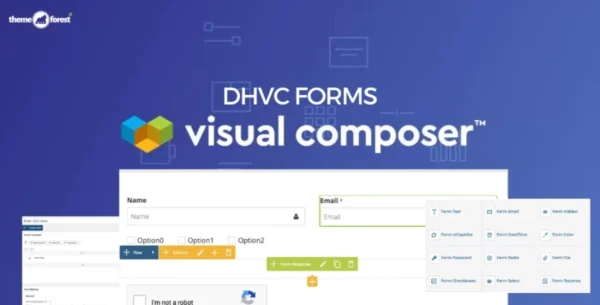
📝 DHVC Form – Powerful Form Builder for WPBakery Page Builder
Create and manage advanced forms in WordPress with drag & drop simplicity.
(GPL Licensed – Clean & Secure. No official support included in this version.)
DHVC Form is an advanced form manager addon for WPBakery Page Builder (formerly Visual Composer) that empowers you to create, customize, and manage forms effortlessly. From simple contact forms to advanced multi-step booking forms, user registration forms, or even WooCommerce login forms, DHVC Form gives you complete flexibility—all without writing a single line of code.
Whether you’re a beginner or a developer, DHVC Form brings you a user-friendly interface, responsive design, and deep integration with popular WordPress tools and third-party services.
✨ Key Features of DHVC Form
🎨 Drag & Drop Form Builder
Build complex forms visually within minutes.
No coding required—perfect for beginners.
Reorder fields with simple drag-and-drop.
⚡ Advanced Form Logic
Conditional Logic: Show or hide fields based on user input.
Create dynamic, personalized forms for better conversions.
📱 100% Responsive & Mobile Ready
Every form is fully responsive and mobile-friendly.
Works seamlessly across devices and browsers.
🛠️ Customization & Styling
Unlimited color options.
Easy-to-use UI with customizable form templates.
Add custom form actions for advanced workflows.
📩 Powerful Email Features
Automatic email notifications for admin & users.
Autoresponder emails (confirmation messages).
Customize email body content with dynamic merge tags.
Supports SMTP with TLS and custom ports for reliable delivery.
🔒 User Account & WooCommerce Integration
Create custom Login, Register, and Lost Password forms.
WooCommerce support for user authentication and account forms.
Replace default WordPress wp-login.php with a branded custom page.
💳 Payment & Marketing Integrations
Built-in PayPal checkout support for simple payments.
Mailchimp integration for subscriber forms.
Supports myMail and MailPoet newsletters.
Add fields like
firstname,lastname, andemailseamlessly.
📊 Data Management & Export
View submitted entries directly inside the WordPress dashboard.
Export form submissions to CSV files in one click.
AJAX form validation for smooth user experience.
No duplicate submissions thanks to built-in protection.
🔐 Security Features
Integrated Google reCAPTCHA v2 support.
Protects against spam and automated bots.
🌟 Extra Features
Multi-step form support for complex workflows.
Display forms with shortcodes or in popups.
Supports custom ports and SMTP methods for professional email delivery.
💼 Use Cases
✔️ Business Websites – Create contact, inquiry, and lead forms.
✔️ Service Providers – Build booking or appointment forms.
✔️ E-commerce Stores – Customize WooCommerce login and checkout forms.
✔️ Membership Sites – Add user registration and login functionality.
✔️ Marketers – Build newsletter signup forms integrated with Mailchimp or MailPoet.
✔️ Developers/Agencies – Deliver fully customized, professional forms to clients without coding.
📦 Technical Details
Plugin Name: DHVC Form – WPBakery Page Builder Form Manager
License: 100% GPL (General Public License)
Requirements: WPBakery Page Builder plugin
Distribution: Clean & Secure GPL Release
Support: No official developer support (GPL version)
Be the first to review “DHVC Form 2.3.8” Cancel reply
How to Install
Follow these quick steps to install from a .zip file or directly from your WP dashboard.
-
1
Go to Plugins → Add New
In your WordPress dashboard, open Plugins and click Add New.
-
2
Click Upload Plugin
Press Upload Plugin → Choose File and select the downloaded
plugin-name.zip. -
3
Install & Activate
Click Install Now, then Activate. You’re done!
-
4
(Optional) Enter License / Use Shortcode
Open Plugins → Your Plugin → Settings to enter your license. Add the box on the product page with:
[plugin_info_box]
Alternative: Install from WordPress directory
Go to Plugins → Add New, search the plugin name, click Install then Activate.
Manual (FTP) method
Unzip locally → upload the folder to /wp-content/plugins/ using FTP → activate from Plugins.
-
1
Go to Appearance → Themes
Click Add New → Upload Theme.
-
2
Upload the .zip file
Select
theme-name.zip, click Install Now, then Activate. -
3
Install Required Plugins
If prompted, click Begin installing plugins and activate them.
-
4
(Optional) Import Starter Content
Use the theme’s Demo Import (if provided) to load sample pages and settings.
Manual (FTP) theme install
Unzip the theme → upload to /wp-content/themes/ → activate from Appearance → Themes.




Reviews
There are no reviews yet.