
- ✔ Verified by VirusTotal
- ✔ 100% Original Product & Virus-Free
- ✔ Lifetime Free Updates on Single Purchase
- ✔ Unlimited Website Usage
- ✔ Prices in USD (Tax Included)
🔥 Limited-Time Deal — Ends Soon!
DHWCLayout – Woocommerce Products Layouts 3.1.25
$20.00 Original price was: $20.00.$2.99Current price is: $2.99.
Instant Access
7 Day Money Back Guarantee
Online Support 24/7
Secure Payment
Description
DHWCLayout Woocommerce Products Layouts
This is a GPL-distributed version. No official support. Clean, secure, and legally redistributed under the GPL license.
If you have a problem concerning the display product of Woocommerce. it helps you can control product display in everywhere and every form as your desire
Also, the DHWCLayout plugin allows you to create brands for your shop: each brand can be named, described and assigned an image. allows you to build templates for product categories and product brands.
Features:
- Easily Installation.
- Easily configure.
- User-friendly.
- Easily customize styles
- Bootstrap responsive
- Work with WPBakery Page Builder for WordPress
- Include support product brand :
- Assign product to brand
- Include widgets: list brand menu, a brand with bxSlider, filter product by brand layered nav
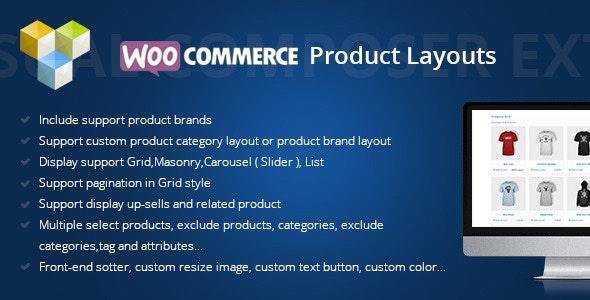
- Support custom products of category layout or product brand layout
- Product list of Category with Grid Layout
- Display support Grid, Masonry, Carousel ( Slider ), List
- Support pagination in Grid style
- Support display up-sells and related product
- Multiple select products, exclude products, categories, exclude categories, tag and attributes…
- more than 40+ options settings style
- Front-end support, custom resizing the image, custom text button, custom colour…
- Support YITH WooCommerce Wishlist button
- Much more…
Be the first to review “DHWCLayout – Woocommerce Products Layouts 3.1.25” Cancel reply
How to Install
Follow these quick steps to install from a .zip file or directly from your WP dashboard.
-
1
Go to Plugins → Add New
In your WordPress dashboard, open Plugins and click Add New.
-
2
Click Upload Plugin
Press Upload Plugin → Choose File and select the downloaded
plugin-name.zip. -
3
Install & Activate
Click Install Now, then Activate. You’re done!
-
4
(Optional) Enter License / Use Shortcode
Open Plugins → Your Plugin → Settings to enter your license. Add the box on the product page with:
[plugin_info_box]
Alternative: Install from WordPress directory
Go to Plugins → Add New, search the plugin name, click Install then Activate.
Manual (FTP) method
Unzip locally → upload the folder to /wp-content/plugins/ using FTP → activate from Plugins.
-
1
Go to Appearance → Themes
Click Add New → Upload Theme.
-
2
Upload the .zip file
Select
theme-name.zip, click Install Now, then Activate. -
3
Install Required Plugins
If prompted, click Begin installing plugins and activate them.
-
4
(Optional) Import Starter Content
Use the theme’s Demo Import (if provided) to load sample pages and settings.
Manual (FTP) theme install
Unzip the theme → upload to /wp-content/themes/ → activate from Appearance → Themes.




Reviews
There are no reviews yet.