
- ✔ Verified by VirusTotal
- ✔ 100% Original Product & Virus-Free
- ✔ Lifetime Free Updates on Single Purchase
- ✔ Unlimited Website Usage
- ✔ Prices in USD (Tax Included)
🔥 Limited-Time Deal — Ends Soon!
Divi Pixel WordPress Plugin 2.45.0
$71.00 Original price was: $71.00.$2.99Current price is: $2.99.
Instant Access
7 Day Money Back Guarantee
Online Support 24/7
Secure Payment
Description
🎯 Divi Pixel WordPress Overview
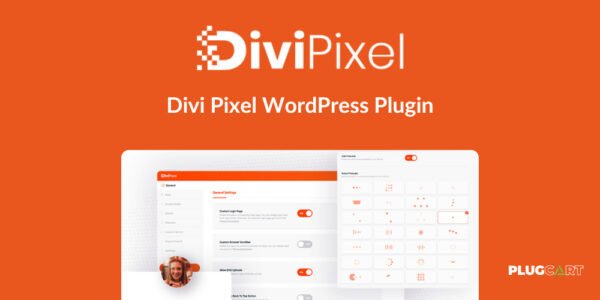
Divi Pixel WordPress Plugin is a powerful tool for Divi Theme users that extends the Divi Builder with 50+ custom modules, advanced settings, and unlimited customization options. Built for speed, performance, and flexibility, Divi Pixel transforms your website into a visually stunning and highly functional platform.
With a beautiful user interface and intuitive Customizer settings, Divi Pixel allows anyone to create a professional website effortlessly.
🛠️ Key Features of Divi Pixel WordPress
🧩 50+ Custom Divi Modules
Extend Divi Builder with powerful and versatile modules.
Each module is fully customizable to match your website design.
Create unique sections, features, and layouts easily.
⚙️ Advanced Plugin & Customizer Settings
Enable or disable modules via the plugin interface.
Configure all options directly in the Divi Theme Customizer.
Well-grouped and intuitive settings for effortless customization.
🌐 Free Layout Packs
Access professional, ready-made layout packs.
Quickly build pages with pre-designed templates for various niches.
Save time while maintaining a high-quality design.
⚡ Performance & Compatibility
Lightweight and optimized for fast page load speed.
Fully compatible with WordPress multisite networks.
Follows best WordPress coding practices for high performance.
🔄 Regular Updates & Support
Receive free updates with new features and bug fixes.
Dedicated support team with experience assisting thousands of users.
🌟 Benefits
Unlock unlimited customization for your Divi website.
Build visually stunning pages faster with pre-built modules and layout packs.
Optimize site performance without sacrificing design flexibility.
Enhance the user experience and engagement on your site.
Easily manage and configure modules, layouts, and settings from a single dashboard.
🏁 Conclusion
Divi Pixel WordPress Plugin is the ultimate enhancement for Divi Theme users, offering 50+ modules, customizable layout packs, advanced settings, and performance optimization. Whether you’re building a business site, portfolio, or e-commerce store, Divi Pixel helps you create a unique, professional, and high-performing website with ease.
Be the first to review “Divi Pixel WordPress Plugin 2.45.0” Cancel reply
How to Install
Follow these quick steps to install from a .zip file or directly from your WP dashboard.
-
1
Go to Plugins → Add New
In your WordPress dashboard, open Plugins and click Add New.
-
2
Click Upload Plugin
Press Upload Plugin → Choose File and select the downloaded
plugin-name.zip. -
3
Install & Activate
Click Install Now, then Activate. You’re done!
-
4
(Optional) Enter License / Use Shortcode
Open Plugins → Your Plugin → Settings to enter your license. Add the box on the product page with:
[plugin_info_box]
Alternative: Install from WordPress directory
Go to Plugins → Add New, search the plugin name, click Install then Activate.
Manual (FTP) method
Unzip locally → upload the folder to /wp-content/plugins/ using FTP → activate from Plugins.
-
1
Go to Appearance → Themes
Click Add New → Upload Theme.
-
2
Upload the .zip file
Select
theme-name.zip, click Install Now, then Activate. -
3
Install Required Plugins
If prompted, click Begin installing plugins and activate them.
-
4
(Optional) Import Starter Content
Use the theme’s Demo Import (if provided) to load sample pages and settings.
Manual (FTP) theme install
Unzip the theme → upload to /wp-content/themes/ → activate from Appearance → Themes.




Reviews
There are no reviews yet.